
For personal bloggers, there are quite a few who think about adding some special effects to their websites during holidays and festivals. As the weather gets cold and Christmas, New Year's Day, and Spring Festival approach, I'm sharing a few in advance.WordPress Website Snowfall Plugins and JS Code。
Website Snow Plugin
Snow My WP
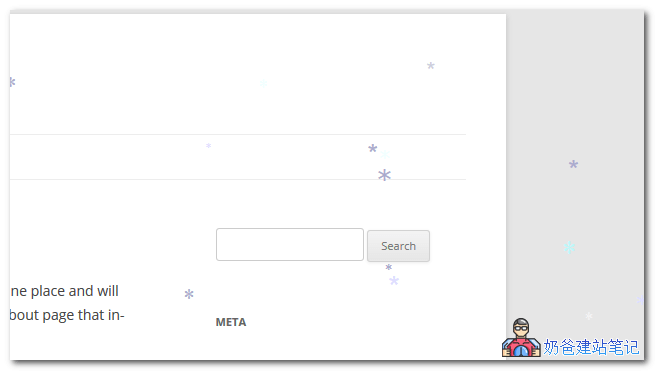
The Snow My WP plugin is very simple to use. After downloading and activating it, random snowflake images will appear on the website frontend. There are no settings; simply disable the plugin when you don't need the snowfall effect.
WP Snow – Best Snow Effect Plugin
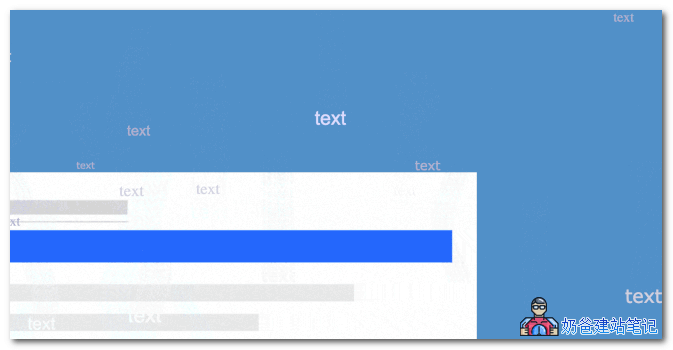
WP Snow – Best Snow Effect Plugin comes with a settings panel where you can set snowflake size and color, and even display falling text effects. If you have someone you like, you can try dropping a few confession words at Christmas.
This plugin is free.Recommended。
This plugin allows you to create beautiful animated snowflakes or other types of snow. For example, you can use various icons as snowflakes, custom text, etc.
Features
- Custom Snowflake Layout – Add your own custom text that falls like snowflakes
- Flakes Fonts Integration – Customizable fonts and optional Fontawesome icon effects
- Display snowflakes only on specific posts or pages (also supports custom post types)
- Customize snowflake colors – You can also set multiple colors assigned randomly
- Customize snowflake fonts – You can also set multiple fonts assigned randomly
- Add custom flake styles – You can also add custom CSS styles to each flake for unlimited possibilities
- Deactivate snowflakes directly in settings – This gives you faster control over snowflakes than ever before
- Customize the number of snowflakes visible at once
- Customize the falling speed of snowflakes
- Customize the maximum and minimum size of snowflakes
- Optimize performance by changing the refresh speed of the snowflake animation
- Customize the z-index of your snowflakes
- Advanced developer hooks
Weather Effect
Weather Effect – Christmas effect, snow effect is a weather effects plugin. Besides snow, it can also make Santa Claus and Christmas stockings fall.

Weather effect plugin with multiple effects (winter, New Year, autumn, hollow, summer, spring, rain, Thanksgiving, Valentine).
This is a new „Weather Effect WordPress Plugin“ based on Irresistible CSS and JS, so it„s very magical and easy to use.
The best WordPress Weather Effect plugin helps you make your website beautiful with just a few clicks.
It has many falling effects based on weather and occasions. You can choose effects according to your ideas. Users can add more than 10 falling effects to their websites.
Weather Effect WordPress Plugin is the only plugin with special falling effects for any website. You can use the Weather Effect WordPress Plugin to decorate your website based on any weather or occasion.
This weather effect plugin is suitable for both new and old users because it has simple configuration and no shortcodes. You can use it very simply: just configure the plugin settings and save with the save button.
This Weather Effect is a paid plugin, but the free features are already sufficient, so you can consider it.
Snowfall Effect JS Code
JS code requires modifying the website theme source code files. If you are not familiar with this, it is recommended to use the plugins recommended above.Snowfall Effect。
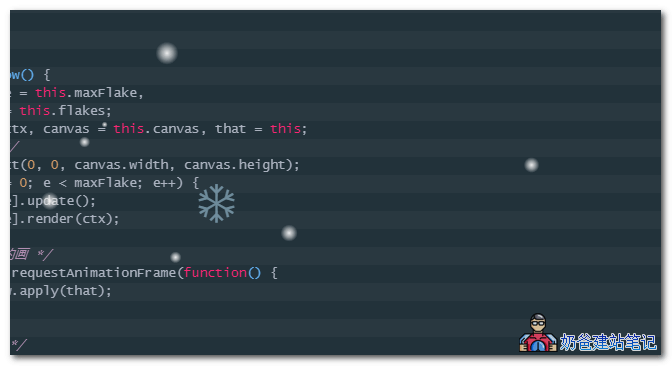
The effect is shown below: the snowflake is from code one, and the white dots are from code two. The JS code is fromZhang Ge's Blog。
Snowfall JS Code One
<script type="text/javascript">
(function($){
$.fn.snow = function(options){
var $flake = $('<div id="snowbox" />').css({'position': 'absolute','z-index':'9999', 'top': '-50px'}).html('❄'),
documentHeight = $(document).height(),
documentWidth = $(document).width(),
defaults = {
minSize : 10,
maxSize : 20,
newOn : 1000,
flakeColor : "#AFDAEF" /* 此处可以定义雪花颜色,若要白色可以改为#FFFFFF */
},
options = $.extend({}, defaults, options);
var interval= setInterval( function(){
var startPositionLeft = Math.random() * documentWidth - 100,
startOpacity = 0.5 + Math.random(),
sizeFlake = options.minSize + Math.random() * options.maxSize,
endPositionTop = documentHeight - 200,
endPositionLeft = startPositionLeft - 500 + Math.random() * 500,
durationFall = documentHeight * 10 + Math.random() * 5000;
$flake.clone().appendTo('body').css({
left: startPositionLeft,
opacity: startOpacity,
'font-size': sizeFlake,
color: options.flakeColor
}).animate({
top: endPositionTop,
left: endPositionLeft,
opacity: 0.2
},durationFall,'linear',function(){
$(this).remove()
});
}, options.newOn);
};
})(jQuery);
$(function(){
$.fn.snow({
minSize: 5, /* 定义雪花最小尺寸 */
maxSize: 50,/* 定义雪花最大尺寸 */
newOn: 300 /* 定义密集程度,数字越小越密集 */
});
});
</script>Snowfall JS Effect Two
<script type="text/javascript">
    /* 控制下雪 */
    function snowFall(snow) {
        /* 可配置属性 */
        snow = snow || {};
        this.maxFlake = snow.maxFlake || 200;   /* 最多片数 */
        this.flakeSize = snow.flakeSize || 10;  /* 雪花形状 */
        this.fallSpeed = snow.fallSpeed || 1;   /* 坠落速度 */
    }
    /* 兼容写法 */
    requestAnimationFrame = window.requestAnimationFrame ||
        window.mozRequestAnimationFrame ||
        window.webkitRequestAnimationFrame ||
        window.msRequestAnimationFrame ||
        window.oRequestAnimationFrame ||
        function(callback) { setTimeout(callback, 1000 / 60); };

    cancelAnimationFrame = window.cancelAnimationFrame ||
        window.mozCancelAnimationFrame ||
        window.webkitCancelAnimationFrame ||
        window.msCancelAnimationFrame ||
        window.oCancelAnimationFrame;
    /* 开始下雪 */
    snowFall.prototype.start = function(){
        /* 创建画布 */
        snowCanvas.apply(this);
        /* 创建雪花形状 */
        createFlakes.apply(this);
        /* 画雪 */
        drawSnow.apply(this)
    }
    /* 创建画布 */
    function snowCanvas() {
        /* 添加Dom结点 */
        var snowcanvas = document.createElement("canvas");
        snowcanvas.id = "snowfall";
        snowcanvas.width = window.innerWidth;
        snowcanvas.height = document.body.clientHeight;
        snowcanvas.setAttribute("style", "position:absolute; top: 0; left: 0; z-index: 1; pointer-events: none;");
        document.getElementsByTagName("body")[0].appendChild(snowcanvas);
        this.canvas = snowcanvas;
        this.ctx = snowcanvas.getContext("2d");
        /* 窗口大小改变的处理 */
        window.onresize = function() {
            snowcanvas.width = window.innerWidth;
            /* snowcanvas.height = window.innerHeight */
        }
    }
    /* 雪运动对象 */
    function flakeMove(canvasWidth, canvasHeight, flakeSize, fallSpeed) {
        this.x = Math.floor(Math.random() * canvasWidth);   /* x坐标 */
        this.y = Math.floor(Math.random() * canvasHeight);  /* y坐标 */
        this.size = Math.random() * flakeSize + 2;          /* 形状 */
        this.maxSize = flakeSize;                           /* 最大形状 */
        this.speed = Math.random() * 1 + fallSpeed;         /* 坠落速度 */
        this.fallSpeed = fallSpeed;                         /* 坠落速度 */
        this.velY = this.speed;                             /* Y方向速度 */
        this.velX = 0;                                      /* X方向速度 */
        this.stepSize = Math.random() / 30;                 /* 步长 */
        this.step = 0                                       /* 步数 */
    }
    flakeMove.prototype.update = function() {
        var x = this.x,
            y = this.y;
        /* 左右摆动(余弦) */
        this.velX *= 0.98;
        if (this.velY <= this.speed) {
            this.velY = this.speed
        }
        this.velX += Math.cos(this.step += .05) * this.stepSize;

        this.y += this.velY;
        this.x += this.velX;
        /* 飞出边界的处理 */
        if (this.x >= canvas.width || this.x <= 0 || this.y >= canvas.height || this.y <= 0) {
            this.reset(canvas.width, canvas.height)
        }
    };
    /* 飞出边界-放置最顶端继续坠落 */
    flakeMove.prototype.reset = function(width, height) {
        this.x = Math.floor(Math.random() * width);
        this.y = 0;
        this.size = Math.random() * this.maxSize + 2;
        this.speed = Math.random() * 1 + this.fallSpeed;
        this.velY = this.speed;
        this.velX = 0;
    };
    // 渲染雪花-随机形状(此处可修改雪花颜色!!!)
    flakeMove.prototype.render = function(ctx) {
        var snowFlake = ctx.createRadialGradient(this.x, this.y, 0, this.x, this.y, this.size);
        snowFlake.addColorStop(0, "rgba(255, 255, 255, 0.9)");  /* 此处是雪花颜色,默认是白色 */
        snowFlake.addColorStop(.5, "rgba(255, 255, 255, 0.5)"); /* 若要改为其他颜色,请自行查 */
        snowFlake.addColorStop(1, "rgba(255, 255, 255, 0)");    /* 找16进制的RGB 颜色代码。 */
        ctx.save();
        ctx.fillStyle = snowFlake;
        ctx.beginPath();
        ctx.arc(this.x, this.y, this.size, 0, Math.PI * 2);
        ctx.fill();
        ctx.restore();
    };
    /* 创建雪花-定义形状 */
    function createFlakes() {
        var maxFlake = this.maxFlake,
            flakes = this.flakes = [],
            canvas = this.canvas;
        for (var i = 0; i < maxFlake; i++) {
            flakes.push(new flakeMove(canvas.width, canvas.height, this.flakeSize, this.fallSpeed))
        }
    }
    /* 画雪 */
    function drawSnow() {
        var maxFlake = this.maxFlake,
            flakes = this.flakes;
        ctx = this.ctx, canvas = this.canvas, that = this;
        /* 清空雪花 */
        ctx.clearRect(0, 0, canvas.width, canvas.height);
        for (var e = 0; e < maxFlake; e++) {
            flakes[e].update();
            flakes[e].render(ctx);
        }
        /*  一帧一帧的画 */
        this.loop = requestAnimationFrame(function() {
            drawSnow.apply(that);
        });
    }
    /* 调用及控制方法 */
    var snow = new snowFall({maxFlake:500});
    snow.start();
</script>
JS Code Usage Method
Method ①: Copy one of the JS codes and paste it before the </body> tag on the website.
Method ②: Remove the <script **> tags around the code, save the code as a JS file, and then reference it on the website.
PS: If it doesn't work, make sure the webpage has loaded jQuery. If not, introduce jQuery before the snow code.
The above isChristmas and New Year WordPress Snow Effect Plugin and JS Code SharingAll content, if you have better-looking web effects, feel free to share them with us.