Wordfence is a popular security plugin for WordPress. If you want to improve the security level of your website, you can install a Wordfence firewall plugin.
Introduction to WordPress Security Plugin Wordfence
Wordfence is a well-known security plugin for WordPress, featuring a firewall and a malware scanner. If you want to learn more about how Wordfence works, please click on this articleto view.
Simply put, Wordfence can prevent you from installing malicious plugins or files containing malicious code, and can scan all files on your website to detect malicious code.
It can also prevent brute force password attacks, check file changes, vulnerability scanning, etc.
Naiba thinks there are two features of Wordfence that are quite useful.
1. File Scanning
Wordfence's scanner can scan all files on the server. If you have the premium version, it also connects to a cloud database for comparative file scanning, which yields better results. For example, as shown in the image below, Naiba's scan detected a blank PHP file.
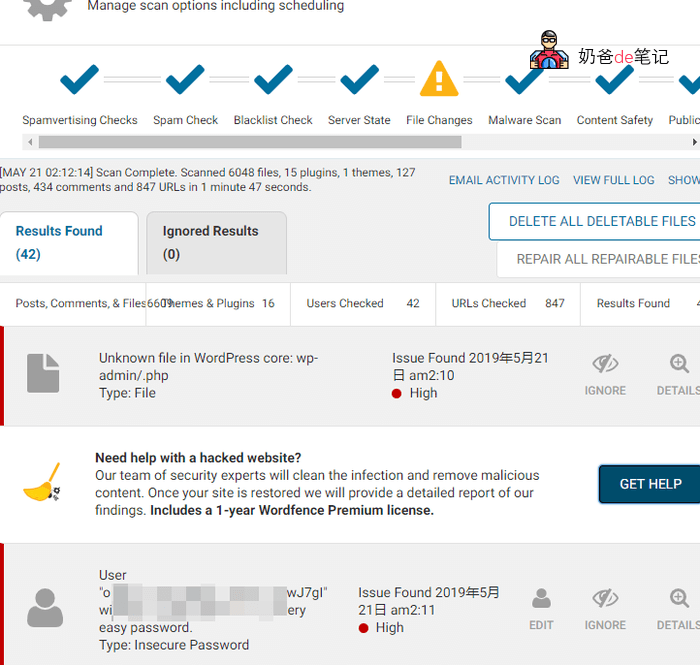
File name: wp-admin / .php
File type: Core
Details: This file is located in the WordPress core directory, but is not distributed with this version of WordPress. This is usually due to it being left over from a previous WordPress update, but it could also be added by other plugins or malicious files added by attackers.
If your website is hacked, traces will definitely be left in file changes. Early detection and early handling can avoid greater losses.
2. Firewall Functionality
If your website is attacked, or spam crawlers grab your resources, you cannot manually monitor the website logs to block IPs. However, using Wordfence's firewall function, you can automatically block IPs that meet certain conditions.
For example, Naibabiji is often harassed by spam crawlers that probe website backdoor files. After installing Wordfence, the firewall automatically blocked many for me.
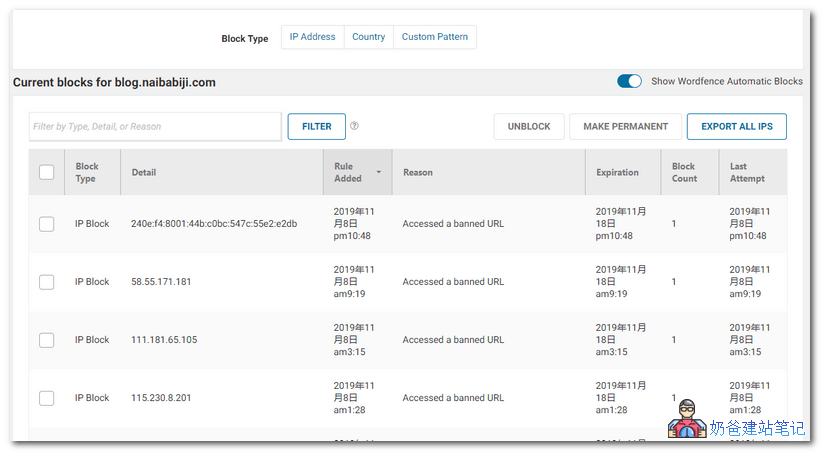
There are many more features you can explore after installation.
Wordfence Plugin Download Address
Wordfence comes in both free and premium versions. The difference is that the premium version includes an API key, allowing connection to their servers for updates on new rules, including real-time IP blacklists, firewall rules, and malware signatures. It also includes premium support, country blocking, more frequent scans, and spam and junk mail checks.
How to Obtain Wordfence Professional Edition
Actually, for personal blogs, the free version is sufficient. However, I recently saw a method to get the Wordfence Professional key at Weixin Hanci, so I'll share it here.
First, install the Wordfence plugin.WordPress Plugin Installation Tutorial。
Then run the plugin and you will see a prompt like the image below. Enter your email.
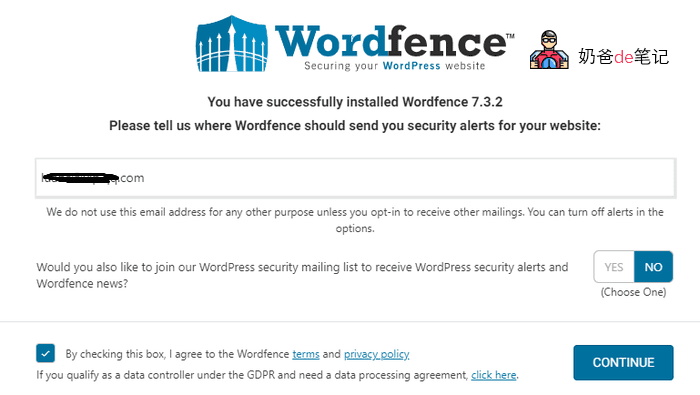
For the button, select NO (do not receive their advertising emails), check the terms of use, then click CONTINUE.
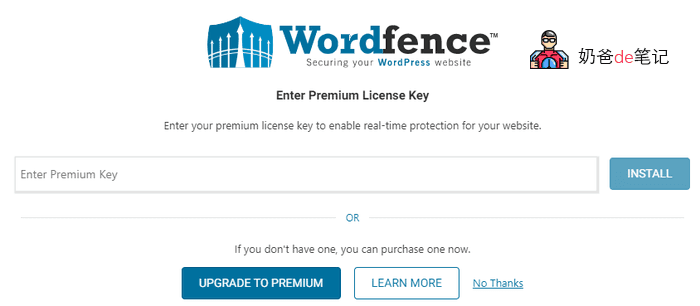
On the next screen to enter the key, directly click No Thanks.
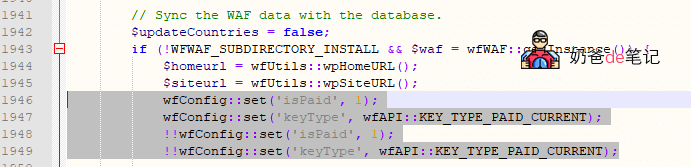
Then, via FTP (Baota PanelIf you use the file editing function directly, open the file wp-content/plugins/wordfence/lib/wordfenceClass.php.
Search for the following code.
if (!WFWAF_SUBDIRECTORY_INSTALL && $waf = wfWAF::getInstance()) {Then, below this line of code, after `$siteurl = wfUtils::wpSiteURL();`, add the following four lines of code.
wfConfig::set('isPaid', 1);
wfConfig::set('keyType', wfAPI::KEY_TYPE_PAID_CURRENT);
!!wfConfig::set('isPaid', 1);
!!wfConfig::set('keyType', wfAPI::KEY_TYPE_PAID_CURRENT);
The final result is as shown in the image below:
Then save the file to overwrite it.
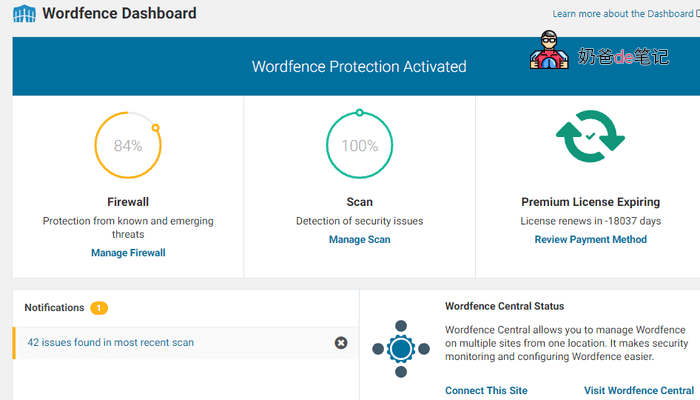
Over ten thousand days—I'm not sure if this method will become obsolete with the next update. Naiba tested this on Wordfence version 7.4.1.
Wordfence Usage Reminders
If your financial situation allows, please support the genuine plugin.
Installing Wordfence will increase the server load to some extent. If you feel the website has become slower, consider enabling Wordfence only when scanning files for security, and disable the plugin normally.
Any WordPress security plugin is just an aid. The key is to ensure the security of your server. If you have money, buy genuine themes and plugins; if not, do not use pirated themes and plugins. Do not upload files or code from unknown sources, and set a complex password. Under normal circumstances, it is not easy to be hacked.
Then Wordfence also has an optimization option that writes to the php.ini file (under Nginx). Depending on your needs, you can choose whether to write it. Naiba did not plan to use this plugin long-term, so did not write it. Writing it should enhance protection. (If you cannot write, refer to this article:Modify .user.ini File Permissions to Add Wordfence High Firewall Level)