
Some webmasters must have thought about using WordPress to create a navigation website. Today it's here.
Naibabiji shares this theme called WebStack, which is afree WordPress navigation website theme template. As long as your WordPress version is higher than 4.4 and PHP version is 5.7 or above, you can use it.
Below is the demo effect. The download address and usage method can be found later in the article.
Demo Preview
The demo effect of WebStack is as follows:
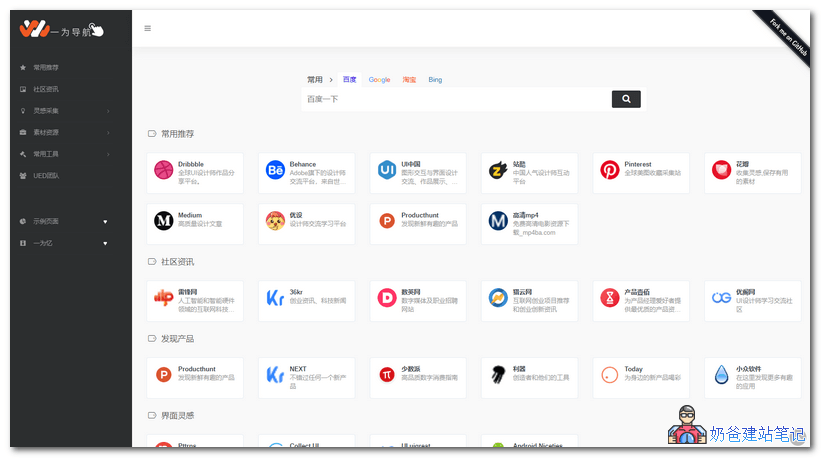
For the complete demo effect, please click the link below.
WebStack Download Link
WebStack is a free theme that can turn WordPress into a navigation website. You can download the latest version of the theme package file from the link below.
Installation Method
The installation method of WebStack is as follows:
①. After decompressing the package downloaded from the above download address, repackage it into a WebStack.zip file (if not repackaged, uploading directly will result in a folder like WebStack1.1029)
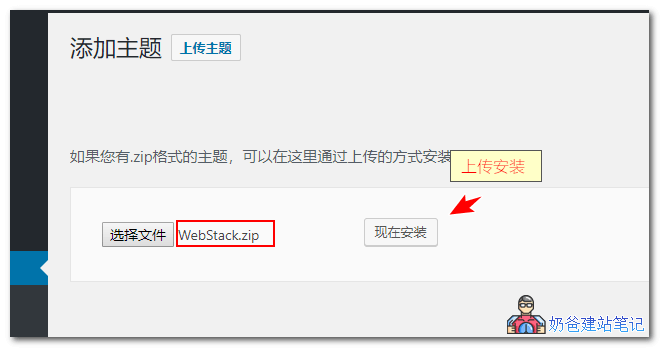
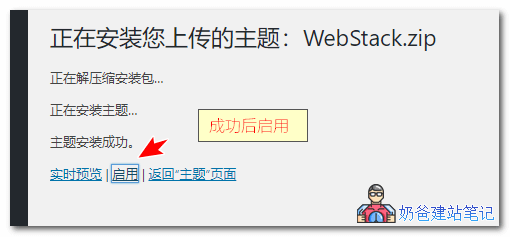
②. Enable it after installation is complete.
③. Switch to the theme settings to make necessary configurations, such as the website LOGO,website SEOsettings, etc.
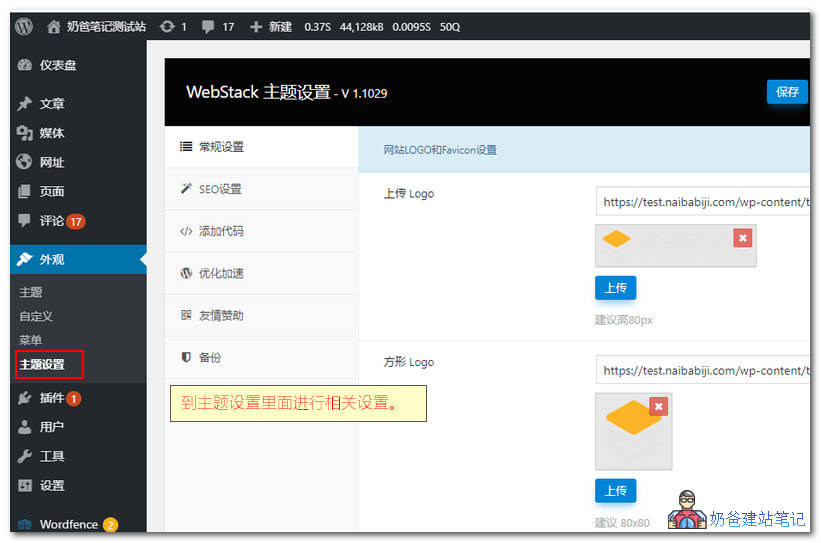
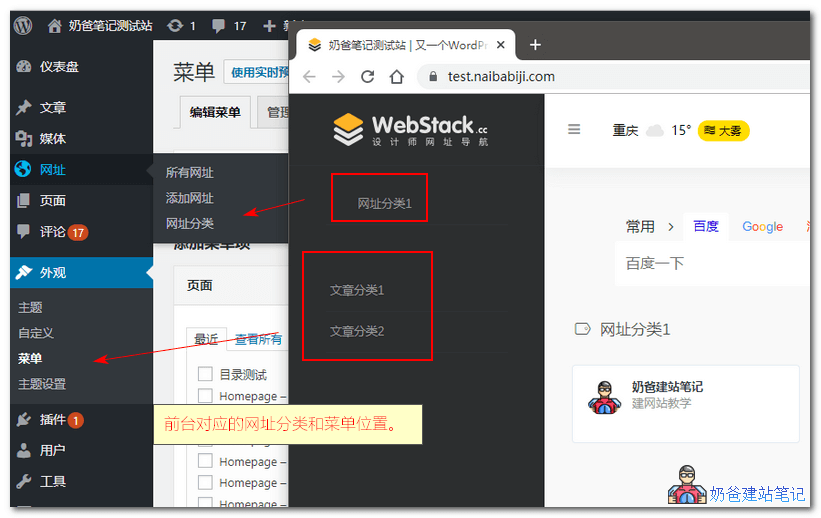
④. The settings location for front-end URL categories and menus corresponds as shown in the figure below:
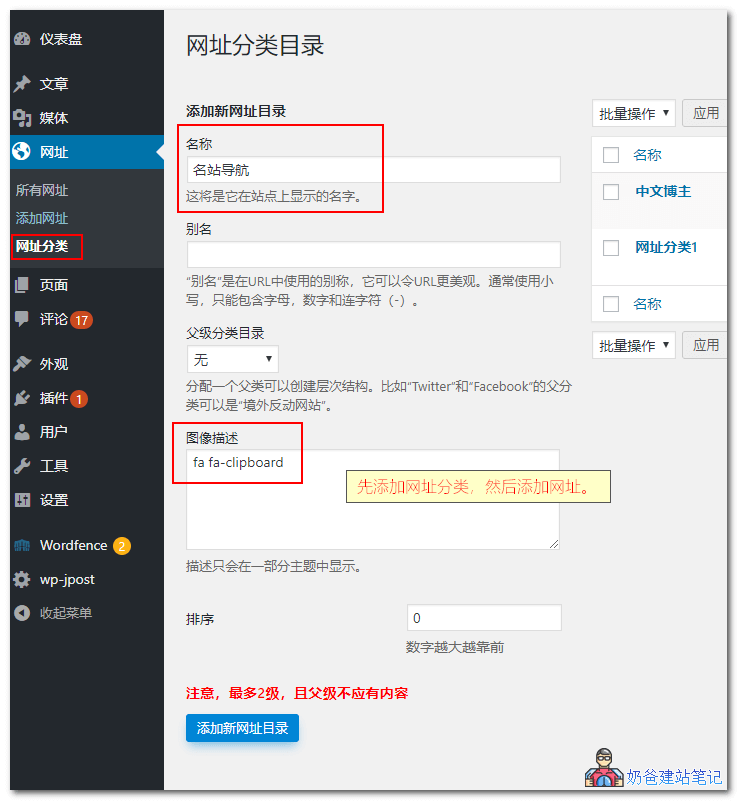
⑤. Add URL categories. If the image description content is not set, the icon will not display on the front end, affecting only aesthetics, not functionality. Icon codecan be obtained here。
⑥ Add URLs.
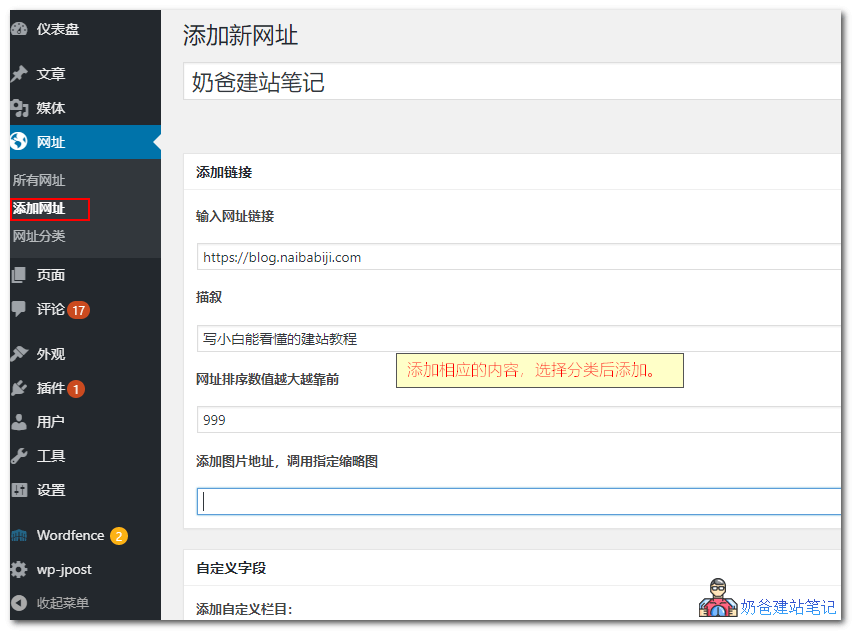
At this point, the installation and setup of the WebStack theme are complete, and you can visit the front-end URL to see the effect.
Notes
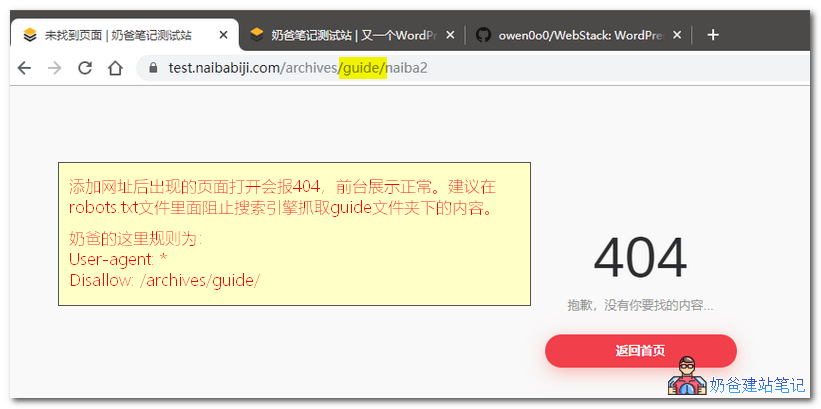
①. Links added after adding URLs may directly open to a 404 error, which is normal. However, for SEO considerations, it is recommended to block search engine crawling. Reference:Write a Proper WordPress robots.txt File to Avoid SEO Disadvantages
②. Category directories may not open properly because the author did not design an article directory page (archive.php). You can design it yourself; the simple design method provided by the author is as follows:
Rename the index.php of the default WordPress theme, then at the beginning of the file
< ?php /* Template Name: Article Page */ ?>
Try it, you should fix the bug
Issue Feedback
This theme was originally created by blogger Yiwei Yi; please report issues on the author's theme release page.