How to monitor your website'srating icons in Google search resultsdata? Previously, there wasn't a particularly good method. However, Google recently announced that it has added data information for the rating summary section in Google Search Console. Therefore, website administrators can nowGoogle Search Consoleunderstand their website's Review Snippet display situation.
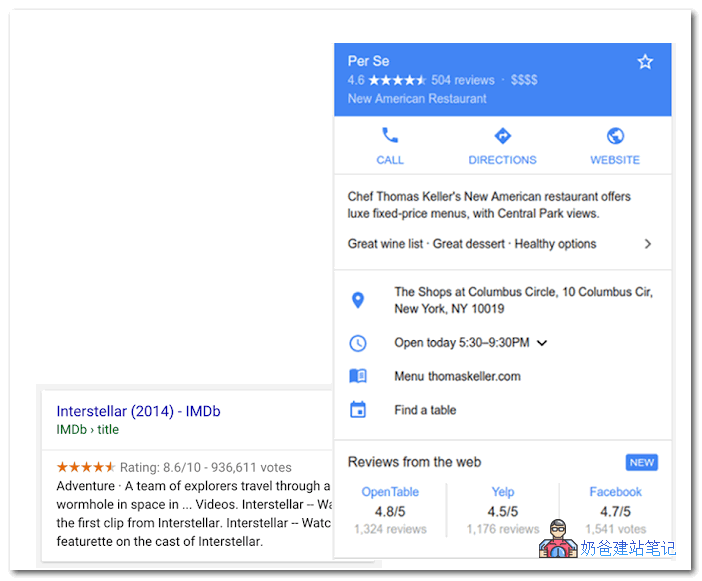
To monitor your website's review snippet data through Google Search Console, you need to meet the following conditions.
1. The website has added rich snippet code, you can refer toprevious articles。
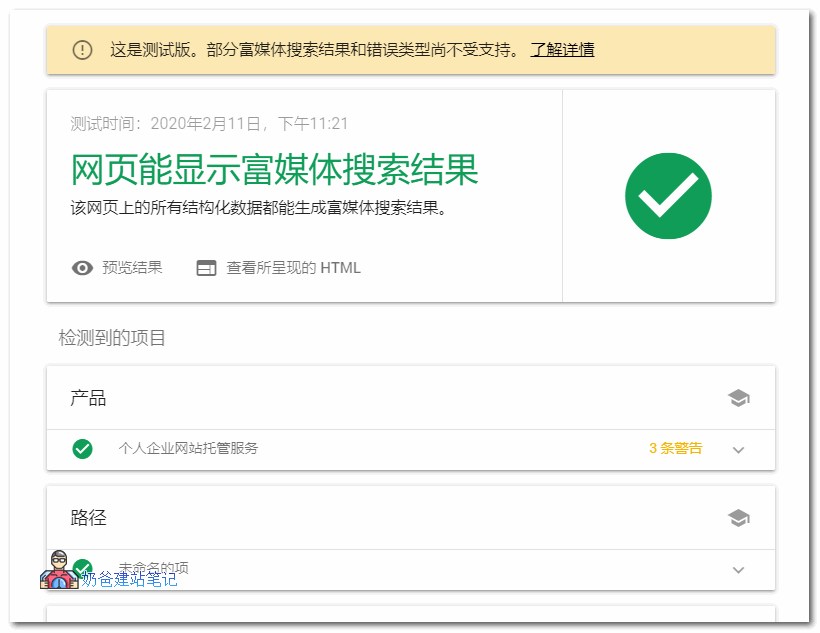
2. UseGoogle's Rich Media Search Results Testing Toolto test if it passes. If it passes, it should look like the image below:
3. When Google detects the rich media search results code on your website, you can see the corresponding report menu in the Google Admin Dashboard.
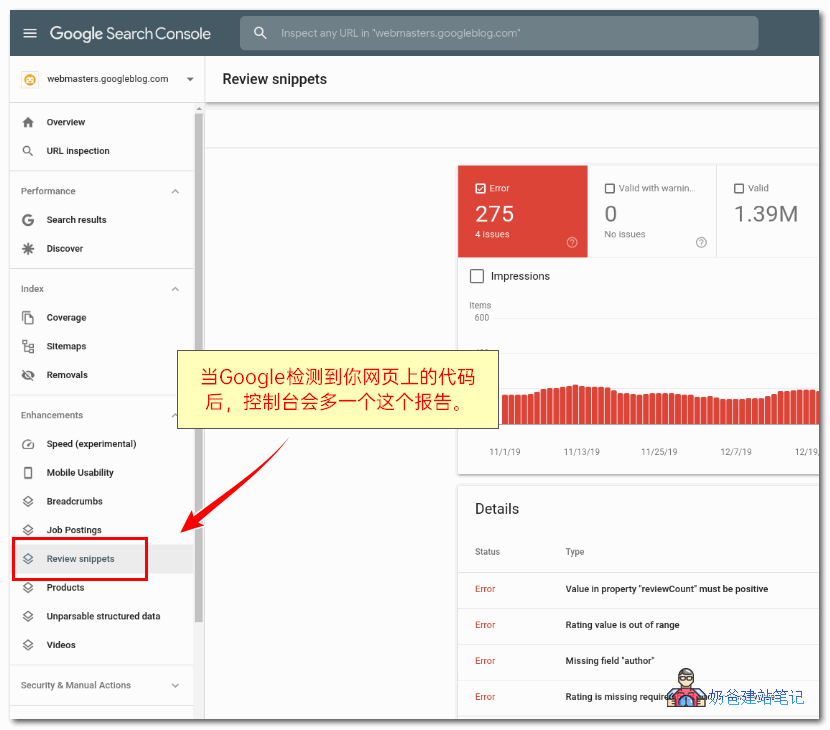
From these results, you can see which are valid results and which are error messages, making it easier for you to correct them and achieve better search display effects on Google.
Finally, a reminder:
Currently, Google has changed the rules. Only certain specific pages will display rich snippet results, such as products and services. Ordinary blog posts will not show even if they have rating data.
Source: https://webmasters.googleblog.com/2020/02/review-snippets.html