
If you run a foreign trade website, you may have noticed that your competitors' websites include rating icons in Google search results. Having rating icons can subtly increase your website's click-through rate and provide more opportunities for exposure. How can you add rating icons to your own website?
What is this rating icon?
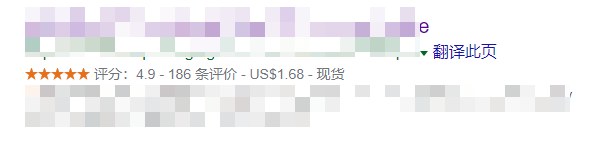
Officially, Google refers to this rating asreview snippet。
A review snippet is a brief excerpt or rating from a review website, typically the average of comprehensive ratings given by numerous reviewers. When Google detects valid review or rating markup, it may display a rich snippet that includes stars and other summary information from the reviews or ratings. In addition to the text of the review, a rating is an evaluation described in the form of a numerical scale (such as 1 to 5). Review snippets may appear in rich media search results or Google Knowledge Cards. You can provide ratings for the following content types:
- Book
- Local Business
- Movie
- Music
- Product
- Recipe
- Software Application
In September, Google made some corrections to the review summary. For details, refer to the URL below.
https://webmasters.googleblog.com/2019/09/making-review-rich-results-more-helpful.html
Simply put, Google prohibits businesses from rating themselves and will hide rating data from websites that self-rate.
How to add a review snippet?
If you want to add a review snippet to your foreign trade website,first, the website must have rich snippet markupin place, which is schema.org.
schema.org was collaboratively created by Google, Microsoft, and Yahoo! with the aim of establishing a structured data markup schema supported by major search engines to provide users with a better web experience. Markup within web pages helps search engines understand the information on the page and deliver richer search results. Shared markup vocabulary allows website administrators to more easily decide on a markup schema and maximize the benefits from their work.
Adding schema.org rich snippet markup is very simple. If you are usingthe Rank Math SEO plugin, then it comes with this feature (other popular SEO plugins usually have it too).
For example, the tag information for this article is as follows:
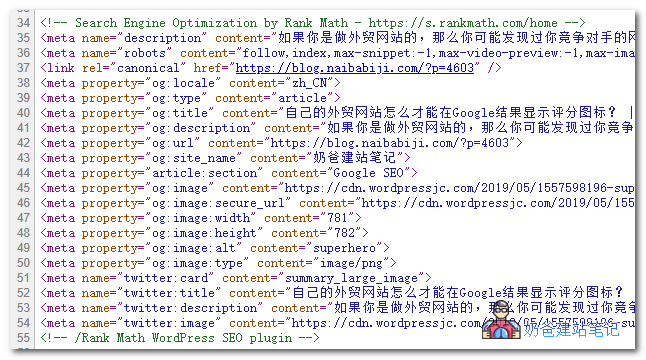
However, you may notice that these meta tags do not include the rating content.
To display ratings, you need to insert the review attribute.
After adding it, code similar to the following will appear in the source code, and Google can then call it.
,"review":{"@type":"Review","reviewRating":{"@type":"Rating","ratingValue":"4","bestRating":"5"},"author":{"@type":"Person","name":"Franky Wang"}},"aggregateRating":{"@type":"AggregateRating","ratingValue":"4.9","reviewCount":"186"},How to add the review attribute
To add review attributes to your website's posts or products, you can use external plugins. Here are two examples:
1. Using Rank Math, when you publish a post, click the SEO settings section, and you will see a rating area where you can fill in the information.
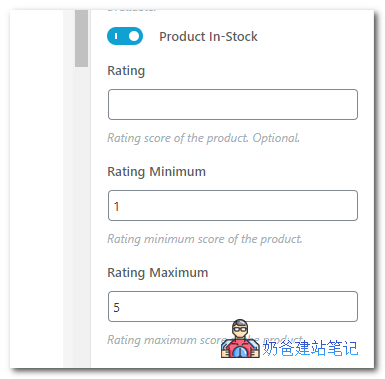
Note that rich snippets need to be enabled to use this feature.
2. Use the Schema Pro plugin.
As the name suggests, this is a plugin specifically designed for Schema.
Schema Pro can quickly add rich snippet information to your website, as shown below:
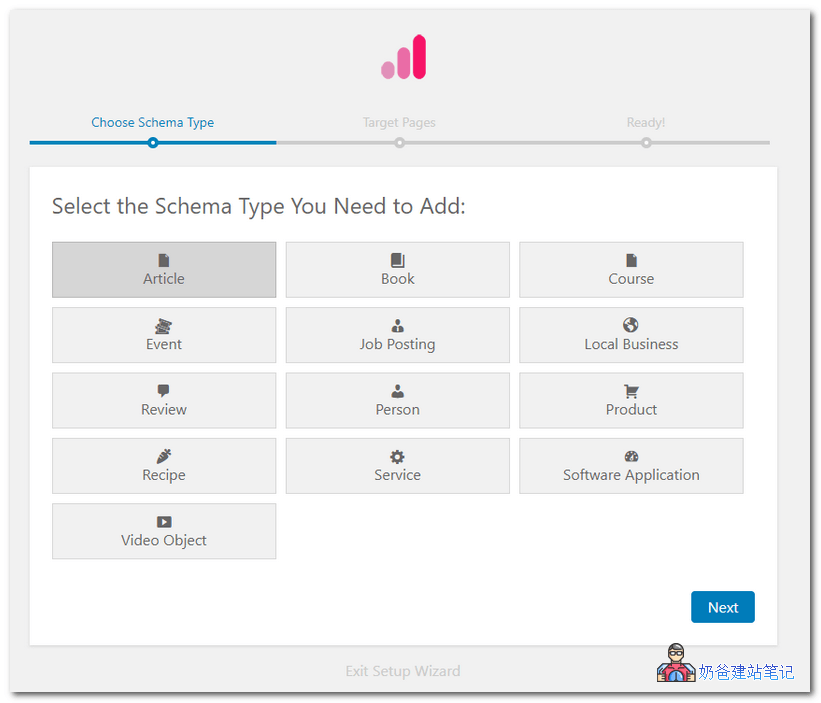
You can create different types of rich snippets. If you want to display ratings, create a Review type.
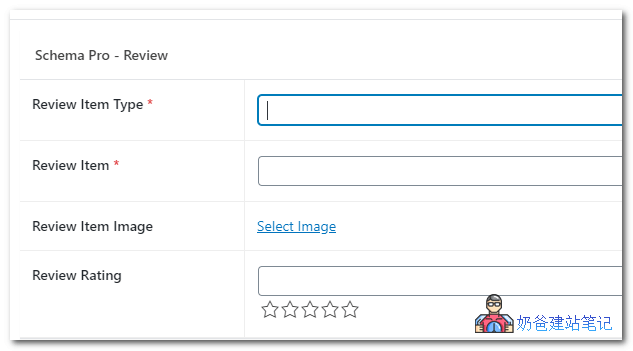
After adding, when you publish a post, it will include the Review information; just fill it in directly.
After filling in the source code, you can see the corresponding values.
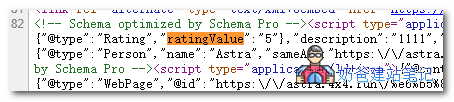
Schema Pro is a paid plugin. Naibabiji offers genuine lifetime serial numbers for sale. If you need to purchase one, you cansee here。
Of course, self-rated data is not very fair, so Naiba personally believes that Google will eventually exclude these values. In the WordPress plugin repository, there are also many plugins that allow users to rate articles, enabling user participation in ratings, which is relatively fairer. (However, anything based on voting can be manipulated, so there is no absolute fairness.)
3. Use the Everest Google Places Reviews plugin.
Everest Google Places Reviews – Best WordPress Plugin To Showcase Google Places / Business Reviews. The reviews are relatively more objective because they call Google user review data and come with more rating styles.Business userscan consider installing one.
NowGoogle Search Console already supports viewing rating reports.
References:
- https://developers.google.com/search/docs/data-types/review-snippet
- https://schema.org.cn/docs/faq.html#0
- https://webmasters.googleblog.com/2019/09/making-review-rich-results-more-helpful.html
- https://schema.org/review
- https://rankmath.com/kb/rich-snippets/
- https://support.google.com/webmasters/thread/21375570?hl=en