
Performance is a lightweight WordPress optimization plugin with lightweight code but not simple features. Using Performance can help you disable many unused WordPress features, thereby improving website speed.
At the time of writing this article, Performance supports the following features:
- Disable Emojis
- Disable Embeds
- Remove Query Strings
- Disable XML-RPC
- Remove jQuery Migrate
- Remove WordPress Version Number
- Remove wlwmanifest Link
- Remove RSD Link
- Remove Shortlink
- Disable RSS Feed
- Remove RSS Feed Links
- Remove Dashicons
- Disable Scripts Per Page
- Disable Scripts Using Regular Expressions
- CDN Rewrite
- Disable Password Strength Meter
- Add Blank Favicon
- Deactivate Google Fonts
- Add Code to Header or Footer
- Disable Self Pingbacks
- Disable WordPress Heartbeat API
- Change Heartbeat API Frequency
- Disable and Limit Post Revisions
- Disable REST API
- Remove REST API Links
- Change Autosave Interval
- DNS Prefetch
- Preconnect
- Disable WooCommerce Scripts and Styles
- Disable WooCommerce Widgets
- Disable WooCommerce Status Metabox
- Disable WooCommerce Cart Fragments (AJAX)
- Deactivate Google Maps API
- Multisite Support
- Change WordPress Login URL
- Local Analytics
- Disable WordPress Comments
- Enable Lazy Loading
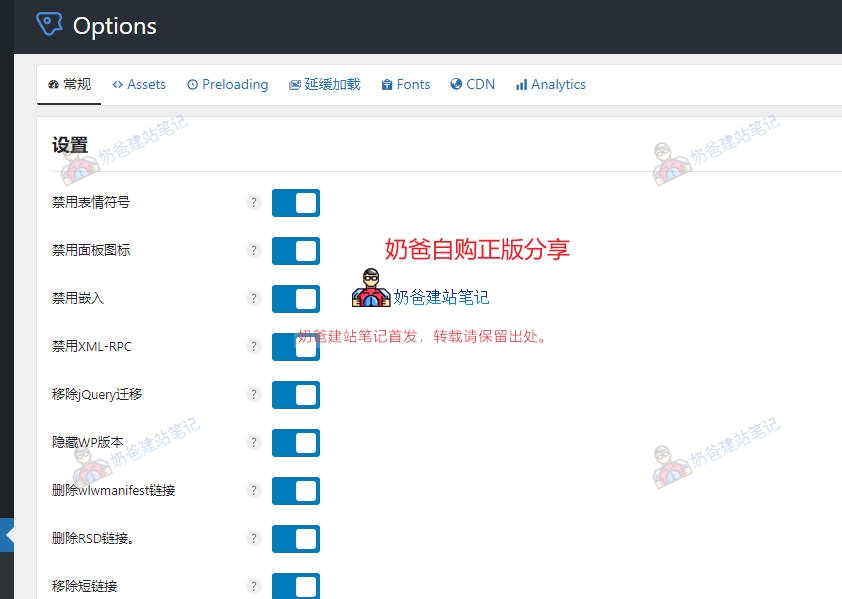
Perfmatters is very simple to use; just toggle the switch for the features you want to disable in the backend interface.
In addition to disabling some built-in WordPress features, it can also manage scripts, similar to the previously introducedAsset CleanUp, which can help you manage whether specific plugin script code loads on certain pages.
How to enable Script Manager:
Under the Extras tab, turn on Script Manager and save.
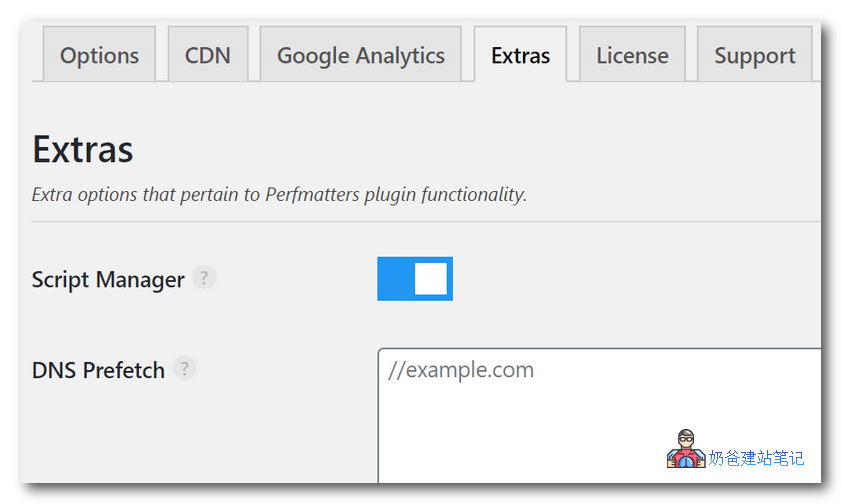
Then, go to your site's frontend, and you'll see the Script Manager entry in the admin bar at the top. You can also access it by adding ?perfmatters to the page URL.
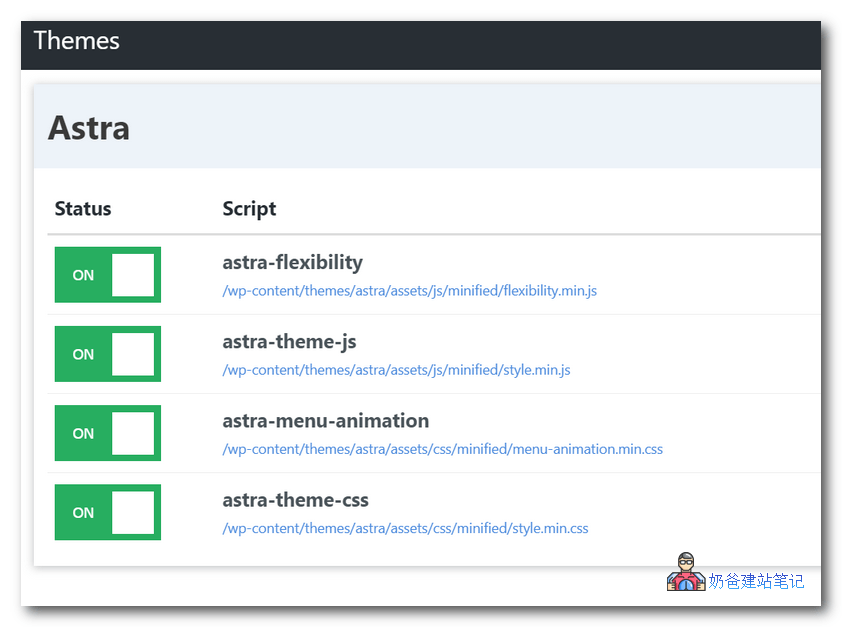
On the script management page, you can quickly enable and disable JS and CSS code you don't need.
The most common example is the Contact Form 7 plugin or the Table of Contents plugin for foreign trade enterprise websites. The JS and CSS code of these plugins is completely unnecessary on the homepage and product pages; they only need to appear on the contact page and article pages.
So you can use this script management feature to disable loading on unnecessary pages, thereby improving website speed andGTmetrix Score。
Perfmatters can be used simultaneously with other WordPress optimization plugins, such asWP Rocket。
Purchase from Official Website
This plugin is a paid plugin. Naiba has purchased a genuine copy and provides the original plugin download (no activation code provided; the plugin works but cannot update automatically, with no other impact).