Foreign trade websites built with WordPress usually install dozens of plugins with different functions, and then the website feels relatively slow. We canuse the optimization plugin Asset CleanUpCome help make the website a little faster.
做Google SEO optimizationknow that website speed is a factor affecting search rankings. Below, follow Naiba to use Asset CleanUp to optimize your website's speed.
1. Install Asset CleanUp
The method to install Asset CleanUp is very simple. Just search for Asset CleanUp directly in the WordPress Dashboard and install it.
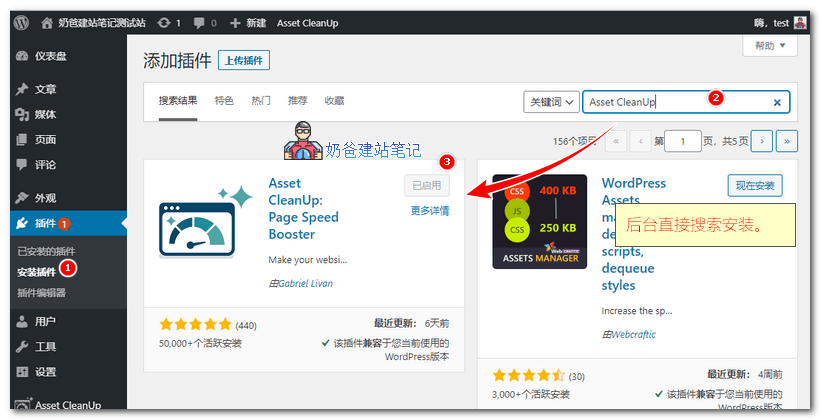
If downloading manually, the plugin address is: https://wordpress.org/plugins/wp-asset-clean-up/
2. After installation, we enable it. We enterPlugin Settings, you need to first read Stripping the „fat”, as shown below:
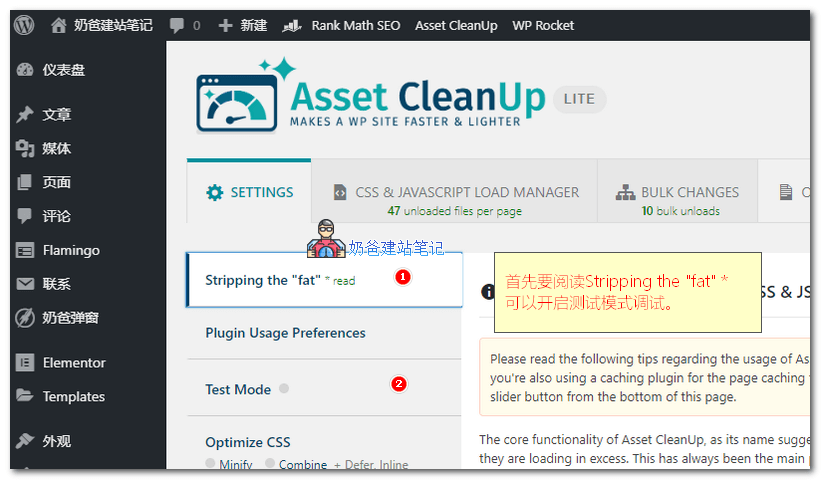
At the very bottom of the page, there is a sentence: „I understand how the plugin works and I will make sure to make proper tests (via “Test Mode” if necessary) after the changes I’m making. I’m aware that unloading the wrong CSS/JS files can break the layout and front-end functionality of the pages I’m optimising.”
We need to check the reading option and then save the settings as Update All Settings
for the plugin to work.
For safety, we can also enable Test Mode.
3.If you are using other optimization plugins, then we can directly go to the homepage or article page to streamline resources.
If you are not using other optimization plugins, thencan switch to the following items to set up。
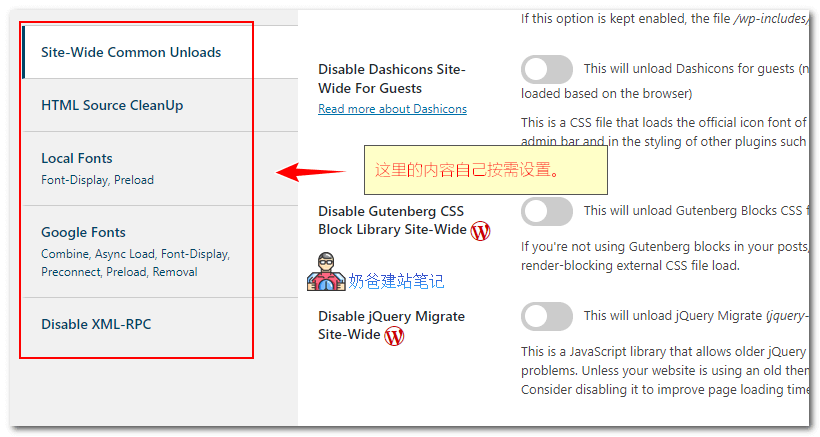
- Site-Wide Common Unloads: Remove common CSS and JS files like site-wide emojis, comment code, etc.;
- HTML Source CleanUp: Clean up HTML tags in the header;
- Local Fonts: Local fonts, generally not needed;
- Google Fonts: For domestic websites, directly choose "Remove All"; for foreign trade websites, you can merge requests;
- Disable XML-RPC: Disable the XML-RPC protocol; if not used, it can be completely disabled.
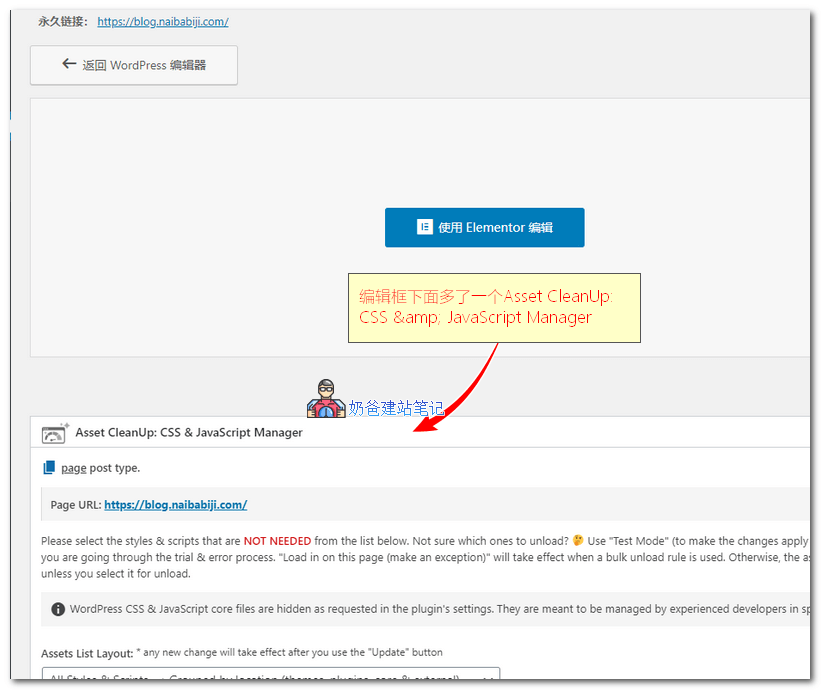
4. Find any article or page, click Edit, then you will see an additional "Asset CleanUp: CSS & JavaScript Manager" area below the editor.
5. Scroll down the screen to view the JS and CSS files of plugins that do not need to be loaded on the current page, and select "Unload".
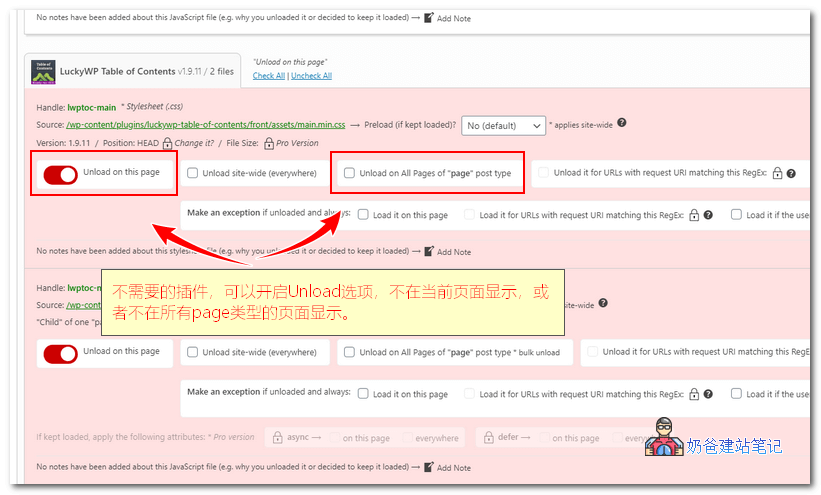
For example, in the screenshot,LuckyWP Table of ContentsThis plugin is used to add categories to articles. On the homepage of Naibabiji, it is obviously not needed, so I chose Unload on this page.
For foreign trade websites, the slider plugin and contact form plugin on the homepage do not need to be loaded on article pages.
After selecting the content to unload, update the article, and the optimization settings are complete.
6. Finally, let's check the optimization effect.
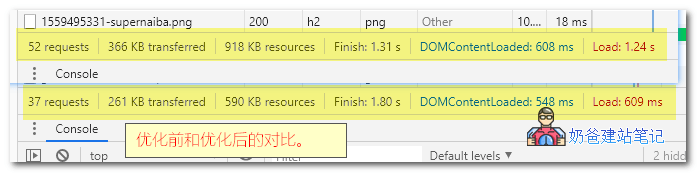
From the screenshot above, you can see that before optimization, the homepage had 52 requests and 918KB in size.
After optimization, requests were reduced to 37, and page size became 590KB, a reduction of 328KB.
The official recommendation is to use it together withWP Rocketfor better results.
Finally, here is a screenshotGTmetrix's performance score.
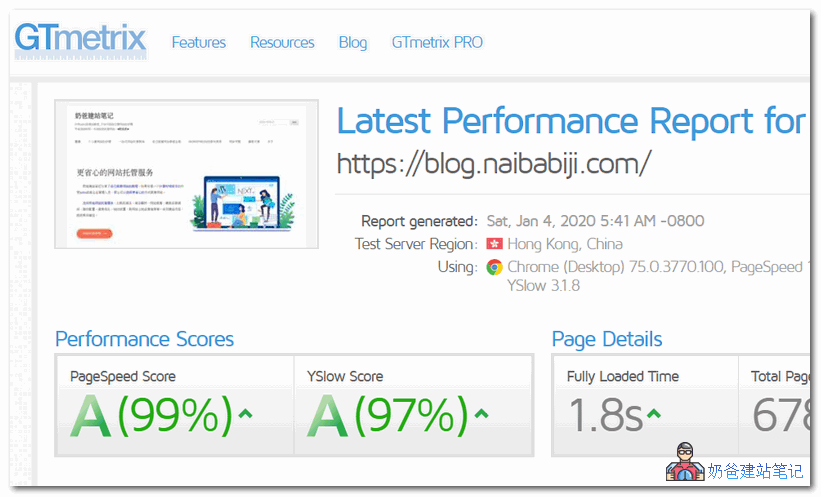
Tip: If you go to gtmetrix to test the score of Naibabiji, please choose a Hong Kong server (because I use a domestic server, Hong Kong access is fastest). The score for Use a Content Delivery Network (CDN) is F, because the site did not recognize our CDN (images use CDN, but the site does not; my site is fast enough and doesn't need CDN, so this score can be ignored.)
Finally, Asset CleanUp has a Pro version that can inline JavaScript files, defer loading CSS files, manage CSS and JS files on more directories and pages like categories, etc. Users with strong needs can purchase it; the free version is sufficient for ordinary users.
If you like this article, remember to share it.