
There are many WordPress form plugins, and most people are familiar with Contact Form 7. However, today NaibaWebsite Building Notesrecommends another simpleEverest Forms Plugin
Advantages of Everest Forms
Everest Forms uses a drag-and-drop method to add forms, which is very convenient, unlike Contact Form 7 which adds forms via code snippets.
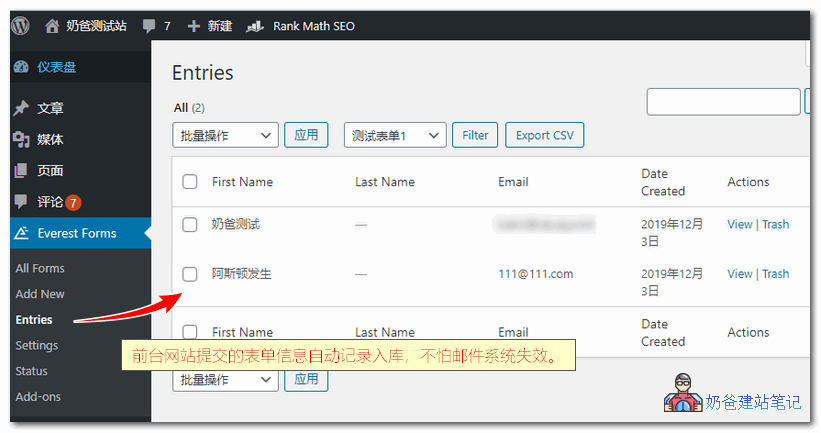
At the same time,Everest Forms supports automatically sending emails to the administrator for new forms and saving form records in the backend。
Previously, I also wrote two other articles about saving form submissions to the website database:
- 2 Plugins to Record WordPress Contact Form Information to the Website Backend Database
- WordPress Gravity Forms Gravity Forms Automatically Records Inquiries_Email Notifications
Compared to the two articles above, Everest Forms has more obvious advantages:
- Default support for email notifications and recording form information to the database, no additional components required;
- The free version can use the above two functions;
- There are paid extension components that can achieve more possibilities.
The complete features of the free version of Everest Forms are as follows:
- Create unlimited forms without any restrictions
- Drag and drop form fields
- Supports all common form fields, including radio buttons, dropdown menus, checkboxes, date, etc.
- 100% responsive form templates
- Supports multi-column layouts
- Shortcode support
- Multiple email recipients
- Multiple email notifications
- Smart tags for dynamic emails, subjects, etc.
- View form entries from the dashboard
- Quick form preview option
- CSV export entries
- Provides two different form template designs
- Supports Google Recaptcha V2 and V3
- Spam protection via honeypot
- Editable success form submission message
- Redirect option after submission
- Editable email settings
- Editable form validation messages
- Translation Ready
How to Use Everest Forms
After installing Everest Forms, enable it, click 'New Form', an option will appear where you can choose to create a blank template or directly create a contact form.
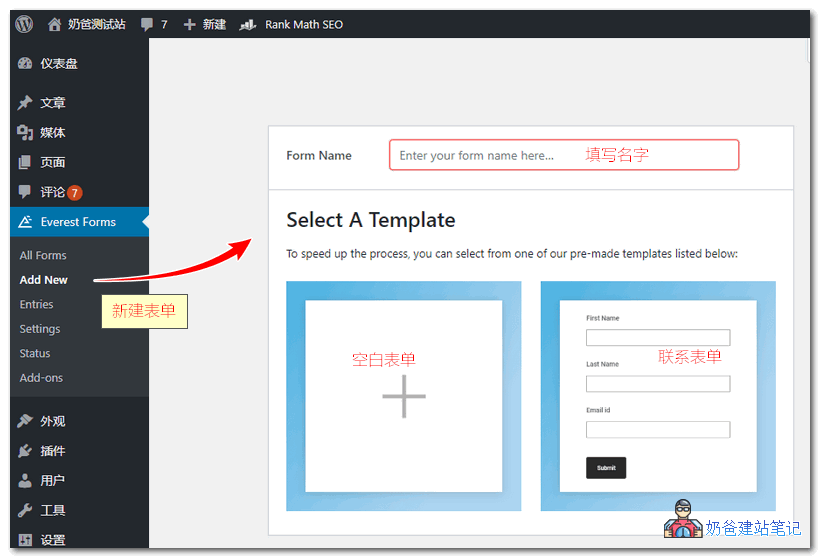
After selecting a blank template, you can drag the content you need from the supported options on the left into the dashed box on the right.
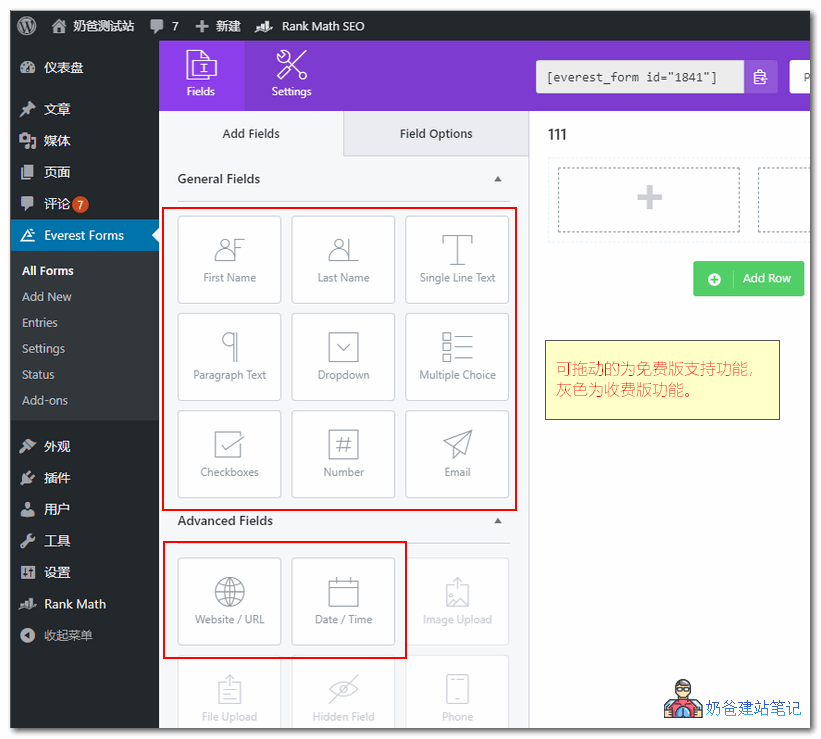
By default, the free version of Everest Forms supports user first name, last name, single-line text, multi-line text, dropdown, checkbox, radio, number, email, URL, and time.
Upgrading to the premium version allows adding more fields, and there are also third-party extensions to enhance its functionality.
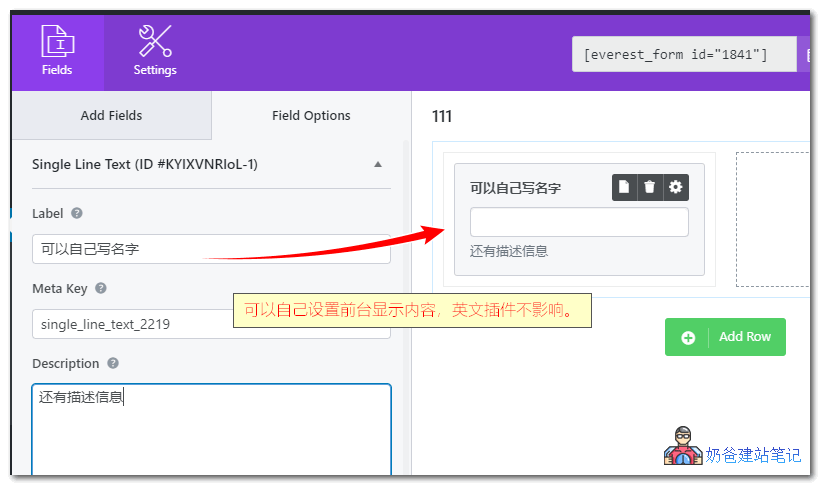
Each form item can have its own frontend display text and description set, so there's no need to worry about a Chinese website displaying English content.
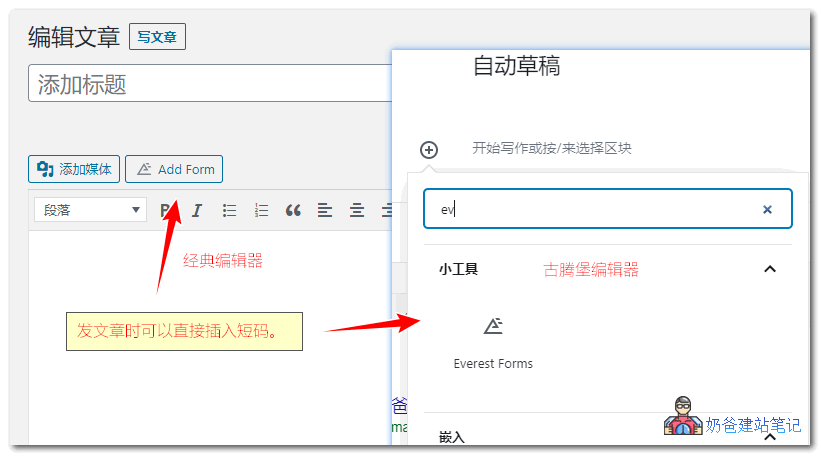 When publishing articles, you can directly insert the form shortcode from the editor, making it very convenient to call.
You can also copy the shortcode to other places on your website where you want to display it, such as widgets, footer, etc.
Everest Forms Download Address
You can directly search for Everest Forms in the WP admin to download and install it, or download it via the link below and upload it for installation. If you are looking for a goodWP form plugin, then you might as well try Everest Forms.
If you want your host to send form emails, ensure your website's email system is working properly. Most servers require SMTP to send mail. Reference:Recommended WordPress SMTP Email Plugins I Have Used