
When using the Astra theme to build a website, how do you add a back-to-top button? Adding a back-to-top button for the Astra theme is very simple; you just need to set it in the customizer.
The specific steps are as follows:
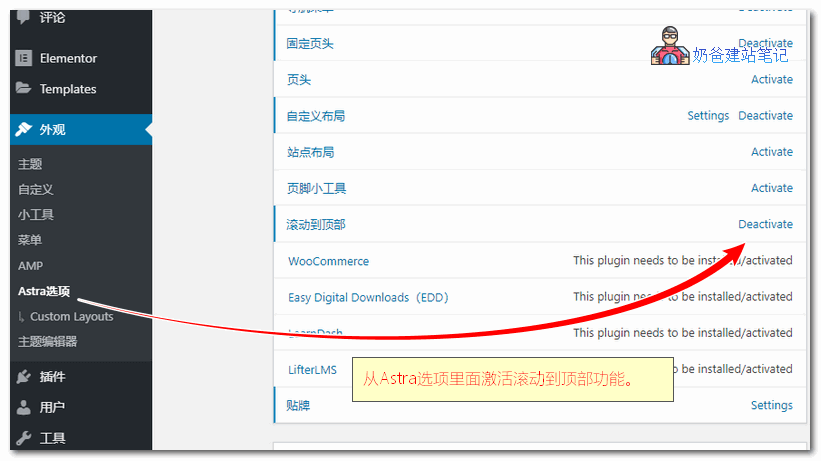
1. Go to the Astra theme options and activate the scroll-to-top feature.
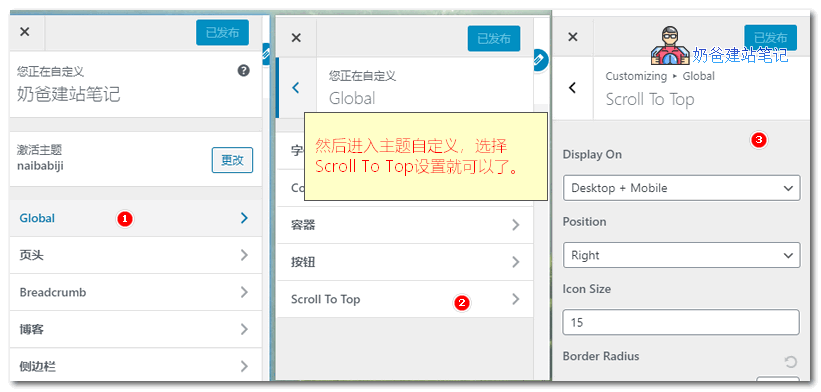
2. Enter the Theme customization interface, select Global, then Scroll To Top, and set the display position and color.
Note that this feature requiresAstra Proto work. If you are using the free version, you can refer to the previously publishedMethods to add a to top button using plugins and code。