
How to add the post publication date and category below the title on a WordPress article page? To achieve this, the theme needs to support it. Usually, many themes display this by default. With Astra, you can easily control whether to show this information.
The specific method is as follows:
1. Click Appearance > Customize;
2. Select Blog > Single Post;
3. In the Meta section, select the content you want to display, then toggle the eye icon to enable it.
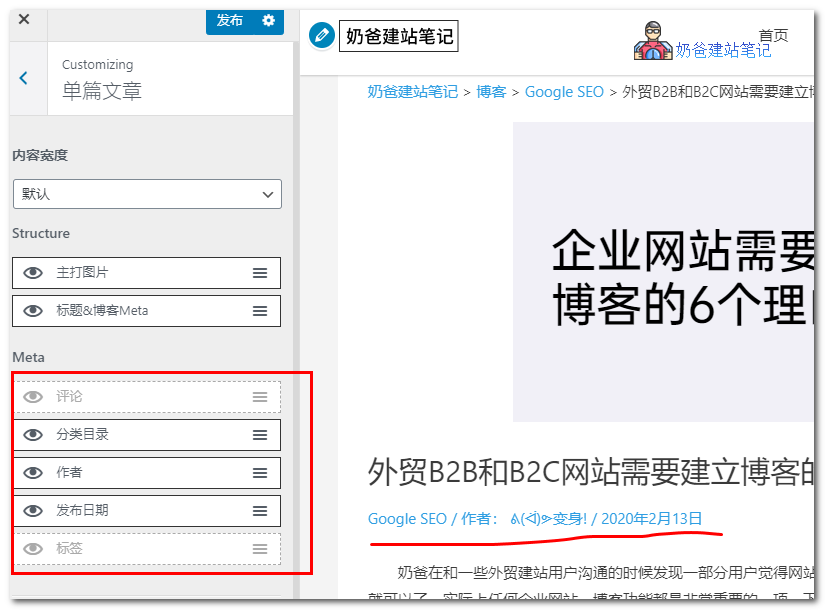 The supported display information includes: comments, categories, author, publication date, tags.
You can drag to reorder the display sequence.
Naiba Web Development Notes article page has enabledBreadcrumb navigation, so the information is not displayed below the title.
Additionally, this article is onAstra Pro. It's uncertain if the free version supports this feature. If not, you can only implement it by modifying the code yourself.