
Building Your Own WebsiteSecurity is also a very important part. This plugin named Defender WordPress Security, Malware Detection, and Firewall can perform security checks, malware scanning, and firewall functions for your website. It can also provide security recommendations. We recommend everyone to use it.
Introduction and Download of Defender Security
Defender WordPress Security, Malware Detection, and Firewall is another free plugin from the same company as the very useful WordPress speed optimization plugin: Hummingbird, which was previously shared by Naibabiji.A very useful WordPress speed optimization plugin: HummingbirdAnother free plugin from the same company.
Using Defender WordPress Security, you only need a few simple clicks to get the best WordPress security settings.
Defender WordPress Security supports:
- Malware scanning;
- Firewall;
- Two-factor authentication;
- Prevention of brute force login;
- Prevention of SQL injection;
- Prevention of cross-site scripting (XSS) attacks;
- Other WordPress vulnerabilities.
The plugin supports Chinese. Naiba tested it on theWebsite Building Noteswebsite and found the features acceptable. It is currently in use.
Defender Security Usage Tutorial
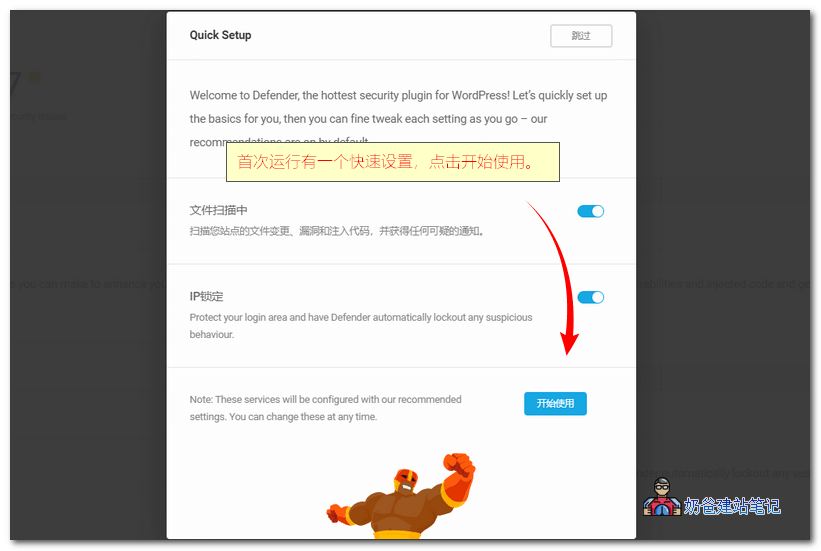
1. When using the plugin for the first time, there will be a quick setup. Just click the 'Start Using' button.
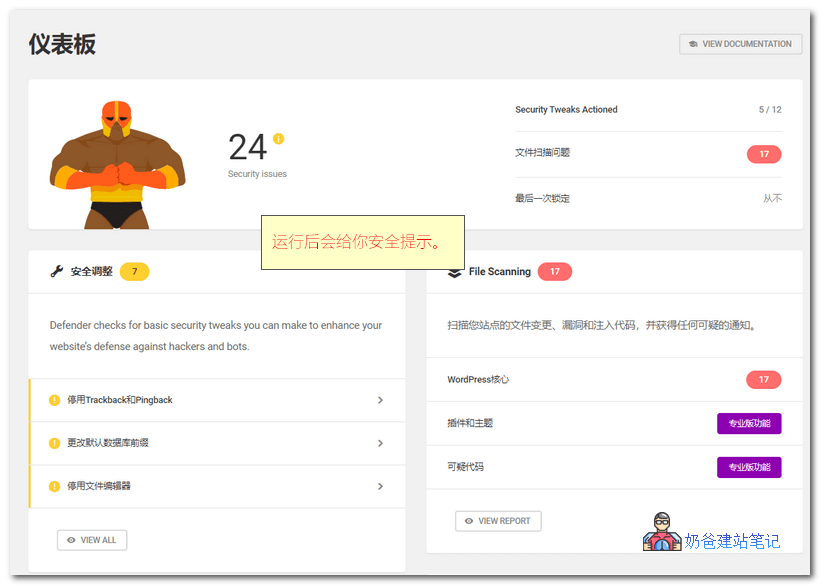
2. After the scan is complete, there will be a scan result. Any issues will be highlighted for you.
3. The 'Security Tweaks' section will give you some security recommendations, similar to security assistants on computers. You can click to view each recommendation and decide whether to accept it based on your actual situation.
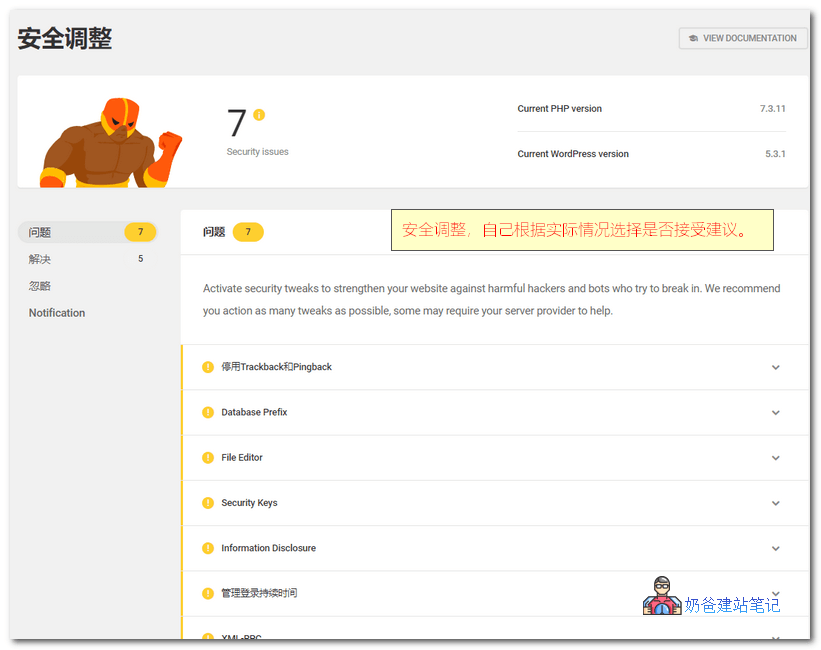
- Disable Trackback and Pingback (Recommended to adopt the suggestion)
- Database Prefix (Risk of database injection. The suggestion is to modify the database prefix, but it is not recommended for already installed websites to adopt this suggestion, as modifying the database prefix carries risks.)
- File Editor (Disable file editing, recommended to adopt the suggestion)
- Security Keys (Recommended to adopt the suggestion)
- Information Disclosure (Prevent information leakage, requires server administrator handling, can accept the suggestion.)
- Admin Login Duration (Default is 14 days, can be adjusted to a smaller value.)
4. File Scanning will scan and show you files and folders not included in the default WordPress directory, as shown in the image below:
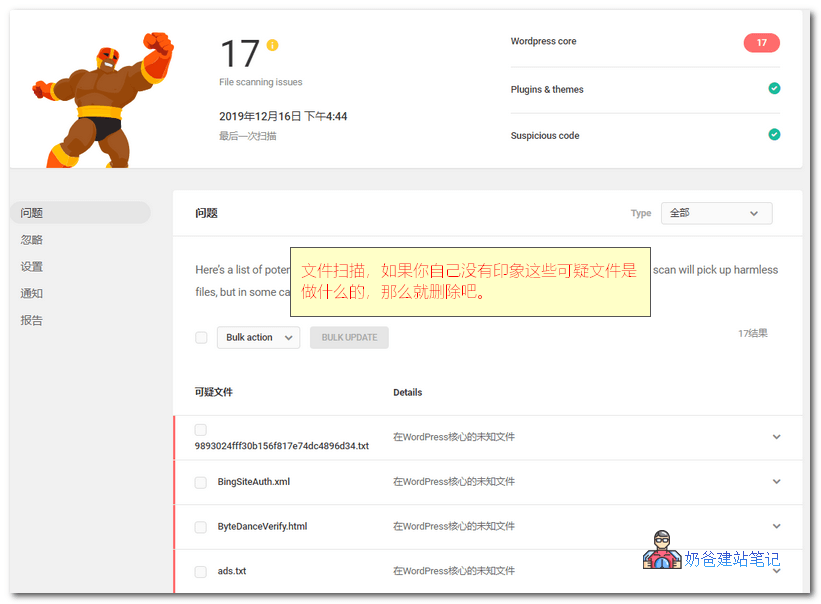
You need to make a judgment yourself. For example, many of the files in the image above are search engine verification files with no security threats, so you can just ignore them.
5. IP Lockout
IP lockout is a simple firewall function, but it is very practical.
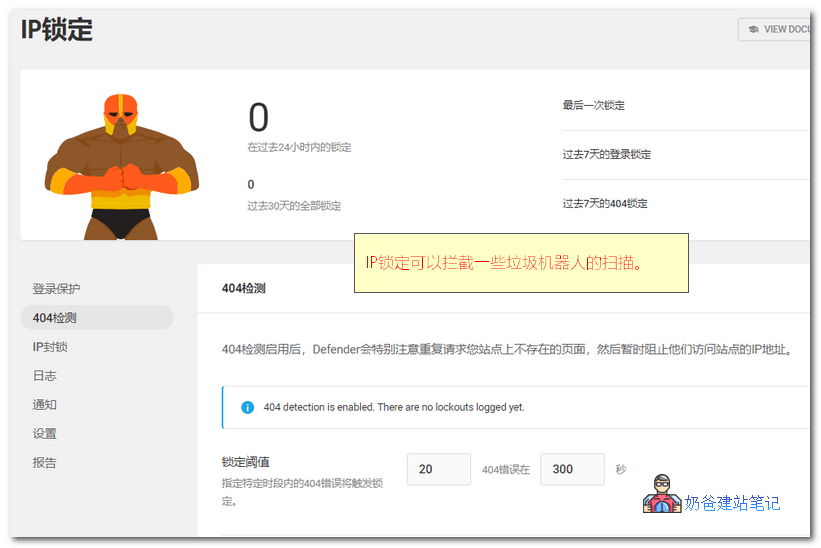
Log:In the IP Lock section, you can see a log. If your website has 404 pages accessed by others, they will be displayed here. This feature can help you troubleshoot 404 pages on your website, and you can also directly blacklist the IPs of bots scanning for non-existent files.
Login Protection: This is a powerful weapon against brute force attacks on your website admin account. By default, if there are 5 failed login attempts within 5 minutes, access is blocked for 5 minutes. You can choose a longer time or permanently block the IP. You can also fill in usernames to block. For example, if you don't use admin to log in, but someone tries to use admin, it must be a bot brute forcing, so directly lock it in the blacklist.
Of course, if you use anotherWordPress Brute Force Login Protection Plugins, you can deactivate and delete them, as one plugin with the same functionality is sufficient.
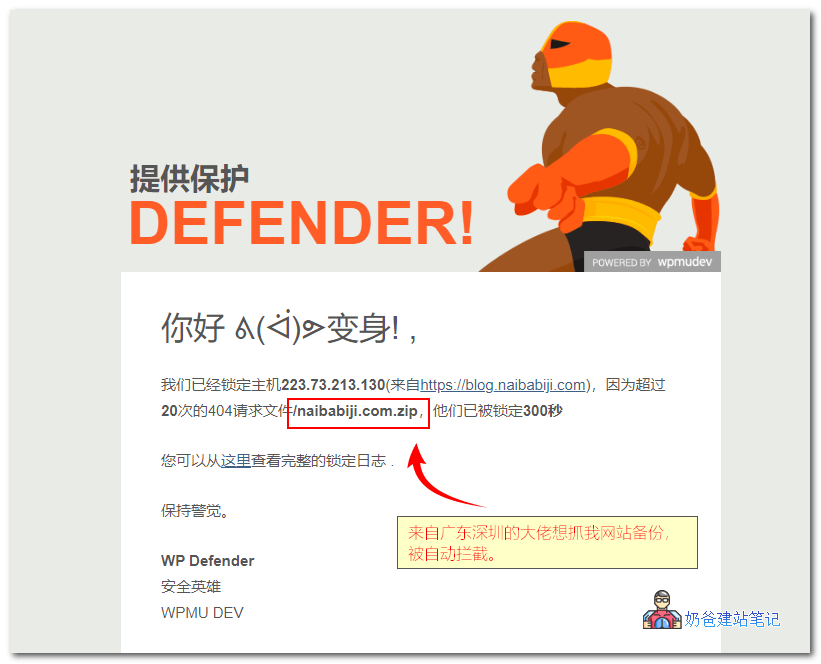
404 Detection: By default, if 20 visits to 404 pages occur within 5 minutes, the IP will be blacklisted for 5 minutes. In practice, you can set this threshold higher, such as 10 visits within 3 minutes, which can effectively block most spam bots.
IP Blocking: This is the IP whitelist and blacklist. If you want to permanently block an IP address, simply add it here. It's worth noting that this feature includes the ability to block IPs by region, so you can replace theiQ Block Countrythis plugin.
6. Advanced Tools
There are two features in Advanced Tools: Two-Factor Authentication and Mask Login Area. Two-Factor Authentication uses Google Authenticator, which is not available in China, so consider carefully whether to enable it. Mask Login Area can replace theWPS Hide Login.
As for the remaining advanced features, the blacklist monitoring is not very useful, and the audit log can useWP Security Audit Log.