
In some special cases, such as when operating a foreign trade website and not wanting competitors to access the site, there is a need to block users from China. So, how can this be done?
If your website is built with WordPress—and indeed, many foreign trade websites are built with WordPress—it's quite simple. You just need to install the iQ Block Country plugin, which restricts access by region, to easily solve this problem.
Introduction to the iQ Block Country Plugin
iQ Block Country is aWordPress Pluginthat allows you to restrict user access to your website. You can allow or block visitors from custom countries/regions from viewing all or part of your site's content.
With iQ Block Country, you can also customize the content and style for blocked access. For example, you can block access to articles in a specific Category, block access to a specific Post, or block access to the entire website.
When a visitor is blocked, you can customize the notification content, including setting it to a text message, redirecting to a specific Page, or redirecting to a URL.
Admin Dashboard Screenshot
Since iQ Block Country's settings are highly customizable and there are many Admin Dashboard pages, we won't provide screenshots for each one. The backend is in English, but with the help of Google Translate, it's still understandable.
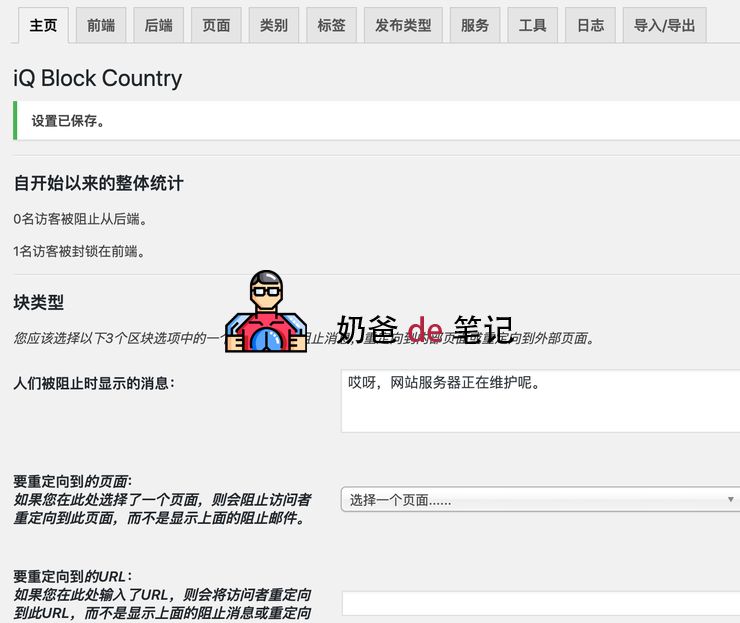
In the backend, you can customize what Page or text message is displayed. The region selection is by country. If you need to block access from a specific region, you'll have to rely on IP address detection.
The content blocking can be set to block all content, specific content, including Category posts, Tags, published Post types, etc. The functionality is quite powerful.
The Plugin is in English, but you can use translation software to understand the content. The main settings are in the Plugin's Backend interface.
Block countries selected below: Block the selected countries below:
Block all countries except those selected below Block all countries except those selected below
Then, in 'Select the countries: Use the CTRL key to select multiple countries' (Select the countries: Use the CTRL key to select multiple countries)
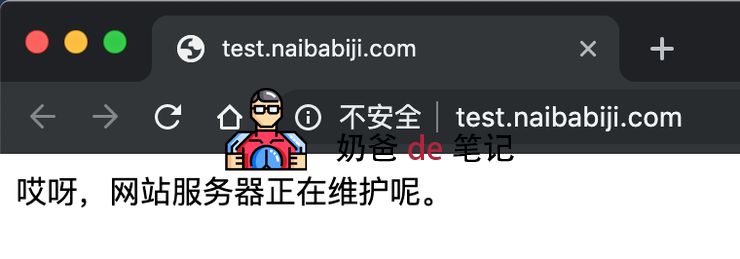
Frontend Demo

GeoLite2 Database Installation
If you see a prompt similar to the one below after enabling the Plugin, it means your server does not have the GeoLite2 database installed. You need to manually download the database and upload it to the corresponding folder on your website.

You can download it from the official website via the link provided by the Plugin, or directly download it from the cloud storage link below. After downloading, extract the file and upload the extracted 'GeoLite2-Country.mmdb' file to your website'shttps://edgeone.naibabiji.com/wp-content/uploadsfolder.
Naiba's Summary:
For those who need to block website access from specific regions, you can definitely utilize this feature. For example, a foreign trade website can block access from China. Of course, you can add IP whitelists and blacklists, and you yourself will not be blocked.
A while ago onthe Liaowang siteI saw a more comprehensive article about blocking website access from specific regions. You can also go and study it.
However, these methods can only deter ordinary users. Determined users can bypass them by using a proxy or changing their browser language. The best solution is to always be imitated but never surpassed. Focusing on building a quality site is the key.