
WordPress is the most widely used blogging platform in the world. It can build blogs, CMS, online stores, and various other types of websites. You might think your site has low traffic and security is not important. But what you don't know is that many hackers use software to automatically scan websites on the internet.
30% of websites are built withWordPress, so many hackers target websites using WordPress installations. Some bots and hackers use leaked databases from the internet to continuously try to log in to your site. They will repeatedly try different user credentials to log in to your site. Once successful, bots and malicious actors can steal your data, install malware, or even delete all content on your site.
Once you use a weak password that is scanned by hackers, your website will be exploited. It is important to ensure your site is safe from brute force attackers. While you can try other solutions such as setting strong passwords or password-protecting the admin directory, installing a brute force protection plugin is a simpler method. All you need to do is choose the most suitable plugin and let it handle the work.
What is a Brute Force Attack
On the internet, a brute force attack is a way to crack website passwords using specific dictionaries and combinations. Hackers use software to automatically and repeatedly try different passwords to match your website's password until successful.
Almost every website is scanned by bots for passwords daily, but you just don't know it.
9 WordPress Brute Force Login Protection Plugins
- Loginizer
- Limit Login Attempts Reloaded
- WP Limit Login Attempts
- Limit Attempts by BestWebSoft
- Limit Login Attempts
- WPS Limit Login
- Jetpack
- Brute Force Login Protection
- Botnet Attack Blocker
Loginizer

Loginizer is one of the best open-source and free brute force login protection plugins for WordPress. Loginizer has over 800,000 active installations. It is divided into free and pro versions, and the free version's features can also protect your site from any malicious attacks.
Features in the login process include:
- Block IP after maximum retries allowed
- Allow extended lockout after maximum lockout
- Send email notification to admin after maximum lockout
- Blacklist IP / IP range
- Whitelist IP / IP range
- Check logs of failed attempts
- Create IP range
- Delete IP range
- Licensed under GNU GPL version 3
- Secure and reliable
Limit Login Attempts Reloaded
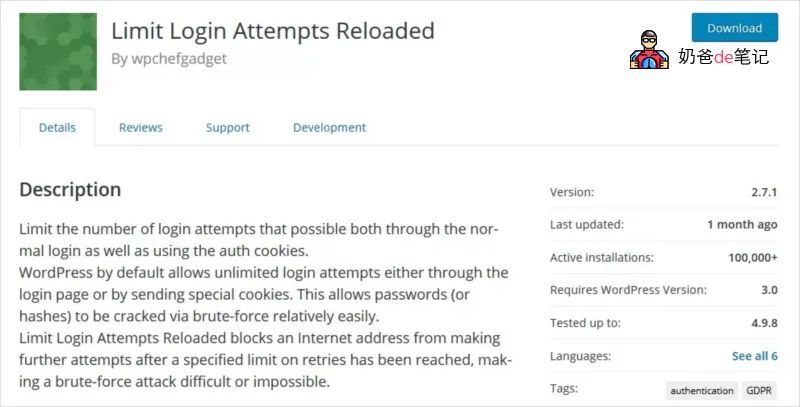
Limit Login Attempts Reloaded simply limits login attempts through normal login and proper cookies. It stops brute force attacks by using a technique that prevents unauthorized users from gaining site access.
Features:
- Limit the number of retries per login (per IP). This is fully customizable.
- Limit the number of logins using authorized cookies in the same way.
- Notify users of remaining retries or lockout time on the login page.
- Optional logs and optional email notifications.
- IPs and usernames can be whitelisted/blacklisted.
- Sucuri website firewall compatibility.
- XMLRPCGateway protection.
- WoocommerceLogin page protection.
- With additional MU settingsMultisiteCompatibility.
- Compliant withGDPRstandards. When enabled, all recorded IPs are obfuscated (md5-hashed).
- Custom IP sourceSupports (Cloudflare, Sucuri, etc.)
WP Limit Login Attempts
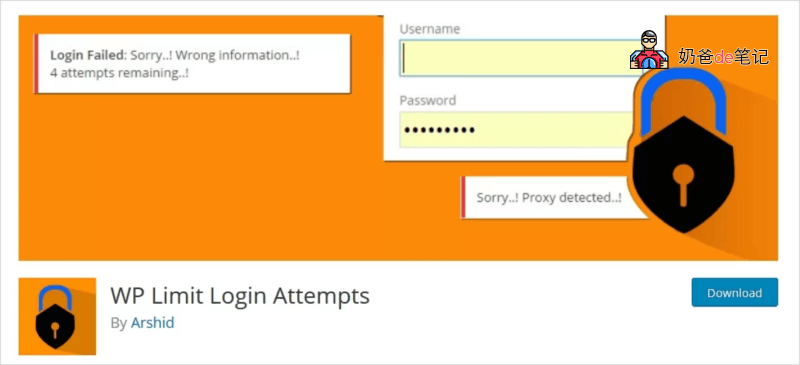
WP Limit Login Attempts is another powerful brute force protection plugin for WordPress. It currently has over 40,000 active installations and a rating of 4.5.
Limit login attempts to protect the site from brute force attacks. Brute Force Attack is designed to be the easiest way to gain site access: it tries usernames and passwords over and over until it gets in. WP Limit Login Attempts temporarily limits the number of login attempts and blocks IPs. It detects bots through CAPTCHA verification.
Go to Settings > WP Limit Login.
Features
- Login Security – Limit login attempts and track user login attempts
- CAPTCHA
- Lightweight Plugin
- Mechanism to slow down brute force attacks
- Redirect to homepage when abnormal requests occur (it will stop hacking tools)
- GDPR compliant. When this feature is enabled, all recorded IPs are obfuscated (md5-hashed).
Limit Attempts by BestWebSoft
The Limit Attempts plugin is a security solution for WordPress that protects your site from spam and brute force attacks. It limits the number of failed login attempts per user and blocks the user's IP for a period of time based on your settings. This stops automated scripts from generating a large number of different combinations and cracking your site.
Manage blacklists and whitelists, receive email notifications, hide website forms from blocked or blacklisted IPs, and other advanced features to ensure data security.
Features:
- This plugin will automatically block IP addresses that attempt to log in and exceed the number of login attempts.
- Allows manually marking IPs as WhiteList and Blacklist.
- You can hide information from blocked IPs, such as login, registration.
- You can display any custom Captcha error message along with invalid attempts to blocked users.
- Multilingual support.
Limit Login Attempts
Limit Login Attempts is another popular WordPress login protection plugin. The main goal of this plugin is to provide shelter from brute force attacks.
Features:-
Login Security – Limit login attempts and track user login attempts
Brute Force Attack Protection – Limit the number of allowed login attempts and protect user accounts from attacks.
Anti-spam – Google reCAPTCHA to protect users from spam.
IP restriction – Restrict IP or IP ranges to prevent invalid login attacks.
Rename or change the login page URL – Change the default WordPress login URL (slug) to something different from the original wp-login.php or wp-admin to prevent automated brute force attacks.
Display remaining attempts on the login page – It provides an option to notify users of their remaining attempts on the login page.
Spam Protection – Provides spam protection and disables/blocks IP addresses after a certain number of attempts.
Disable XML-RPC – Simple option to disable XML-RPC in WordPress. Most WordPress users do not need XML-RPC and can disable it to prevent automated brute force attacks.
Inactive User Logout – Automatically log out if the user performs no action within a specified time.
Admin Email Alerts – Notify user accounts of IP blocking and abnormal activity via email alerts.
Limit Login Attempts also has a Pro version:Brute Force Login Security, Spam Protection & Limit Login Attempts
WPS Limit Login
WPS Limit Login is a full-featured powerful login protection plugin for WordPress. By default, WordPress allows unlimited login attempts, which makes brute force attacks somewhat easy. WPS Limit Login is here to save your site.
Limit possible connection attempts through the login page and using authentication cookies. By default, WordPress allows unlimited login attempts via the login page or by sending special cookies. This allows passwords (or hashes) to be relatively easily cracked through brute force.
WPS Limit Login restricts login attempts and blocks further attempts from an IP address after reaching a specified limit, making brute force attacks difficult or impossible.
Features:
Limit the number of retries during login (per IP). This is fully customizable.
Use authorization cookies in the same way to limit login attempts.
Notify users of the remaining login attempts or lockout time on the login page.
Logging and optional email notifications.
Manage servers behind a reverse proxy.
Can whitelist/blacklist IP addresses.
Compatible with Sucuri website firewall.
XMLRPC gateway protection.
Woocommerce protection for the login page.
Multisite compatible with other MU settings.
Jetpack
Jetpack, provided by WordPress.com, offers a complete solution (do not use on domestic servers as you cannot access it) to protect your WordPress site from bots and malware that try to crack weak login passwords. It is known as the largest plugin in the brute force protection field.
This plugin also helps with spam filtering and downtime monitoring. Most importantly, you can scan for malware and log changes to your site. The number of blocked spam comments or malicious attacks on your site will be stored in the „Brute force attack and malware protection - On-demand backup and restore settings" page.
In addition to brute force protection, Jetpack also supports site performance and management. It involves image optimization, mobile responsive design, and advanced site statistics and analytics to understand your audience.
Advantages
- Offers numerous features beyond security, including performance optimization and site management
- Offers two-factor authentication (2FA)
Disadvantages
- Requires upgrade to use advanced features
- Not usable for domestic users
Brute Force Login Protection
Similar to other login attempt limiting plugins, Brute Force Login Protection blocks automated scripts and malicious users from repeatedly entering usernames and passwords into your WordPress login page.
Installed on over 20,000 sites and rated 4.1 stars, this plugin clearly solves the problem.
The plugin works with almost no configuration, and you can view the blocked IP list or manually block IPs from the Settings page, and it supports IP whitelisting.
Similar to Limit Login Attempts Reloaded, this plugin allows you to delay login after failed attempts, helping to slow down brute force attacks. There is a short interval of 5 to 10 minutes between two failed login attempts.
If your admin IP address is blocked, you need to edit the .htaccess file (if you have FTP access) and remove the line „deny from abcd“ (abcd is your own IP address) to log into your website. What if you don„t have FTP access? You can only access the admin panel from another IP address and then remove it from the blocked IP list.
Advantages
- Slow down brute force attacks
- Send email to admin when temporarily banning an IP address
- Simple and Easy to Use
Disadvantages
This plugin has only been tested with WordPress version 2.7.0.The last update was 2 years ago, which may pose a security risk to the website.- (This plugin has been updated.)
Botnet Attack Blocker
Bonet Attack Blocker takes a different approach to keep WordPress sites safe from brute force attackers and cybercriminals. From the plugin developer's perspective, IP address and location blocking are not efficient enough to keep bots out.
For example, by using 1,000 computers to simultaneously enter login credentials and allowing 5 login attempts per device before locking, a person can try up to 5,000 different passwords.
To avoid this restriction, Bonet Attack Blocker basically ignores IP address differences. After seeing 5 unsuccessful attempts within a specific time (by default), it only blocks all admin login attempts.
However, the way the plugin operates may cause some issues. After a total of 5 consecutive failed attempts, Bonet Attack Blocker blocks all admin login attempts from different IP addresses. As a result, this may mislead many users who do not intend to hack the site.
Advantages
- Allow specific IP addresses
- Add a key to bypass the lock
Disadvantages
- May easily block legitimate users from logging in
- Not updated for 3 years
Which Plugin Should You Use?
Having introduced these 9 plugins to enhance WordPress login security, you might be wondering which plugin should I install?
In fact, each plugin can provide login protection; you just need to research which one meets your security needs better.
NaibabijiOther shared WordPress security articles include: