
Building Your Own Website, especially an English-language site, it is very susceptible to spam comments. You may receive dozens or even hundreds of English comments with links every day, pending review in your website backend. This article teaches you how to easily block these spam comments without accidentally flagging legitimate ones.
For example, spam comments like the image below:
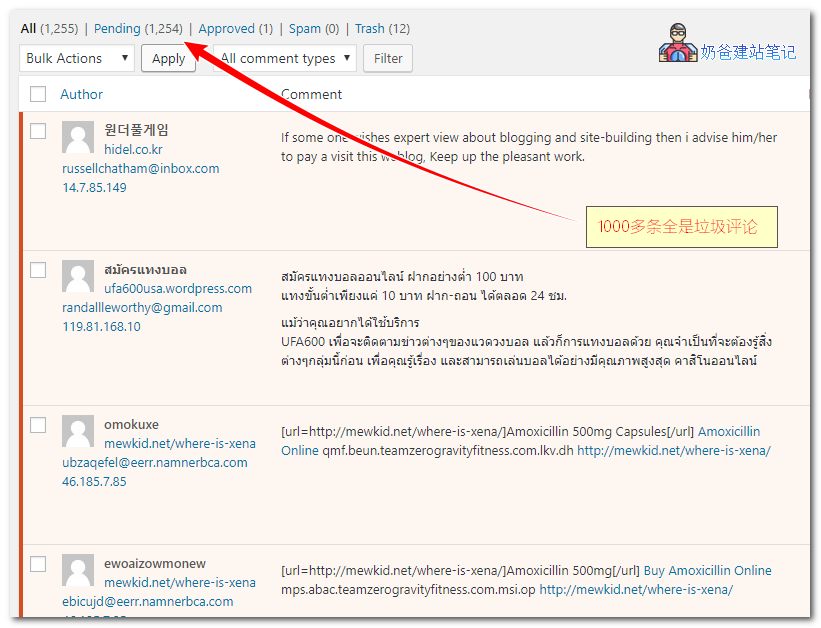
Don't think your website content is popular; in reality, these comments are sent by bots, and no one has actually visited your site.
Introduction and Download of the Slide-to-Unlock Comment Plugin
Install WordPressBy default, it will install anAkismet Anti-Spamspam comment plugin for you, which uses cloud data and can automatically block some spam comments. However,the experience is not good.。
- Firstly, Akismet Anti-Spam is troublesome to set up; you need to register a key to activate it.
- Secondly, these spam comments are still submitted to your website's database, causing database bloat.
Therefore, Naiba brings you a very convenientslide-to-unlock comment submission plugin, myqaptcha.。
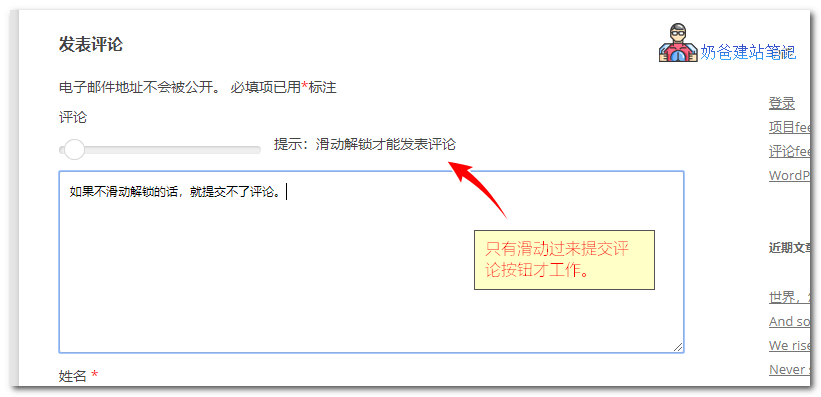
This spam comment blocking plugin called myqaptcha works very simply: it inserts a slider into your comment form that needs to be dragged from left to right to activate the comment function.
As demonstrated in the image below, you have probably seen and used this plugin on many people's blogs.
Advantages of myqaptcha
Compared to Akismet Anti-Spam, the advantages of myqaptcha are more evident:
- Small, only about 20 KB.
- Clean, does not insert into the database.
- Effective, requires sliding to unlock before submitting a comment, blocking bot comments.
myqaptcha Download
Click the button below, upload it to your website for installation, and it will work automatically once activated.
Code Version to Block All English and Japanese Comments
If you don't want to install a plugin, you can also directly use the code below to block all English and Japanese comments. However, note that you must not use this on your Foreign Trade Independent Website, otherwise all comments from foreigners will be unable to be submitted.
//屏蔽纯英文评论和纯日文
function refused_english_comments($incoming_comment) {
	$pattern = '/[一-龥]/u';
	// 禁止全英文评论
	if(!preg_match($pattern, $incoming_comment['comment_content'])) {
		wp_die( "您的评论中必须包含汉字!" );
	}
	$pattern = '/[あ-んア-ン]/u';
	// 禁止日文评论
	if(preg_match($pattern, $incoming_comment['comment_content'])) {
		wp_die( "评论禁止包含日文!" );
	}
	return( $incoming_comment );
}
add_filter('preprocess_comment', 'refused_english_comments');
Copy and paste the code above into your theme's functions file.