
WooCommerce License Manager is aWordPress card key distribution pluginthat allows you to implement automatic card sales functionality for free. This plugin is completely free and supports the Chinese language.
WordPress automatic card distribution pluginSome webmasters may need it. Naibabiji will teach you how to use the WordPress card key distribution plugin to build an automatic card key website.
WooCommerce License Manager allows you to easily sell and manage all your digital license keys. With features like bulk importer, automatic delivery, and database encryption, you can easily achieveWordPress automatic card distributionfeature to all customers.
WooCommerce License Manager download address
WooCommerce License Manager is a free WP card distribution plugin. You might not find it by searching directly in the WordPress backend. You can click the button below to download it.
How to use the WordPress automatic card distribution plugin
WooCommerce License Manager needs to be used with WooCommerce installed.
WooCommerce is also free, so you don't have to worry. You canclick here to download。
Step 1: Generate card keys
After installing WooCommerce License Manager, let's first generate card keys.
There are two ways to generate card keys: import from backend or auto-generate.
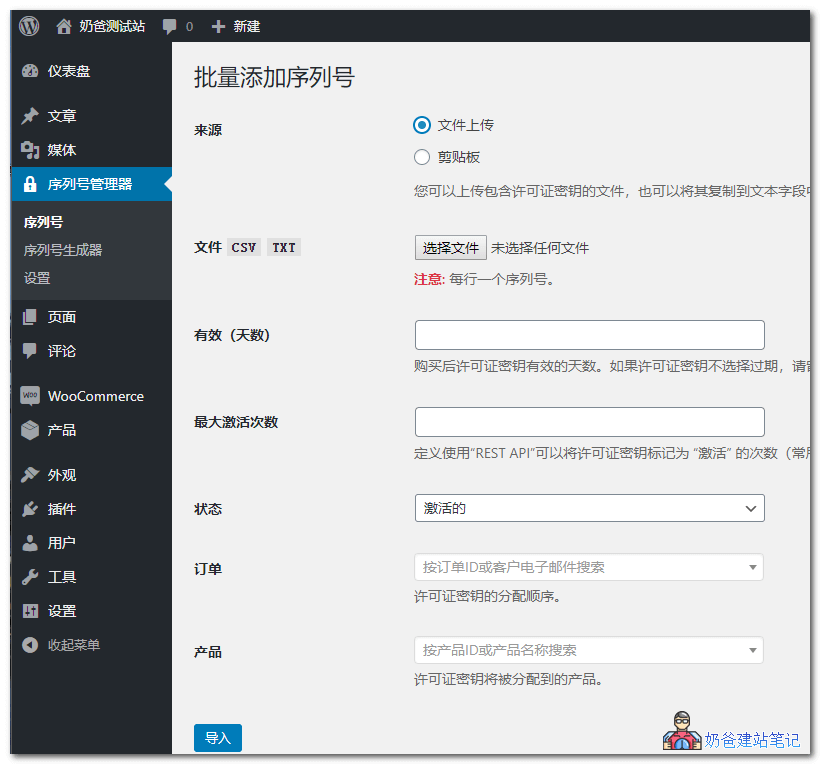
Importing card keys supports CSV or TXT format files, or you can choose to import from clipboard. Set the validity period and activation count, then import.
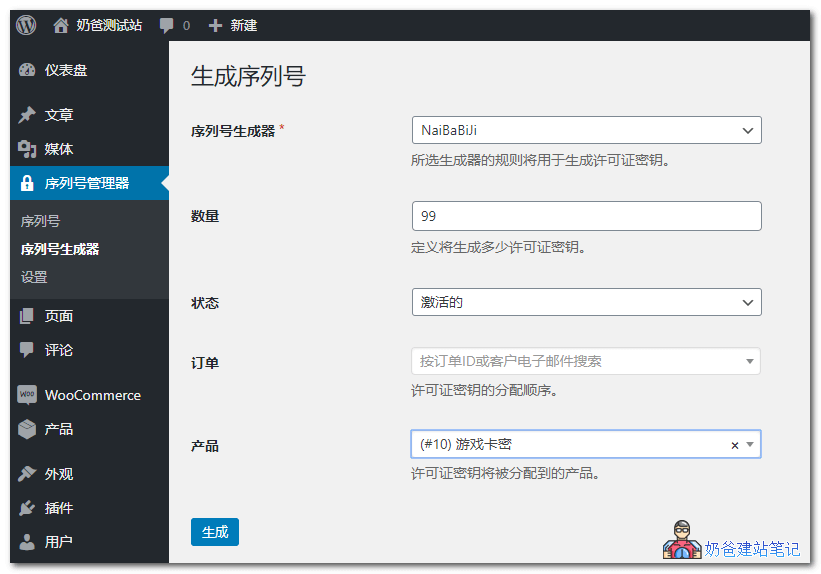
Another method is to directly use the plugin to generate card keys, as shown below:
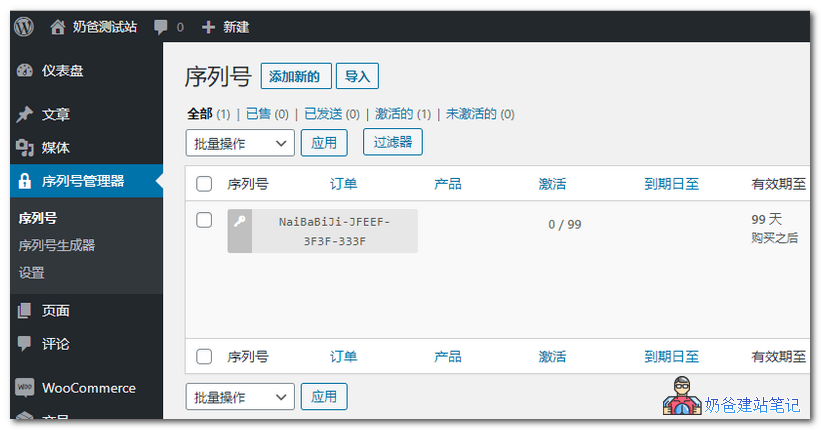
After generation is complete, you can see all key information in the serial number list, including the associated product, activation count, expiration date, and other details.
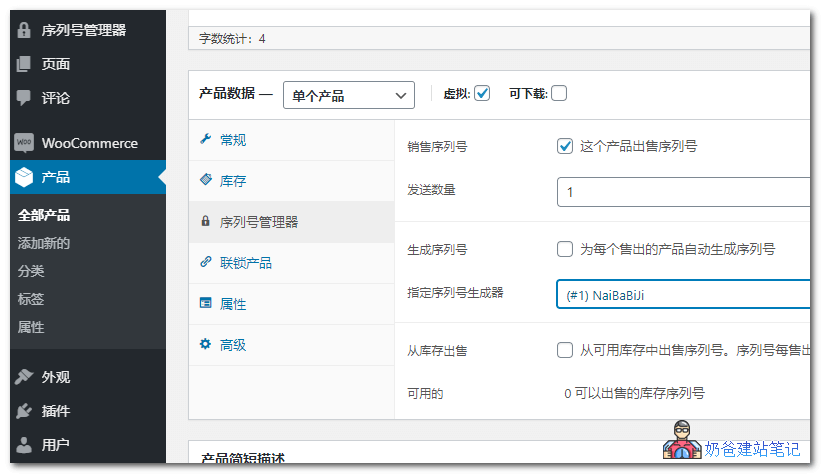
Step 2: Associate with WooCommerce products.
Go into WooCommerce products and create a new product. You will see an additional Serial Number Manager function below. There, you can set the number of serial numbers to send. After a user successfully purchases, the card key will be automatically sent to them.
Therefore, you need to ensure your website's email system is working properly. Related article:
- Recommended WordPress SMTP Email Plugins I Have Used
- 6 Excellent Foreign SMTP Email Service Provider Platforms Recommended
Of course, after purchase, users can also view the purchase information in their order records.
Don't know how to handle the payment gateway?
At this point, the WordPress automatic card distribution functionality is set up.