🚀 Is building a website too difficult? Let me guide you step by step—Learn about the 「Naibabiji WordPress Website Building Coaching Service」 →

Solution for handling the violation information detected on your Tencent Cloud server

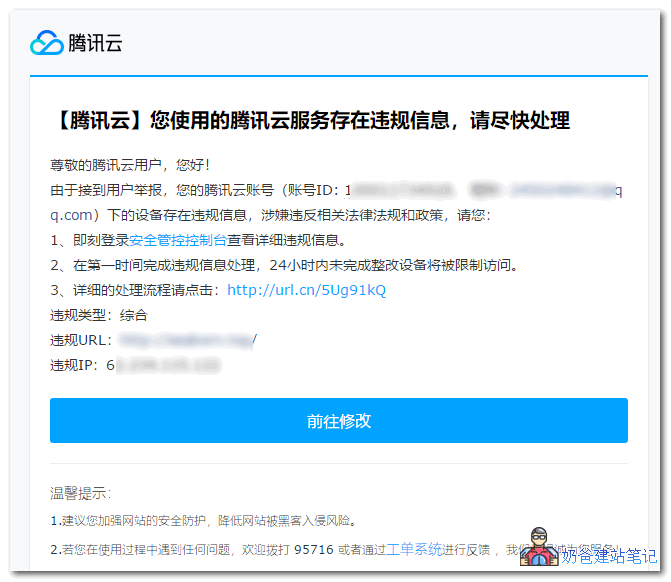
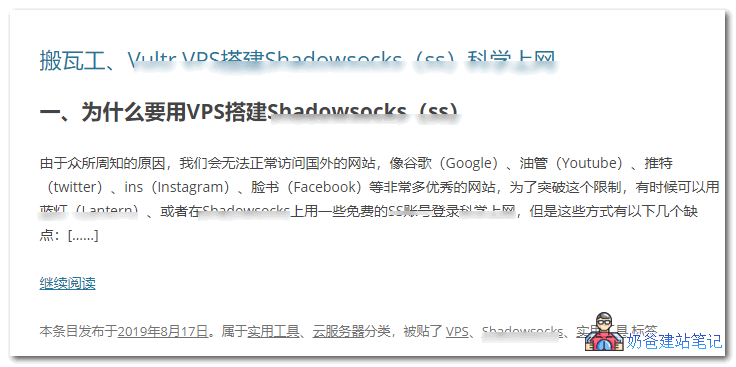
Tencent Cloud notifies you that „The Tencent Cloud server you are using contains violation information, please handle it promptly.What's going on? Actually, it's very simple: your website content contains sensitive words, and you just need to handle them yourself.您使用的腾讯云服务器存在违规信息,请尽快处理For example, this user above uses Tencent Cloud Server and received a reminder about non-compliant information but didn't know what was going on. Naibabiji opened his website and looked; the blurred areas in the image below are all sensitive words.敏感内容Using domestic serversBuilding a websiteFor such sensitive content, self-censorship is needed; otherwise, it is very easy to be scanned out by the service provider's firewall. If not handled, the server will be suspended by the service provider.Methods for handling non-compliant information:
  1. Directly delete sensitive content;
  2. For sensitive contentSet a password
  3. Replace sensitive words; you can useBatch replace Plugin

🚀 Still feeling confused after reading the tutorial? Let me guide you step-by-step instead.

「Naibabiji WordPress Website Building Coaching」 — From selecting a domain and purchasing hosting to installing themes and publishing posts, I「ll guide you through every step, helping you avoid detours and reach your goals directly.

👉 Learn about Website Building Coaching Service
🔒

Comments are closed

The comment function for this article is closed. If you have any questions, please feel free to contact us through other channels.

×
二维码

Scan to Follow