
Enfold is a responsive WordPress theme with clean code, lightweight and flexible, suitable for those wanting to useWordPress installationvarious website styles including a magazine, corporate website, e-commerce website, CMS website, etc. The theme is built on the Avia framework and supports the WPML MULTI LANGUAGE plugin (WordPress multilingual plugin).

Enfold cracked versioncomes with rich settings menus, you can directly modify the layout, style, colors, and fonts in the backend settings. You can also import from 18 preset styles or create your own webpage templates from the Dashboard backend. Font, background, and color options along with the dynamic template builder will help you create the desired website immediately. Besides global options, you can also set unique style options for each entry, as shown in the theme demo.
Main Feature Overview
- Clean, modern design usable for any type of website
- Uniquedrag-and-drop template builder, built exclusively for this theme. It can achieve any layout you can imagine. It also provides a large number of unique elements for the template builder:
- Columns, sliders, buttons, galleries, team, tabs, toggles, accordions, pricing and data tables, call-to-action buttons, testimonials, and more. (To avoid confusion: This is a content editor. Headers and footers are not managed this way.)
- Ajax Instant Search: Users get results as they type
- Mo/po filesare ready for translation
- WooCommerceSupport: Add your own store and sell everything from digital goods to coconuts
- WooCommerce Booking supports time-based and date-based reservations
- SupportedWPML MultilingualPlugin: WPML plugin, in case your business requires a multilingual site
- ResponsiveDesign that adapts to smaller devices (iPhone, iPad)
- Retina Support: Looks beautiful onsmartphones和tablets
- Responsive layout can be disabled with one click in the Admin Dashboard
- SupportedWordPress Multisite
- Mailchimp email subscription system integration
- Event Calendar and Event Calendar Pro integration
- 2D + 3D LayersliderSlideshow (includes Layerslider plugin)
- 2D Easy Slider allows creating slideshows in seconds
- All slideshows are optimized for mobile (hardware-accelerated CSS3 sliders)
- Post FormatsSupport: Standard, Image, Video, Gallery, Link, Quote
- Multiple slideshows can be created. You can add multiple slideshows for each Post, Page, or portfolio entry
- Over 20 predefined skins, easy to edit and modify. Any number of skins is possible
- Video Support: Supports videos from any major video hosting service
- Video Slides, supports YouTube, Vimeo, and self-hosted videos
- Visual Shortcode Editor with preview, extensive shortcodes such as pricing tables,列,buttons, etc.
- With backend color pickerUnlimited color options, can be used for any kind of gorgeous color settings.
- Unique for each page/categoryUnlimited sidebars
- User manual, short videos, and professional theme support provided by me and my team to solve any type of issue
- Unlimited portfolio pages. Also supports Ajax portfolio
- FreeLifetime updatesand access to our support forum
- The community in our support forum is constantly growing: over 50,000 registered users, 85,000 topics, 350,000 posts. We ensure your website runs smoothly and answer every post!
- 100% unobtrusive jQuery performance gracefully degrades if JavaScript is turned off
- Contact form builder: Modify your contact form from the backend: add/remove/modify available inputs, text areas, dropdowns, and checkboxes
- Search Engine Optimization: Our code is built withSEObest practices in mind: titles, extensive internal linking, rich Google page snippets, etc.
- Advanced typography options
- Wide and boxed layouts
- Advanced header options
- Child ThemeSupports easy customization without being affected by theme updates. You canheredownload a basic child theme
- Almost every page template you see in the „Collapse Default Demo“ includes over 30 PSDs
- RTL stylesheet for right-to-left reading languages, such as Arabic, Hebrew, etc.
- Includes over 20 different language files
- Clean code: well-organized, clearly commented code
- Focus on typography, usability, and user experience
- Compatible withWPML,Gravitforms,WP SupercacheTesting of many other common plugins
- Extensive documentation
- Growing video tutorial library - WeNarrated HD video tutorialsis a good starting point
SEO (Search Engine Optimization)
The theme is built with SEO best practices in mind. It uses clean, semantically valid HTML code and CSS, so search engines can easily index your site's content. Important content is always placed before less important content in the source code (e.g., Blog Post content before the sidebar), and headings are wrapped in heading tags (h1, h2, h3, etc.) to indicate their importance to search engines.
The website also uses a large number of internal links, which are also crucial for search engines (related posts, primary and secondary navigation menus, footer navigation, etc.). With this WordPress template, you can achieve high Google rankings and attract visitors to showcase your excellent work ;)
Responsive
This is a responsive theme that adjusts its layout according to the screen size of your visitors. (Try resizing the screen and see for yourself.) The slideshow in this theme is also touch-enabled and hardware-accelerated, meaning they run extremely smoothly on mobile devices like iPad or iPhone 🙂
Enfold Cracked Version Download
Download old version v4.76
Extraction password: VASD3FF1
v4.8 new version download paid to view
[vk-content]
Extraction password: VASD3FF1
[/vk-content]
Enfold Usage Tutorial
First,Purchase genuine version from official sourceorDownload cracked version from this articletheme installation file, unzip it. The extracted folder looks like the image below:
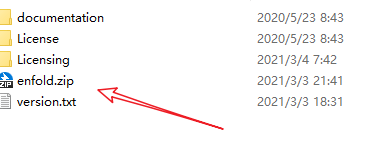
This enfold.zip is the theme file. Install it via the WordPress Admin Dashboard, under Themes > Add New > Upload Theme.
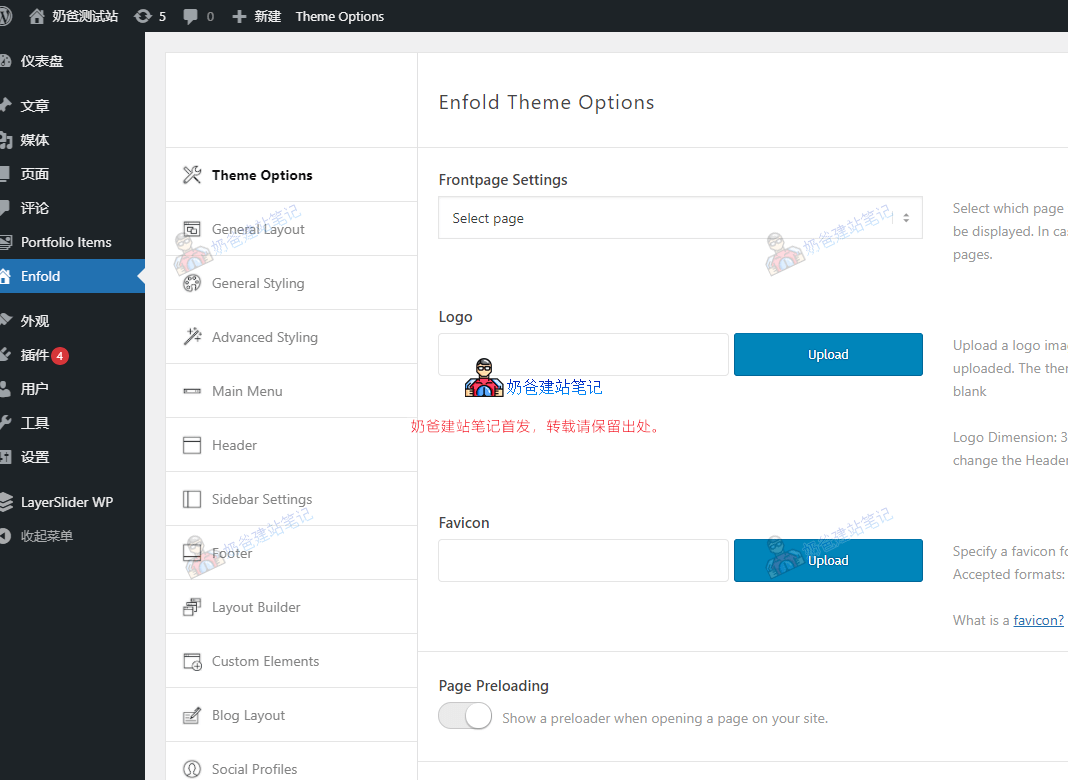
After activating the theme, you can see the theme settings menu entry in the left menu bar.
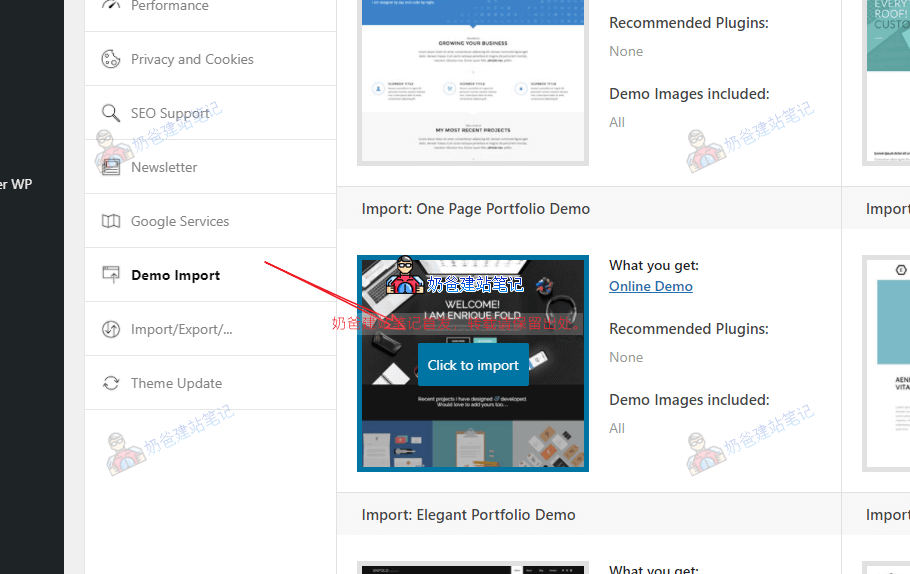
Under the theme settings menu, there is a Demo Import option. You can select a preferred Demo to import on this interface.
After import, view the front end of the website to see the imported Demo effect. If you want to modify the content yourself, take the homepage as an example.
On the front end of the website, click the Edit button.
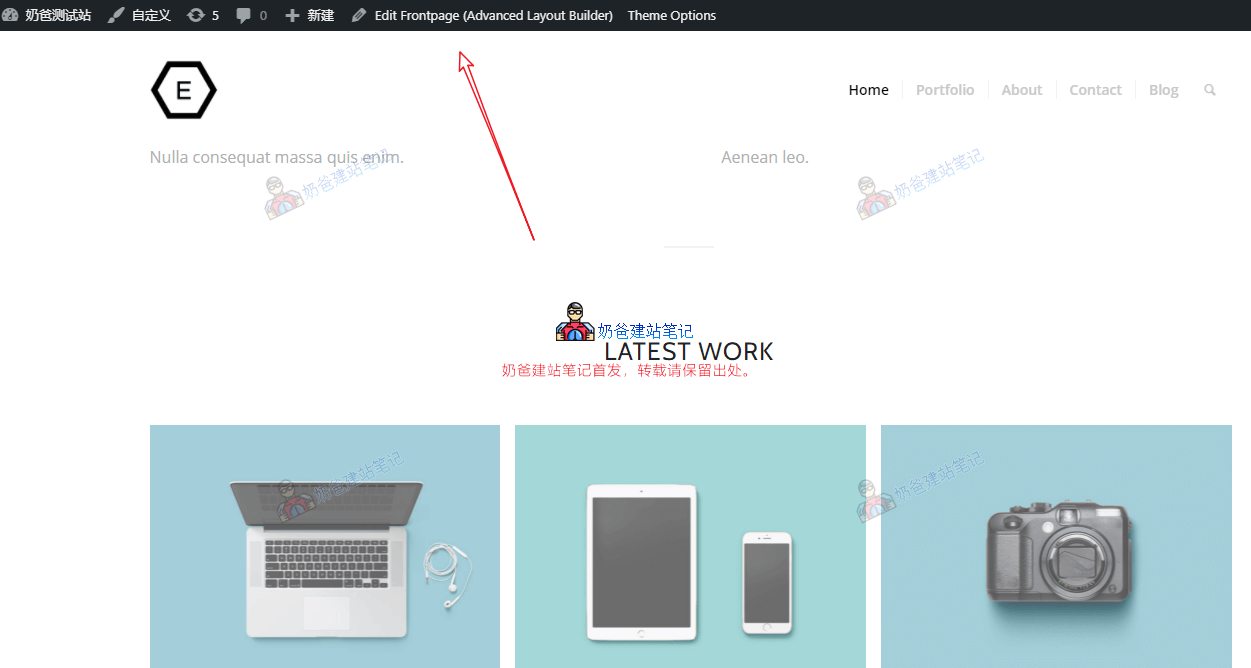
After clicking the Edit button, an interface like the image below will appear.
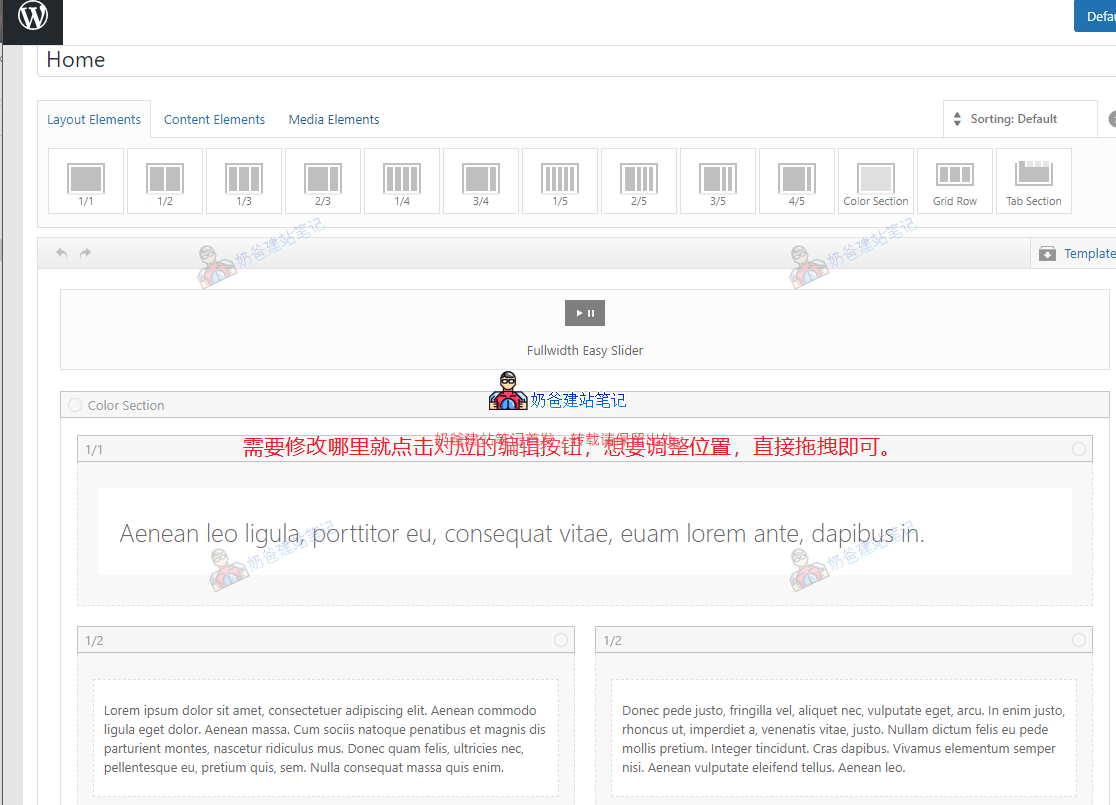
Click on the corresponding module for the area you want to modify, then click the Edit button that appears, make changes, and save.
If you don't want a certain area's content, click the X on the right to delete it.
If you want to add a new module, first drag a layout element from the top, then switch to Content Elements, drag the module you need to insert, and modify it.
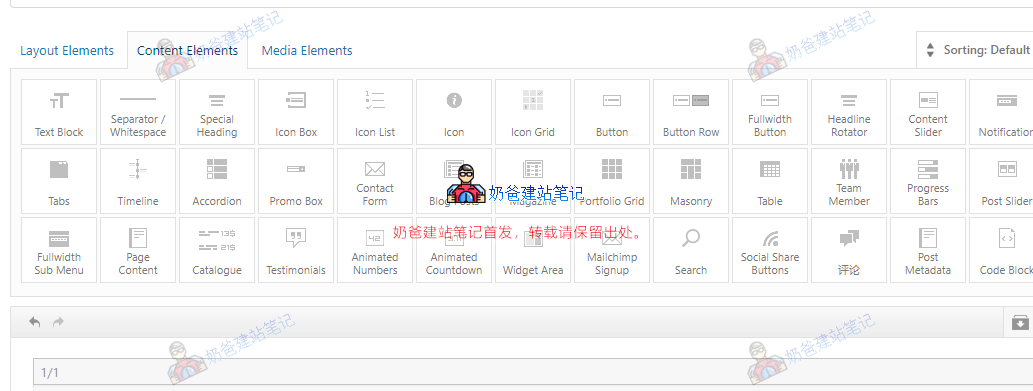
After editing the Enfold theme page, click the Post Publish or Update button, and you can see the corresponding effect on the Frontend.