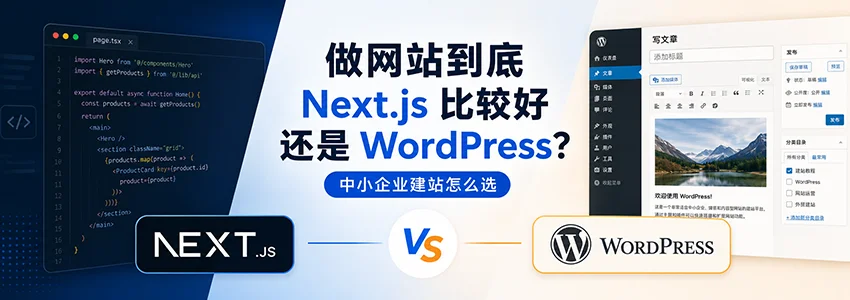
First, answer a soul-searching question: What is the purpose of your website?
Recently, several business owners asked Naiba whether to use Next.js or WordPress for their websites.
There is no standard answer to this question. It„s like asking “Which is better, a sedan or an SUV?„ The key is not which car is more advanced, but youruse case, budget, availability of technical staff, and who will maintain it later。
If you just need a corporate website to showcase products, publish articles, and let customers find you, WordPress might be a more practical starting point. But if you need a digital product with high performance, complex interactions, and extensive custom development, Next.js's advantages become more apparent.
After my own practical comparisonof AI website building and WordPressI increasingly feel that before choosing a tech stack, you should first choose the right „people“—that is, your team„s capabilities and budget boundaries.
This article by Naiba will coverSMEs, individual webmasters, availability of technical staff, budget range, and functional requirementsThese real dimensions help you lay out the pros and cons of Next.js and WordPress.
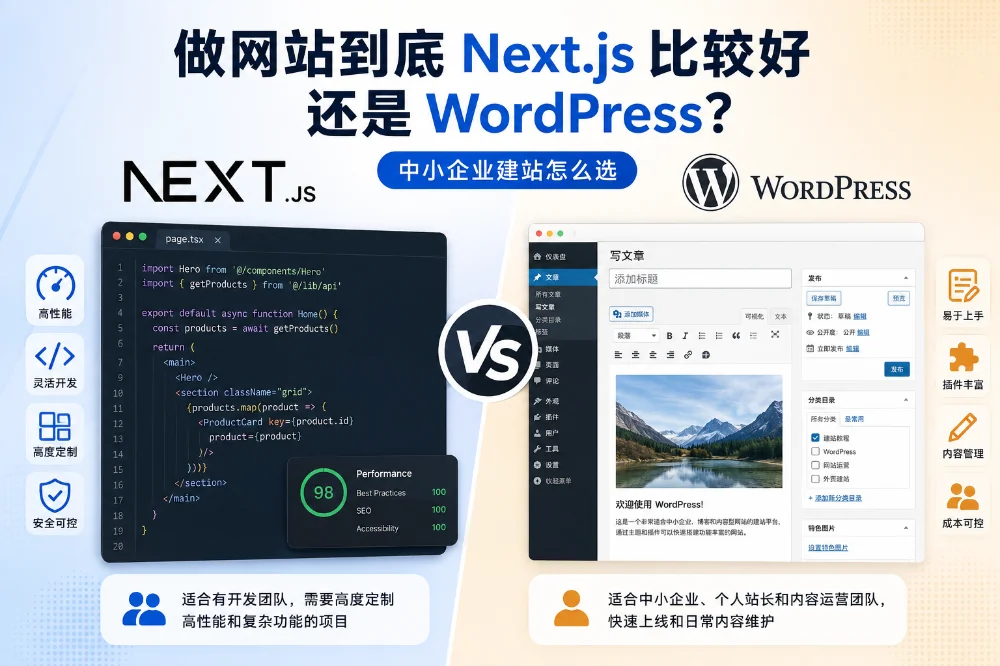
What exactly are Next.js and WordPress?
WordPress: The „Swiss Army Knife“ of Website Building
WordPress has been developed for many years and is still a very mature CMS and website building system. Its core logic is simple: you choose a theme, install necessary plugins, and you can quickly build a fully functional website.
For non-technical users, the biggest advantage of WordPress ismature ecosystem. FromWordPress theme recommendationsto the plugin marketplace, many common features have ready-made solutions, such as contact forms, SEO optimization, e-commerce, membership systems, cache optimization, backup security, etc.
Server selection is also flexible, from ordinary shared hosting to cloud servers can run WordPress. If you haven't decided on a hosting plan yet, you can refer to my compilation ofWordPress Hosting Recommendations。
But the convenience of WordPress also comes at a cost. The more themes and plugins, the higher the complexity of website maintenance; if plugins are chosen improperly, it may also cause speed, security, and compatibility issues. See:Why is your WordPress website slow? Too many plugins may be the main reason
Next.js: A More Developer-Oriented Modern Frontend Framework
Next.js is a React-based web development framework, commonly used to build websites or web applications with high performance requirements and more complex interactions.
Compared to traditional CMS, Next.js is more of a „development framework.“ It can improve page loading experience through server-side rendering, static generation, etc., and also allows developers to more finely control page structure, components, meta information, and data sources.
However, Next.js is not an „out-of-the-box“ website building system. It does not come with a mature backend content management interface like WordPress. If you need operators to easily write articles, edit pages, and upload images, you usually need to pair it with a Headless CMS, database backend, or develop a management system separately.
This means:Without frontend or full-stack developers involved, ordinary users can hardly independently complete the construction and long-term maintenance of a Next.js website.
Core Dimension Comparison: A Table to See the Differences
| Comparison Dimensions | WordPress | Next.js | Who is it more suitable for |
|---|---|---|---|
| Page load speed | Depends on theme quality, number of plugins, cache configuration, and server environment; can be fast if optimized properly | Easier to achieve high-performance pages, but also depends on development quality and deployment method | For those pursuing ultimate performance and having development capabilities, consider Next.js |
| SEO friendliness | The plugin ecosystem is mature, suitable for ordinary webmasters to handle titles, descriptions, sitemaps, and article SEO | Fine control over Meta, structured data, routing, and sitemaps can be achieved through development | For content SEO, WordPress is easier for beginners; technical teams can consider Next.js |
| Initial website building cost | Usually lower, themes and plugins can quickly implement basic functions | Usually higher, requires developers to build pages, data, backend, or CMS | Limited budget, prioritize WordPress |
| Long-term Maintenance Costs | Requires ongoing maintenance of WordPress core, themes, plugins, backups, and security | Requires maintenance of code, dependencies, deployment processes, APIs, and CMS integration | Depends on team capability, cannot simply say which is lower |
| Content management | Mature backend, convenient management of articles, pages, images, and categories | Usually requires a Headless CMS or custom backend | If content is frequently updated, WordPress is more friendly |
| Security | More plugins and backend entry points, requires careful updates and hardening | If architecture is well-designed, the public attack surface can be smaller, but still requires maintenance of dependencies and API security | Both require security maintenance, cannot just look at the tech stack |
| Feature extension | Rich plugin ecosystem, common features easily found in ready-made solutions | High flexibility, but many features require custom development | For regular websites, WordPress is more convenient; for complex systems, Next.js is more flexible |
| Technical Barrier | Relatively low, non-technical personnel can learn to maintain | Higher, requires React, Node.js, deployment, and front-end engineering skills | Beginners and small to medium enterprises prioritize WordPress |
How should you choose in different scenarios?
Scenario 1: You are a small to medium enterprise with no dedicated technical staff and a limited budget
Recommendation: Prioritize WordPress.
This is WordPress's classic sweet spot. You can purchase a good quality theme, pair it with necessary plugins, and launch a corporate website in a relatively short time. Daily content updates, blog posts, and product descriptions can be handled by the boss, operations staff, or foreign trade salespeople after simple training.
For such websites, the most important thing is not how advanced the tech stack is, but whether you can maintain it yourself later. Many corporate websites look great when first launched, but every time you need to change an image, add a product, or publish an article, you have to find a developer. Over time, it becomes difficult to sustain operations.
If you are still struggling with server selection, you can refer to my compiledWordPress Hosting Recommendations 2026For a startup, a reasonably configured host or VPS can usually support a basic official website, blog, and product showcase.
However, note that WordPress„s “cheapness„ mainly refers to the low entry barrier. As you install more plugins and features become more complex, maintenance costs will gradually emerge, such as regular updates, security monitoring, backups, theme compatibility, and plugin conflict troubleshooting. To reduce maintenance, Naiba has two suggestions: 1. Use as few plugins as possible when building the site; a typical B2B official website can be fully functional with around 10 plugins. 2. Purchase a server with built-in backups or useWP PanelSet up automatic backups.
Scenario 2: You need to build a foreign trade independent website and value Google SEO highly.
Recommendation: Most small teams should prioritize WordPress, and consider Next.js only when budget and technical team are sufficient.
The core requirements of a foreign trade independent website are usuallyGoogle SEO, product display, and inquiry conversion.WordPress has mature solutions for content publishing, product data management, SEO plugins, form inquiries, and multilingual extensions, making it friendly for foreign trade SOHO and small to medium enterprises.
If you plan to build a B2C independent website and are torn between Shopify and WordPress, you can check out my previous articleWhich is better for e-commerce platforms: Shopify or WordPress?WordPress's advantages are flexibility and data autonomy, while Shopify's advantage is ease of use. The choice depends on whether you focus on content-driven customer acquisition, product display, or standard e-commerce transactions.
Next.js can also be used for foreign trade websites, offering great freedom in page experience, frontend performance, and structured data control. However, these advantages require a development team to implement; switching to Next.js does not automatically grant ranking advantages.
For most foreign trade SOHO or small teams, WordPress remains a more cost-effective starting point. Prioritizing product content, industry articles, case pages, and inquiry paths is often more realistic than pursuing a complex tech stack from the start.
Scenario 3: You need to build a highly interactive, heavily customized digital product.
Recommendation: Seriously consider Next.js.
If your website is not a „showcase site“ but a core business product—such as a SaaS landing page with a backend system, membership center, data dashboard, online tools, complex filtering platform, or a web application requiring extensive user interaction—Next.js„s advantages become more apparent.
Its advantages go beyond speed, including component-based development, frontend-backend API integration, complex interaction implementation, and code engineering management. For projects with a technical team, these capabilities allow for more flexible product expansion later.
But there is a prerequisite: you need someone who can maintain the project long-term. Launching a Next.js project is not the end; it involves dependency upgrades, API adjustments, deployment maintenance, error troubleshooting, CMS integration, and more.
Scenario 4: You have some technical knowledge and want to tinker.
Recommendation: You can try both, but WordPress is easier to get results with first.
If you can set up an environment using a server panel, resolve domain names, and install WordPress, you can create a decent website in a short time.
Next.js has higher requirements for „tinkering.“ You need to be familiar with React, Node.js, Git, build and deployment, and also consider how to implement the content backend. If you just want to build a personal blog, small business site, or tutorial site, the learning curve may not be worth it.
Is there a „best of both worlds“ solution?
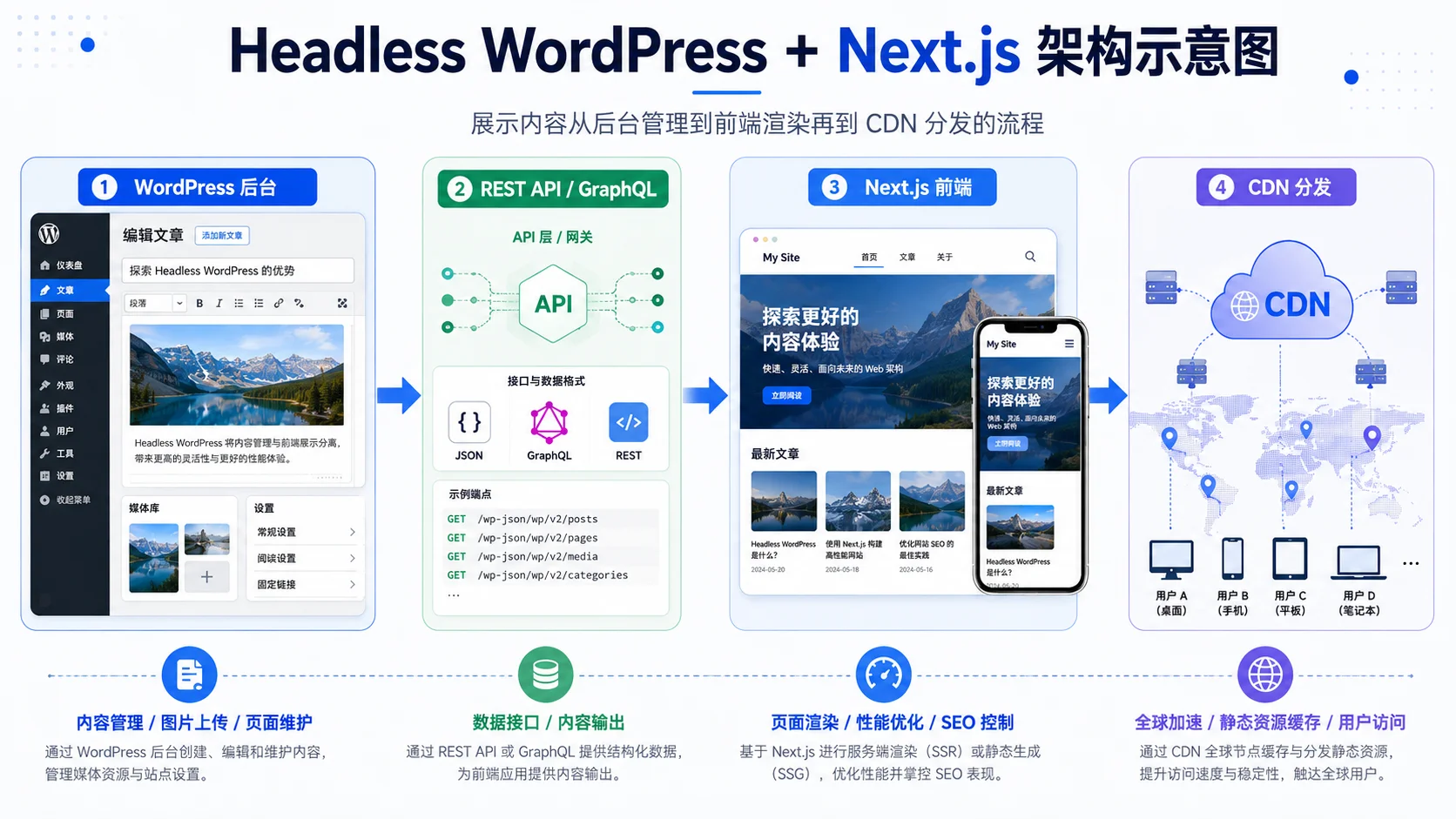
Yes, that isHeadless WordPress + Next.js Frontend。
The idea of this solution is: use the WordPress backend to manage content, such as writing articles, uploading images, maintaining categories and page data; the frontend uses Next.js to render pages. This retains the familiar content management experience of WordPress while giving the frontend greater development freedom.
However, this solution is not suitable for everyone. Its setup and maintenance complexity is significantly higher than a regular WordPress site, requiring frontend developers to handle APIs, caching, previews, deployment, SEO, image resources, URL structures, and more.
Therefore, Naiba does not recommend beginners to start with Headless WordPress. It is more suitable for medium to large projects with substantial content, an editorial team, and higher demands on frontend experience and performance.
Let me add a practical issue: Who will maintain it for you later?
When choosing a tech stack, many people only look at the pre-launch mockups but ignore post-launch maintenance.
The main maintenance tasks for a WordPress website include:
- Updating WordPress core, themes, and plugins;
- Regularly backing up website files and database;
- Checking security plugins, login protection, and spam comments;
- Optimizing images, cache, and database;
- Publishing articles, editing pages, and updating product information.
The main maintenance tasks for a Next.js website include:
- Maintaining code repository and dependency versions;
- Handling builds, deployments, and environment variables;
- Maintaining APIs, CMS, database, or third-party services;
- Fixing frontend bugs and compatibility issues;
- Continuing to develop new features based on business needs.
You„ll find that neither is “completely hands-off after launch.„ The difference is: WordPress maintenance is more for site owners and operators, while Next.js maintenance is more for development teams.
That's why I often recommend small and medium-sized enterprises start with WordPress. Because what most businesses really lack is not a technical framework, but the ability to continuously update content, optimize pages, and acquire customers.
Common FAQ
Q1: Is WordPress outdated?
No. WordPress is still a very mature CMS and website building system. For non-technical users, content-driven sites, corporate websites, blogs, and product showcase sites, it remains a very pragmatic choice. Technology is never absolutely „outdated“; it„s more about whether it suits your project.
Q2: Is building a site with Next.js necessarily more expensive than WordPress?
Initial development costs are usually higher because Next.js often requires custom pages, data APIs, backend or CMS integration. But long-term costs cannot be simply judged; it depends on project complexity, team capability, feature iteration frequency, and maintenance approach.
Q3: I already have a WordPress site. Can I migrate to Next.js?
Yes, but it„s not recommended to blindly migrate for the sake of “technical advancement.„ During migration, you need to handle content structure, URL redirects, image assets, SEO weight, sitemaps, form functionality, etc. If your existing WordPress site runs well, you should usually optimize the current site first rather than rebuilding it directly.
Q4: For an e-commerce site, which is better, WordPress or Next.js?
If you need to launch quickly, manage products, and handle basic e-commerce functions, WordPress + WooCommerce is one of the mature solutions. I have previously comparedCan WordPress be used for e-commerce websites? What are its advantages over Shopify?. Next.js e-commerce is more suitable for brands or platforms with a technical team seeking highly customized experiences.
Q5: What is the difference between using a template to build a site and developing with WordPress yourself?
Using a template is usually more convenient and quick to start, but freedom and data ownership may be limited. Building a site with WordPress yourself, although requiring learning and maintenance, gives you higher control over website content, data, themes, plugins, and servers. I have a more detailed comparison inWhat is the difference between building a website with WordPress yourself and using a template?.
Naiba's Summary
In 2026, Next.js and WordPress are not in a „who replaces whom“ relationship, but ratherdifferent choices for different scenarios。
- Choose WordPress if you:Have no dedicated developer, limited budget, need quick launch, frequent content updates, and rely on mature themes and plugin ecosystem.
- Choose Next.js if you:Have a frontend or full-stack development team, need high customization, the website is more like a product system, and are willing to bear long-term code maintenance costs.
- Consider Headless WordPress + Next.js if you:Need both WordPress backend for content management and stronger frontend customization, and have technical staff to maintain it.
For most domestic small and medium enterprise owners, foreign trade SOHO, and individual webmasters,WordPress is still a more stable starting point for building a website. It allows you to focus faster on content, products, SEO, and customer conversion, rather than getting bogged down in complex technical architecture from the start.
Once your website content is established, business scale expands, and team capabilities catch up, you can consider Next.js or Headless solutions later.
If you're still struggling with server selection, you can check out myWordPress Hosting Recommendations; if you're new to WordPress, you can also first understandthe difference between WordPress.com and .orgto avoid pitfalls from the start.
Do you have any specific questions about website building selection? Feel free to discuss in the comments, and I'll try to reply.