I. Introduction: Why must we rethink 'website building' now?
最近经常有朋友问我:“奶爸,现在AI都能直接生成网站了,我是不是没必要学WordPress了?”说实话,这个问题我也纠结了好一阵子。作为一个常年和WordPress打交道的奶爸,我亲眼看着AI从只能写写文案,到现在直接输出完整HTML页面——这变化真是吓人。于是,我决定亲自下场实测:用Claude、DeepSeek、Codex三款主流AI工具,分别尝试“纯AI建站”和“AI+WordPress”两种路线,最后把整个经历写成这篇对比,希望能帮大家少走弯路。
II. Clarify the concept: The two types of 'AI website building' are completely different
在开始对比前,咱们得先把概念说清楚。现在市面上说的“AI建站”其实分三种:
- 纯AI生成HTML静态站:让Claude、DeepSeek、Codex直接吐出完整的HTML/CSS/JS代码,然后托管到CloudFlare Pages、Netlify这类平台。优点是极速、免费,缺点是没后台、更新牵一发动全身。
- SAAS AI建站: Some website building platforms have integrated AI, allowing one-click website generation, which is more convenient to manage than pure HTML sites you generate with AI yourself. However, Naiba has not tested this type of service because you cannot control the website data yourself.
- AI-Assisted WordPress Website Building: Use AI to write WordPress themes or plugins, with the backend still being the familiar WordPress management interface. You can enjoy AI's coding speed while retaining mature ecosystems like article management and SEO plugins.
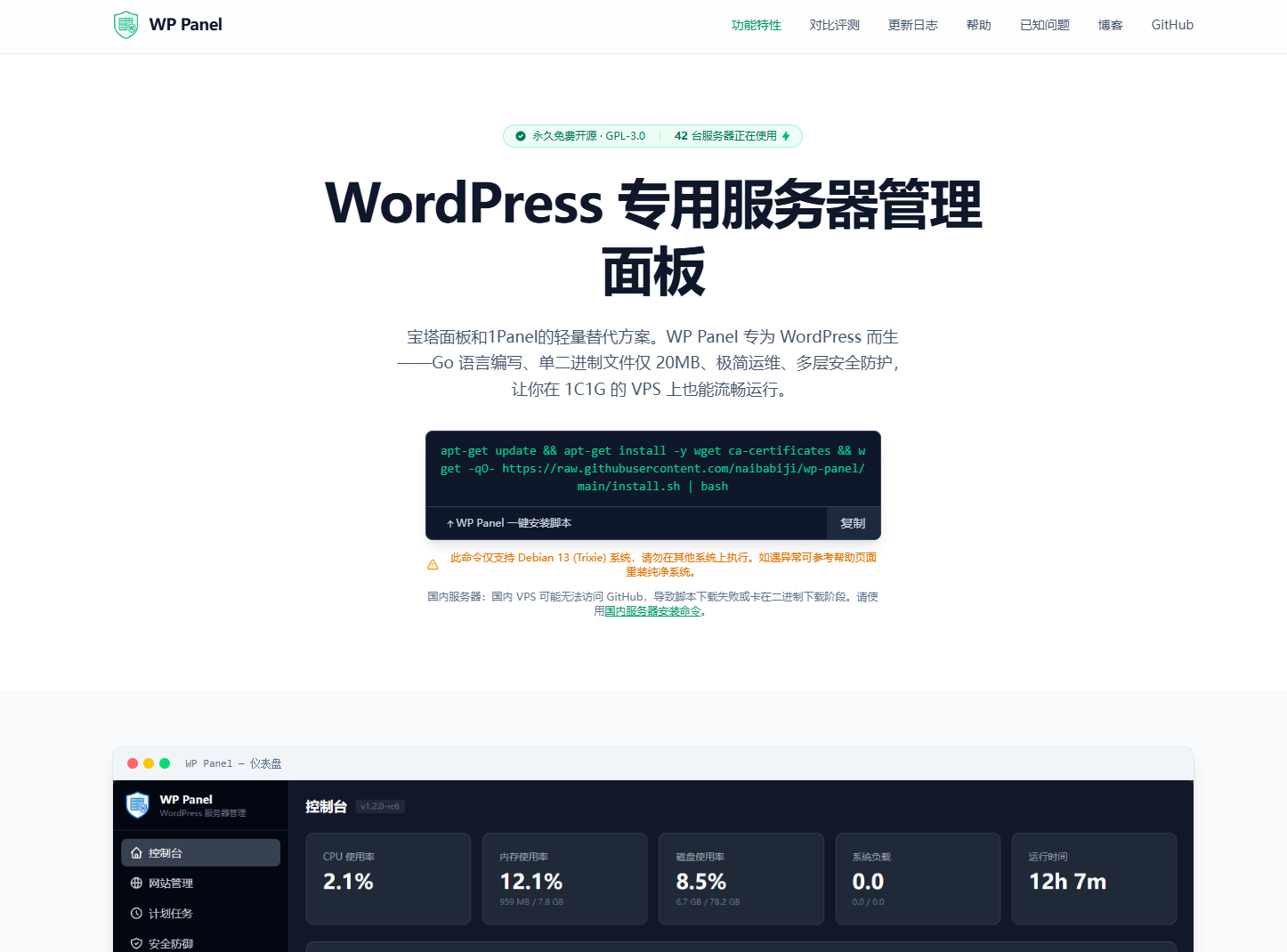
These types of AI website building are fundamentally different, but many beginners easily confuse them. My test used the same project—WP Panel Official Website—built twice using two methods, then compared the results.
III. Core dimension comparison (the meat)
| Comparison Dimensions | Pure AI-Generated HTML Site | AI + WordPress Site |
|---|---|---|
| Entry Barrier | Very low, one sentence generates a site | Requires familiarity with basic WordPress operations |
| Management Convenience | Extremely poor, content changes require code modification and redeployment | Excellent, edit directly in the backend |
| SEO Optimization | Difficult, meta tags require AI-assisted generation | Easy, one-click plugin management |
| Scalability | Limited, relies on AI to generate new features | Unlimited, supported by plugin ecosystem |
| Speed Performance | Very fast (pure static) | Relatively fast (requires cache optimization) |
| Target Audience | Temporary pages, display-oriented small sites | Blogs, corporate sites, content-oriented websites |
From the table above, it can be seen that the only advantage of pure AI website building is „fast speed,“ but in the face of daily operational needs, the disadvantages are very fatal. Moreover, this „fast speed“ hides a technical risk: novice users lack an overall website framework concept, often making the site look beautiful on the surface but lacking substance underneath. Below, I will explain it clearly with actual test data.
IV. Real-world test: I built the same website using two approaches
On Children's Day, Naiba released thededicated WordPress server management panel WP Panel, right? Since the product was released, the official website had to be set up. To save time, I directly asked DeepSeek to generate the HTML source code for the WP Panel official website (wp-panel.org) and hosted it on CloudFlare Pages. The web development speed was indeed fast; it took only a few hours to complete page design, content filling, and launch.
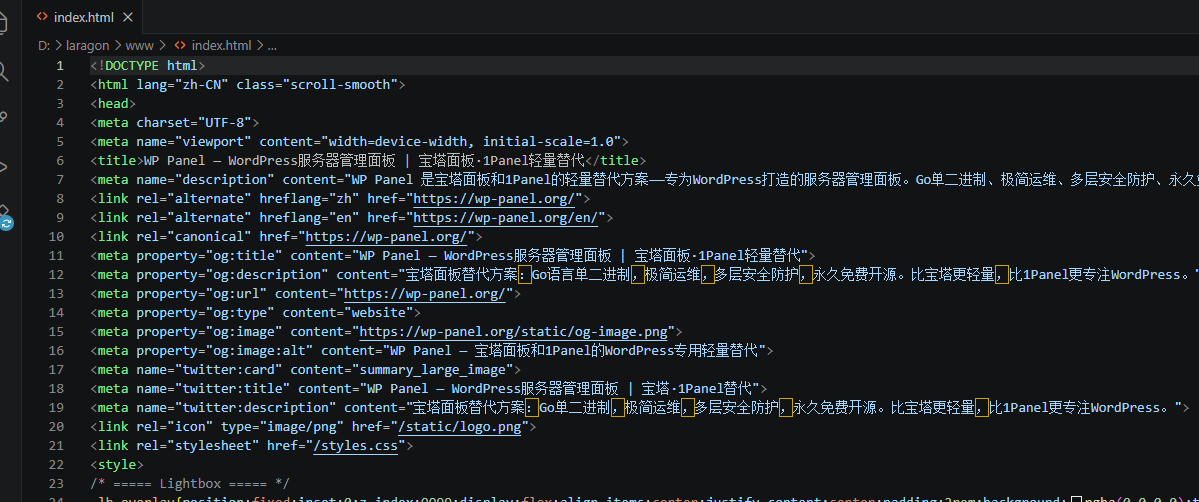
But problems soon arose: to add a new feature introduction, I had to copy the entire homepage code back, let AI modify it, and then redeploy. More headache-inducing was the SEO meta information—every time I adjusted the title or description, I had to start a new AI conversation, which was very cumbersome. The screenshot above shows the Meta section generated by AI, which looks neat, but every modification required repetitive work.
After experiencing it for a few days, I felt that this management method was not scientific and was not conducive to later maintenance and SEO optimization, so I decided to switch back to WordPress. But this time, I tried a different approach: let AI write a WordPress theme for me, with the appearance consistent with the static HTML site, and use WordPress for backend management. The result was amazing! Below is a screenshot of my WordPress backend with an SEO plugin; the Meta area management is clear at a glance:
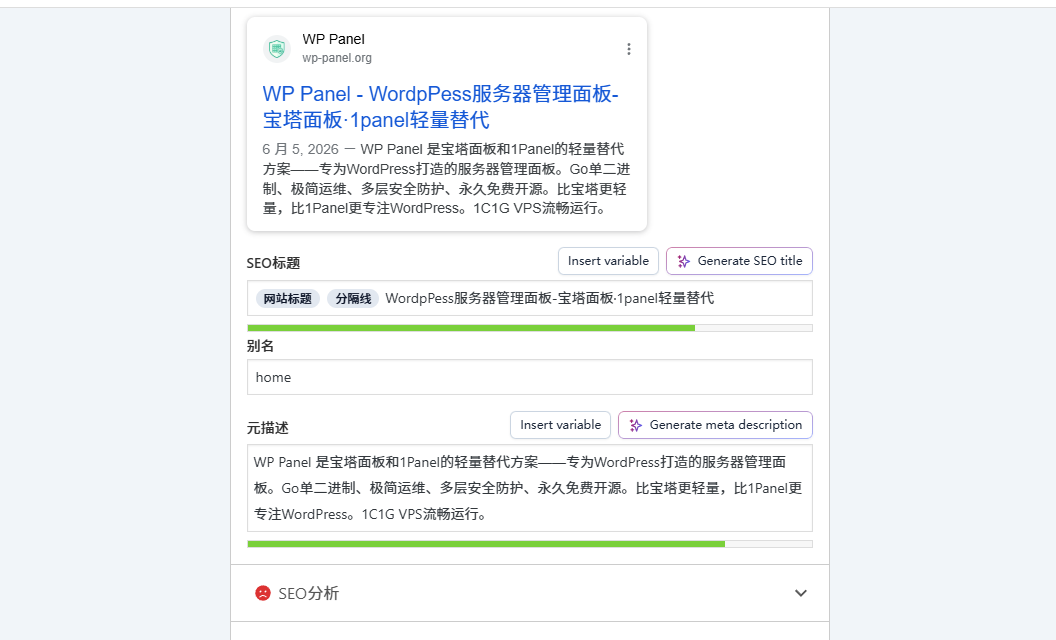
You can see that in WordPress, each page and post can have its own SEO title, description, and keywords, and you can even preview search results with one click. If you don't know how to use AI to write a WordPress theme, you can alsoAI Website Building AssistantSuch tools allow you to directly modify existing web page templates with your own content and then insert them via WordPress's built-in HTML block, which can also achieve good results.
V. In-depth analysis: Hidden costs and 'hallucination traps' of AI website building
Many people think pure AI website building is „zero cost,“ but that„s not the case. I“ve summarized several hidden pitfalls:
- Modification costs increase exponentially: Every time content changes, AI needs to regenerate the entire file, and then you manually check for differences. As pages increase, you'll eventually forget which parts need modification.
- AI hallucinations cause functional anomalies: Many novice users don't realize that some features require front-end and back-end integration. For example, the generated form submission feature may not have a backend interface configured. After going live, users submit messages via the form, but you can't see any messages or receive email notifications—this problem almost never occurs with WordPress plugins.
- SEO maintenance becomes difficult: Want to batch modify title tags for 100 pages? With a pure static site, you need to write a script to traverse and modify them; in WordPress, a plugin can do it in seconds. Want to insert internal links into old articles? You need to have AI modify that article again and then redeploy it to the server. As many veteran webmasters say: „What's the difference between building a website yourself with WordPress and template-based website building?" The answer lies in the flexibility of long-term maintenance.
VI. Decision guide: Which one should you choose?
Here are my tailored suggestions:
- If you just want to quickly launch a „business card page“ or a landing page: Pure AI website building is sufficient; it can be done in an hour or two.
- If you want to run a blog, corporate site, or product site long-term: Definitely choose AI + WordPress. Don't hesitate; you'll thank yourself later.
- If you don't know any code but want to build a site yourself: First use WordPress to get familiar with the backend, then use AI to assist in writing themes. My2026 WordPress Website Building Tutorial: AI-Powered, Zero Experience, Go Live in 30 Minutes is a hands-on guide from scratch.
VII. Practical advice: How to reduce your choice risk
Whichever path you take, here are some tips to help you avoid pitfalls:
- First use a pure AI site for MVP validation: Not sure if your project will work? Use any AI tool you can access to quickly generate a static site, launch it, and test user feedback.
- Once validated, immediately migrate to WordPress: Use AI to convert the HTML into WordPress theme code. For the process, refer to my previous coaching service (WordPress Website Building Coaching).
- Don„t treat AI as a “no-maintenance„ tool: Regardless of the method, security, backups, and updates require manual attention. Especially for WordPress, remember to choose a reliableVPS Recommendations solution.
VIII. FAQ (Frequently Asked Questions)
Q: Can AI directly generate WordPress themes?
A: Yes. I've tested Claude and DeepSeek; both can do it. Take a screenshot of your design, describe the functionality clearly, and you'll get a basic theme. I recommend testing compatibility with Codex after generation.But debugging will be very time-consuming. For beginners, directly developing a theme with AI from scratch is quite difficult. It's recommended to use an existing theme and have AI generate pure HTML code, then copy and paste it into the site's pages for easier use.
Q: Can pure AI websites not do SEO at all?
A: It's not that they can't, but the efficiency is extremely low. You can use AI to modify the Meta of each page, but when the scale gets large, it will drive you crazy.
Q: Which AI tool is better to use?
A: If you can purchase Codex or Claude, those are the first choices. If not, based on Naiba's experience, domestic tools like GLM 5.1 and DeepSeek can also achieve the goal, but you need to understand some code and be familiar with WordPress theme structure.
IX. Conclusion and trend outlook
In a word:AI website building is indeed the future, but „pure AI“ is not the end; „AI + WordPress“ is the optimal solution at this stage.AI helps us solve repetitive coding tasks, while WordPress helps us manage content and expand the ecosystem. The combination of the two is a game-changer. If someone asks me now which path to start with, I would say: „First learn WordPress, then let AI help you fly.“ If you are struggling, feel free to share your specific needs in the comments, and Naiba will reply when he sees them. In the next issue, I plan to write a complete tutorial on „Generating WordPress Themes with AI.“ If this post gets 500 likes, I will work it out!