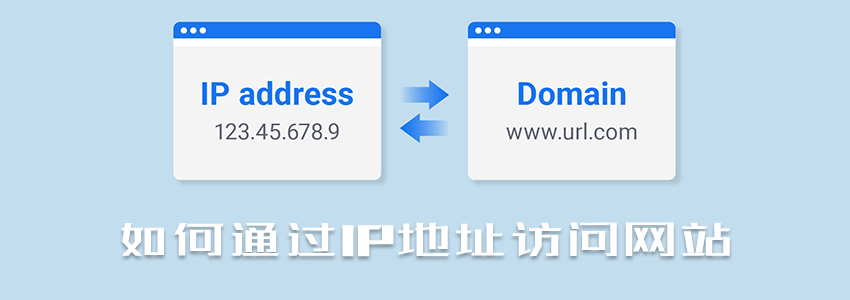
PurchaseTencent Cloudservices to build a website, if your domain is not filed, you will be required to file it, and you cannot directly access it via the domain. However, the filing process usually takes half a month to a month. During this period, the website is not inaccessible; it just cannot be accessed via the domain. We can set it up to be accessed via IP and then switch to domain access after the filing is completed.
Add IP Access to the Website
Here, we takeBaota Panelas an example. If you are using another panel, you can leave a message to discuss, as it is also possible to achieve IP access to the website.
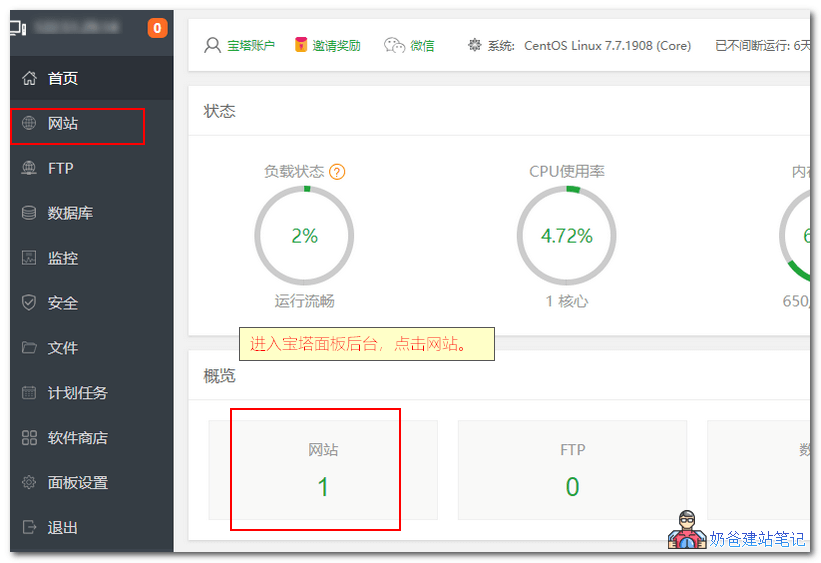
Log in to the Baota Panel backend, click on 'Websites', and enter the website list page.
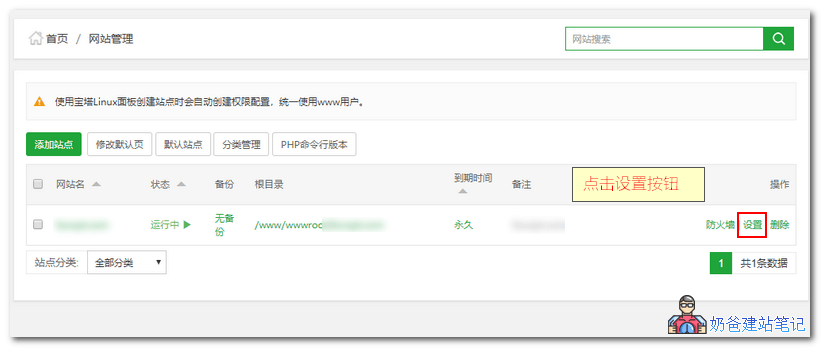
Find the settings button behind your website and click it.
Note that if you have multiple websites, you can only access one of them via IP. To access multiple websites with one IP, you need to assign different ports to the other websites.
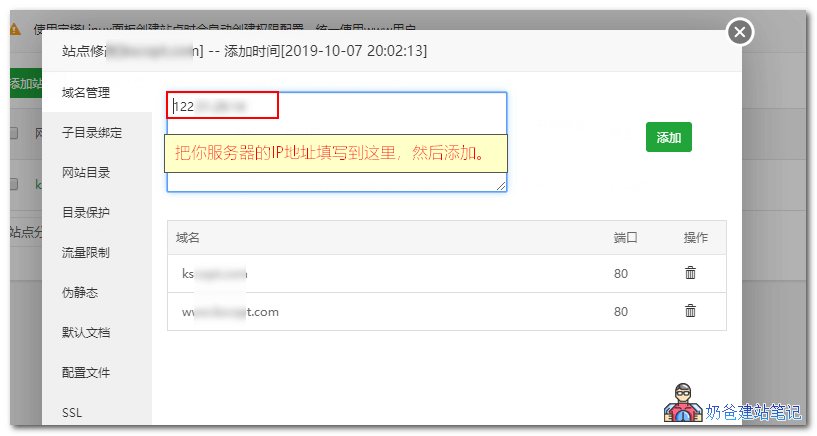
In the domain management interface, enter the server IP and click the Add button.
Change Website Address to IP
If you have already installed the website via a domain name, you need to change the website URL to IP; otherwise, directly accessing via IP address will cause page layout issues.
If you have not yet installed the website via a domain name, you can directly access the IP to install the website. See the method for installing the website in „Steps and Process of Building a Website" (After your domain name is filed, you can use this method to change the IP to the domain name.)
Below, using the installedWordPressas an example, how to change the WordPress website's URL to an IP address.
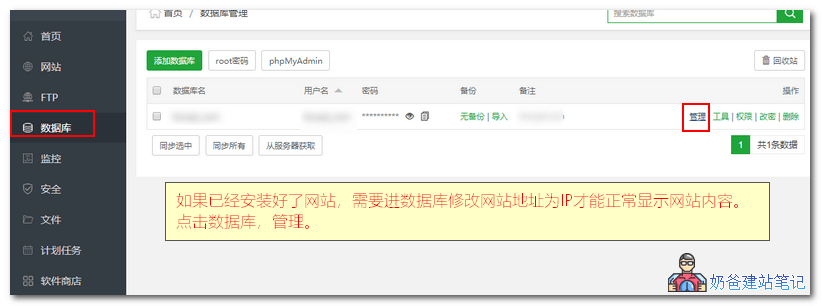
Open the database in Baota Panel, find the database corresponding to your website, and click the Manage button.
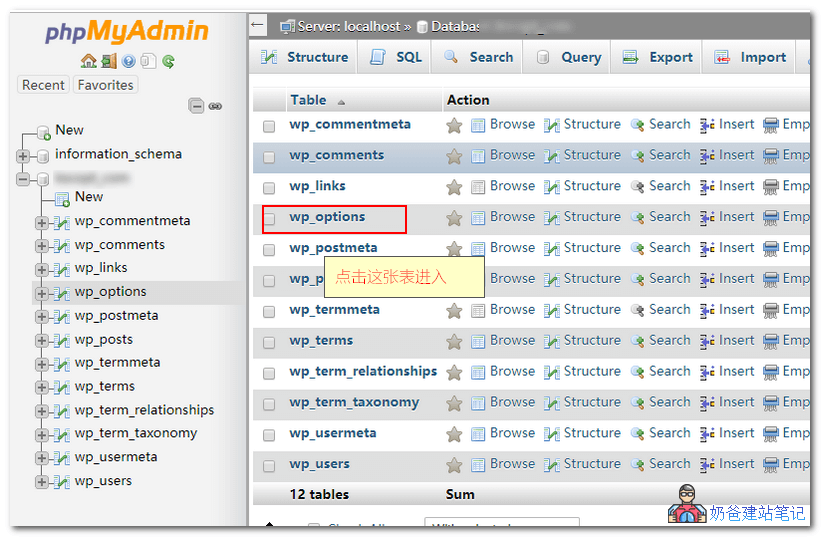
Find the wp_options table and click to enter the details page.
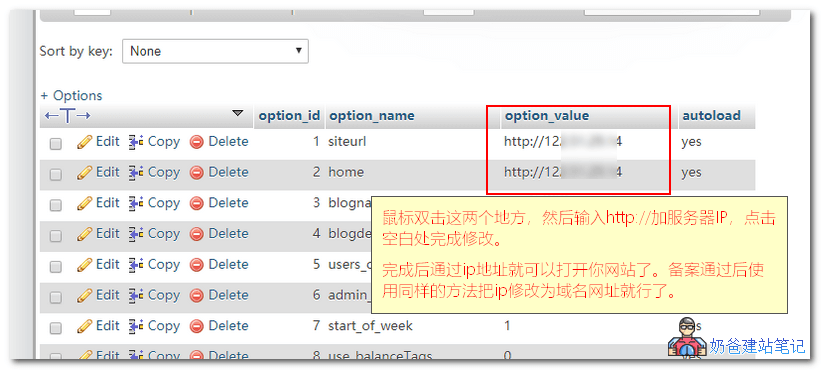
Double-click to modify the option_value of the first and second rows respectively, then change the domain URL in them to the IP address. Click on a blank area to complete the modification.
After modification, you can access your website via the IP address without page layout issues.
Can I directly access the website via IP without filing?
After reading the above tutorial on accessing websites via IP, you might have a question: can ICan I directly access the website via IP without filing?
The answer is yes, but it's not recommended.
Why is it not recommended to access websites directly via IP?
Accessing websites via IP is not suitable for the vast majority of webmasters for the following reasons:
- Accessing via IP is not convenient to remember or type.
- Accessing via IP is not beneficial for SEO.
- Accessing via IP means you cannot change servers at any time; otherwise, the IP address will change, and you'll need to use the new IP to access the website, which is detrimental to both user experience and SEO.
Articles Related to This Post
WordPress Batch Find and Replace Plugin and Code for Modifying Article Content
If your website already has many published articles, simply modifying the website address in the database is insufficient and may still cause page misalignment or inaccessible content. You need to use the tools mentioned in the article above to replace all instances with the IP or URL for normal access.
How to Make Money with a Website? Five Ways for Personal Websites to Earn Money
How to make money by creating websites? Even if you build websites purely out of interest, you can earn money through the methods mentioned above to offset server costs.
How to Build a Website on Tencent Cloud_Steps to Build a Website on Tencent Cloud
If you haven't used Tencent Cloud to build a website yet, you can refer to the article above.