🚀 Is building a website too difficult? Let me guide you step by step—Learn about the 「Naibabiji WordPress Website Building Coaching Service」 →

What is the reason why WordPress installed on SiteGround cannot install plugins and themes?

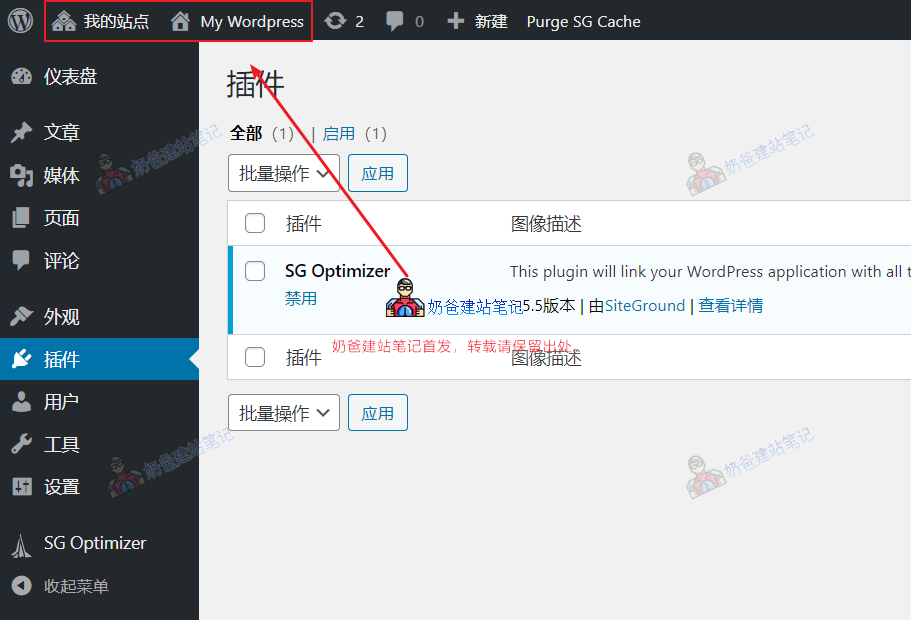
Naiba has encountered several friends usingSiteGround servers for foreign trade website buildingwho, after installation, found no buttons to install plugins and themes. The screenshot is as follows:SiteGround多站点This issue occurs because you selectedMultisite modewhen installing WordPress, i.e., you checked "Install WordPress Multisite" during installation, so it defaults to multisite mode. Multisite mode is not conducive to the maintenance of a single site, so if you are not running a multisite website, it is recommended not to enable multisite mode. The solution is to delete the currently installed multisite website, reinstall it, and do not check "Install WordPress Multisite."

🚀 Still feeling confused after reading the tutorial? Let me guide you step-by-step instead.

「Naibabiji WordPress Website Building Coaching」 — From selecting a domain and purchasing hosting to installing themes and publishing posts, I「ll guide you through every step, helping you avoid detours and reach your goals directly.

👉 Learn about Website Building Coaching Service
🔒

Comments are closed

The comment function for this article is closed. If you have any questions, please feel free to contact us through other channels.

×
二维码

Scan to Follow