From the article title, you might not fully understand what this article is about. Then, take a look at the image demonstration below.
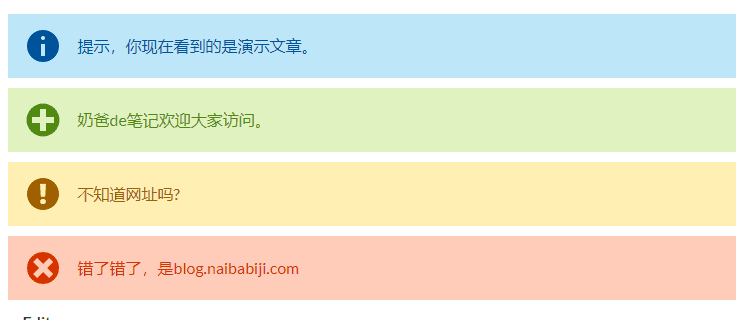
Simple Note Introduction
Simple Note is a WordPress plugin that can add the hint box shown in the image above to WordPress's Gutenberg editor.WordPress PluginAfter installation, you can insert information/success/warning/error notification bar blocks when writing articles in the backend.
Usage Method
1. Install and activate the Gutenberg editor and Simple Note plugin on your WordPress site.
2. Create a new Simple Note block in the Gutenberg editor. You can find all Simple Note blocks under the Common Blocks section.
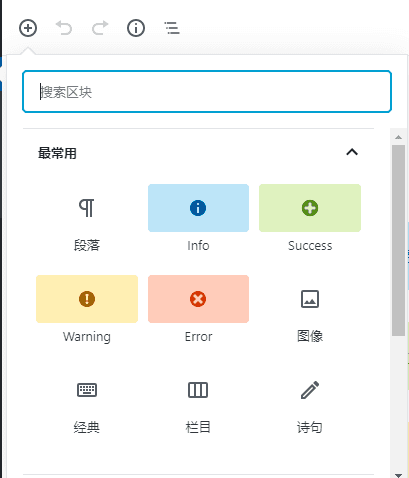
3. Insert your own message to display in the Simple Note block.
Note that this can only be used in the Gutenberg editor, not in the Classic Editor.
Plugin Download
You can download this free WordPress plugin using the download button below. You can also search and install it directly from the WordPress admin dashboard.