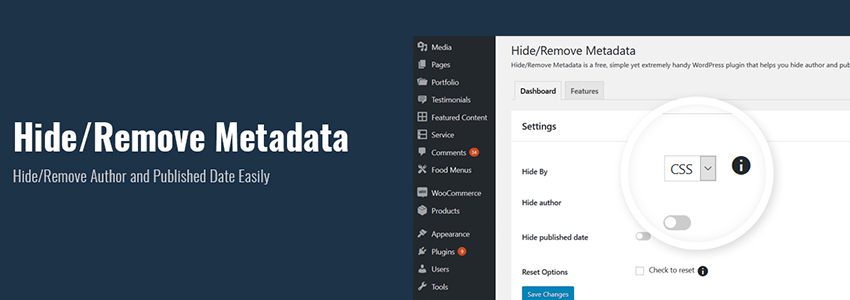
The plugin shared in this article is relatively simple; its purpose is to hide the article author and publication date. While this feature is very simple for those who understand CSS code, for code novices, using a plugin to solve it is also very straightforward.
Plugin Introduction
Hide/Remove Metadata is a plugin for displaying and hiding article author information and publication datesWordPress Plugin. It can use CSS or PHP methods to hide author or date information. The plugin is very lightweight, so there's no need to worry about resource usage or slowing down your website speed.
Hide or Delete Metadata
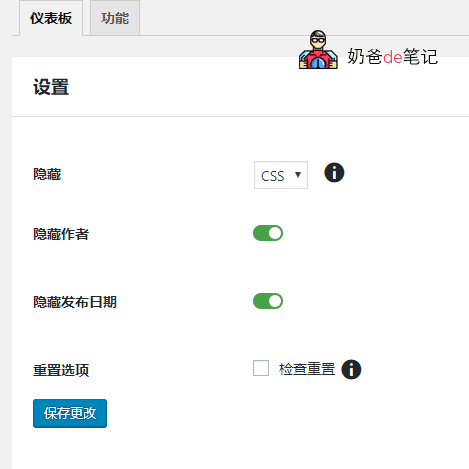
Using the Hide/Delete Metadata plugin, you can freely hide the author and publication date or completely remove them. To partially hide information, select CSS and to completely delete them, then select PHP. By selecting and hiding with CSS, the information can be simply retrieved using the Inspect tool. However, with PHP, the information is completely removed, and even the Inspect tool will not display the author or publication date information.
Hide Author
If you want to hide the author of a blog post, simply enable the „Hide Author“ option. Whether the author information is only hidden or completely removed depends on the previous customization option.
Hide Publication Date
If you want to hide the publication date of an article, enable the „Hide Published Date“ option. This option is convenient for evergreen articles, timeless content.
Lightweight
Hide/Delete Metadata is a handy WordPress plugin for hiding or deleting author and publication date information, and it is very lightweight. This means you don't have to worry about your website slowing down because of the plugin.
Responsive Design
Our new plugin features a responsive design, so there's no need to worry about the plugin breaking your website.
Compatible with All WordPress Themes
Gutenberg compatibility is one of the main concerns for every plugin developer today. Our new Hide/Delete Metadata plugin is meticulously crafted to support all WordPress themes. The plugin runs smoothly on any WordPress theme.
Incredible Support
Hide/Delete Metadata comes with incredible support. Our plugin documentation answers most questions about using the plugin. If you still encounter difficulties, you can post them on our support forum.
Plugin Download
You can download this free WordPress plugin using the download button below. Of course, you can also search and install it directly from the WordPress admin dashboard.