
WordPress table plugins are highly efficient tools for webmasters who frequently insert tables into website content. Here, Naiba shares a very compact one that supports responsive layout:WordPress Table Plugin: Responsive Data Table
Plugin Introduction
Responsive Data Table is a simple WordPress plugin for managing data tables in responsive structures for desktop and mobile devices. You can easily embed data tables into pages, posts, and widgets using shortcodes. You can split column headers into multiple sub-headers. Multiple tables with different color schemes can be used on a single page. Table data can be easily edited in table format within the WordPress admin.
How to Install
1. Click the button below to download the plugin, or directly search for 'Responsive Data Table' in the WordPress admin.
2. Install and activate the plugin.
3. Go to the Responsive Data Table settings and create a new table data.
4. When publishing an article, use the shortcode to call it.
How to Use
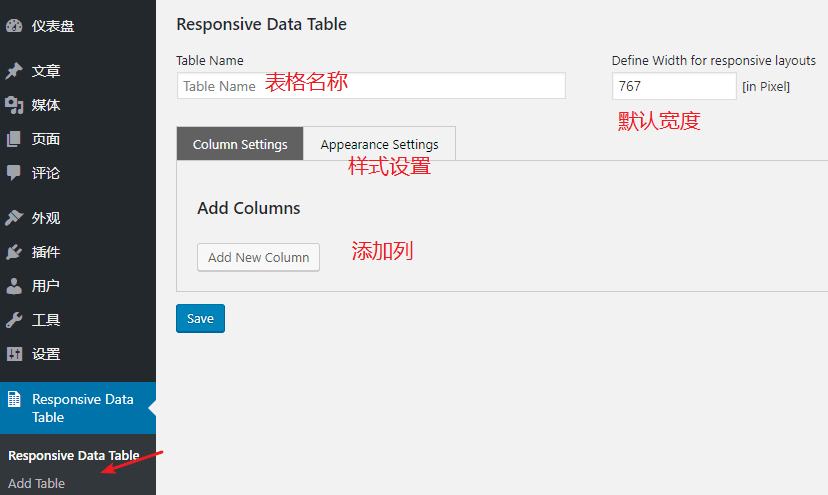
After activating the plugin, go to the settings interface, click 'Add Table', and then enter the required content as shown in the image below.
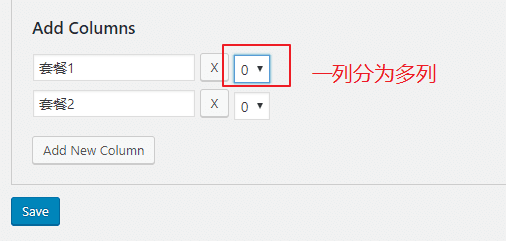
If you need to set a different number of columns, select how many columns you want to split separately after 'X' below.
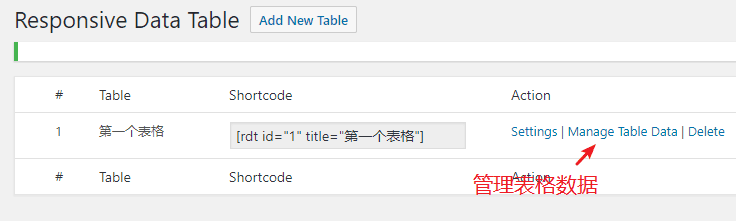
After saving, return to the plugin's main page, then click 'Manage Table Data' to manage the table data.
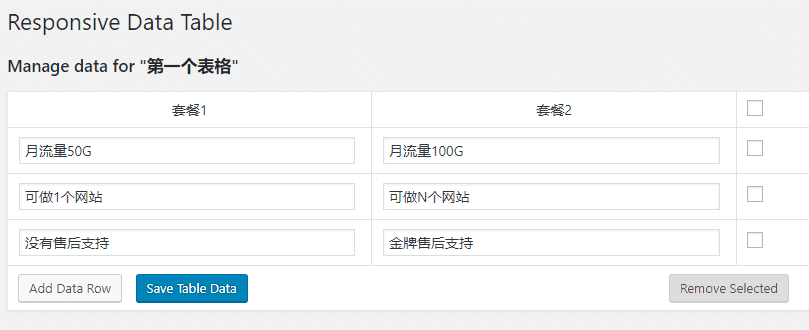
Here you can input data for each table cell and modify it at any time; the website frontend will display the changes accordingly.
Effect Demo
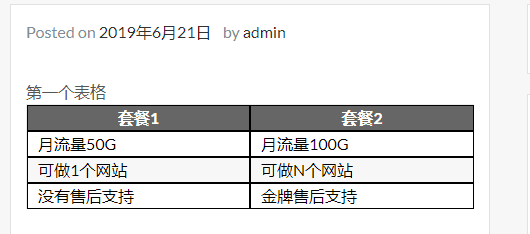
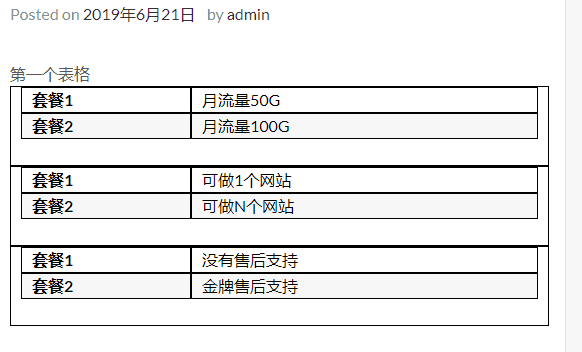
The table color and style are adjustable; the content demonstrated below is the default style.

Other Similar Plugins
If you are not satisfied with this WordPress table plugin, here are several other popular WordPress table plugins you can test yourself.
TablePressThe Most Downloaded WordPress Table Plugin
Magic Liquidizer Responsive Table
Related Articles:Several Methods to Add Tables in WordPress