
Sometimes when browsing websites built withWordPress, you may be curious about what theme they use and which plugins are installed. So, how can you find out the theme and plugins used by the other party? Naiba shares several methods here.
Methods to Check the Themes and Plugins Used by Others' Websites
Below are several methods shared to check what themes and plugins others' websites use.
Check the Website Theme Footer or Source Code
This is the most intuitive method to see the theme used by the other party. Some webmasters will write the theme used in the website footer. If not written, you can find the corresponding CSS address in the source file to identify the theme used. For example, Naiba's
https://blog.naibabiji.com/wp-content/themes/twentytwelve/style.css?ver=5.2.2
shows that the theme used is twentytwelve.
WPSNIFFER WP Theme Sniffer
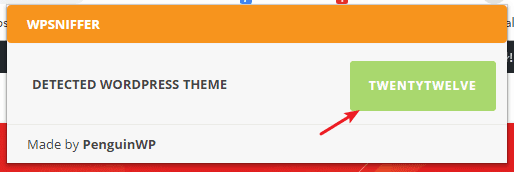
WPSNIFFER – WordPress Themes Sniffer is a Chrome extension. After installation, when you visit a WordPress site, the icon lights up, and clicking it displays the theme name. As shown below:
Plugin installation address:
https://chrome.google.com/webstore/detail/wpsniffer-wordpress-theme/kihhefcbenhkjgjhchanjfhhflaojldn
scanwp
Throughhttps://scanwp.net/This website can also detect what theme a WordPress website uses and can detect some of the plugins used.
wpthemedetector
Similar to scanwp above, usinghttps://www.wpthemedetector.com/can also scan and identify the themes and plugins used by a WordPress website, and can even directly provide the download address for the theme.
What to Do If You Can't Find the Theme Others Use?
Sometimes, through the above methods, we can find out the theme folder used by the other party's website, but cannot find this theme online.
There are usually two situations:
- The other party uses a custom theme, which is not available online;
- The other party has modified and hidden the theme and the areas containing theme information.
In these two cases, if you really want to know the name of the other party's theme, try contacting the site owner to see if they are willing to tell you.
Of course,to build a websitethe most important thing is the content. Themes and plugins are just auxiliary tools. With good website content, it can generate revenue. With revenue, you can spend money to hire someone to customize themes and plugins, which is the proper cycle.