
WeBuilding an e-commerce website using WordPress and WooCommerceAfterwards, shipping settings are usually involved. The system's default shipping settings are relatively fixed. Here, Naiba introduces a plugin that can flexibly set shipping prices: Table Rate for WooCommerce by Flexible Shipping
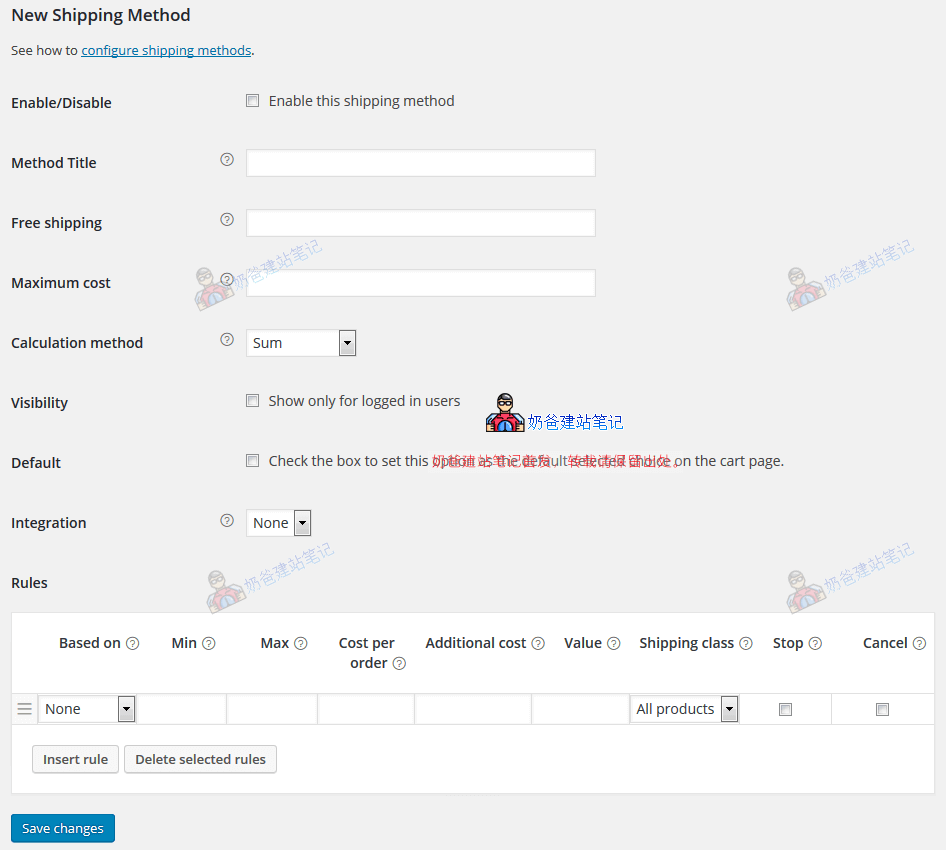
The Table Rate for WooCommerce plugin can calculate shipping costs based on conditions such as weight and cart total, including the following:
- Calculate shipping based on product weight
- Calculate shipping based on total product price
- Add handling fees or insurance fees after reaching a certain price
- Create additional chargeable shipping methods
- Different shipping methods adopt different shipping costs
- Calculate shipping fees separately for each product in the shopping cart
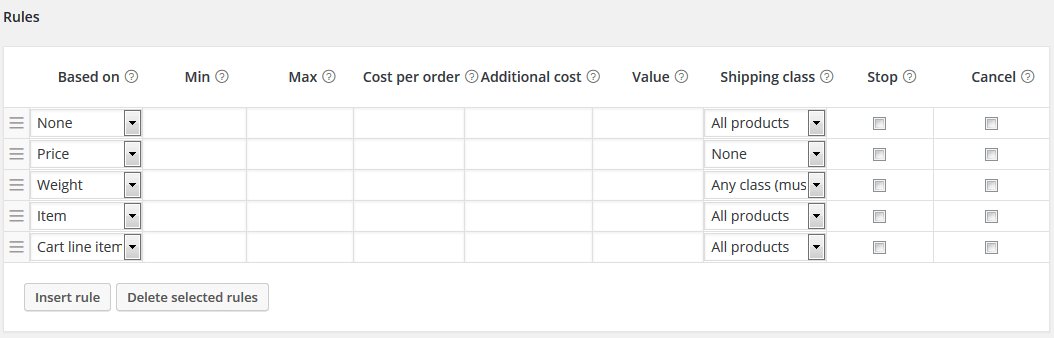
This is only part of the shipping functionality. You can create your own judgment rules to achieve unlimited shipping calculation methods.
Table Rate for WooCommerce has a Pro version. If the free version's features cannot meet your website's needs, you can also consider upgrading to the professional version.
This plugin comes with detailed usage tutorials. You canfrom hereview the official tutorial documentation.