
AffiliateWP is a plugin for buildingAffiliate Marketing and Promotion SystemThis plugin provides AffiliateWP v2.5.4 Chinese cracked version download and simple tutorial. With AffiliateWP, you can also build your own affiliate promotion system.
When we useuse WordPress to build an e-commerce website, or sell some products and services, we can consider enabling the affiliate promotion system. After someone makes a purchase, a certain commission is provided to the member who referred the purchase, achieving the goal of more sales.
AffiliateWP Introduction
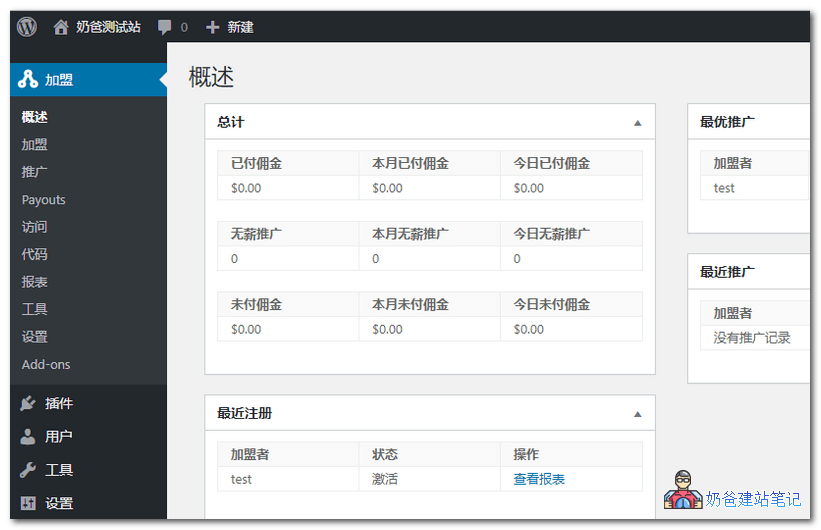
AffiliateWP is a WordPress website promotion and affiliate marketing plugin that allows you to quickly and easily build a promotion system for your website.
This plugin is a paid plugin that can be integrated into many popular WordPress plugins to achieve a seamless affiliate promotion system. What you search for in the WordPress plugin backend is its integration extension, which can achieve more promotion functions and purposes.
Partial feature introduction:
- Reliable and Effective Promotion Tracking
- Simple Setup
- Unlimited Affiliate Members
- Control Affiliate Registration
- Coupon Tracking
- One-click integration with mainstream e-commerce platforms
- User frontend support
- Chinese translation support
AffiliateWP Download Link
AffiliateWP is a paid plugin. The ones you can search for in the WordPress admin dashboard are its extension plugins. You need to purchase and activate the main plugin from the official website before the extension plugins become usable.
For the advanced cracked version download, please pay to view the download address. For security reasons, it is recommended to purchase the genuine plugin. This site is not responsible for the security of the plugin.
[vk-content]
Extraction password: affiliatewppack254. Please extract before use.
[/vk-content]
AffiliateWP Usage Tutorial
After installing and activating the main AffiliateWP program, you will see the AffiliateWP settings menu. Enter the settings.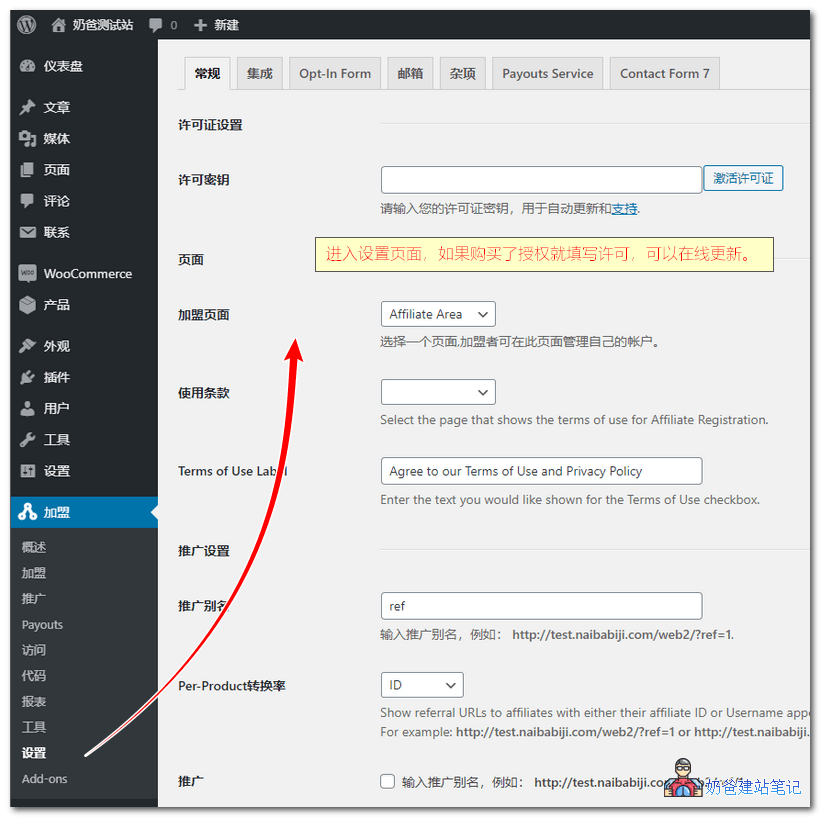
If you have a genuine license key, you can fill it in to get automatic updates from the backend.
The AffiliateWP member promotion system plugin comes with most of the Chinese language pack by default, so you don't need to localize it yourself.
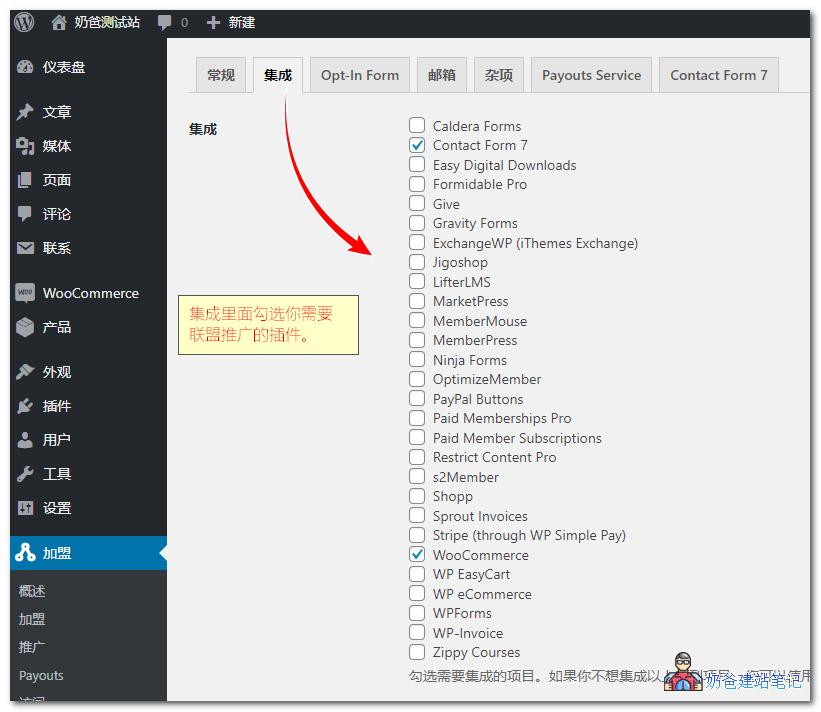
In the integration interface, check the product plugins you want to promote. If not listed, you can also use shortcodes to support the affiliate program.
For other settings, you can choose according to your own actual situation.
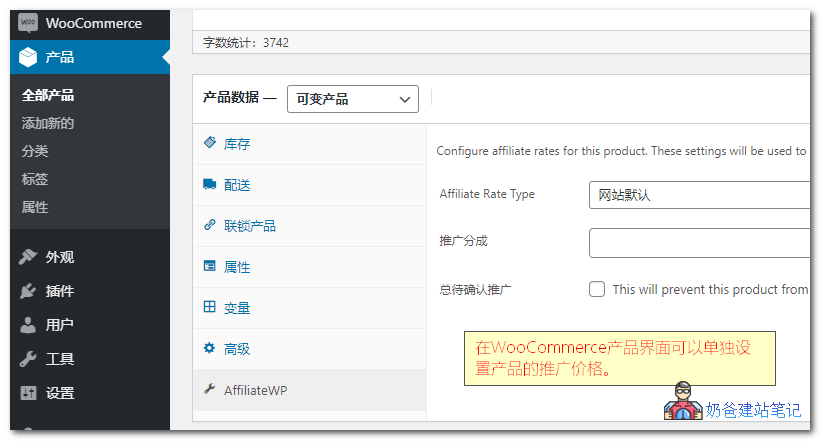
Taking WooCommerce as an example, when creating a new product, an AffiliateWP option will appear on the product page. You can set different commission rates for specific products.
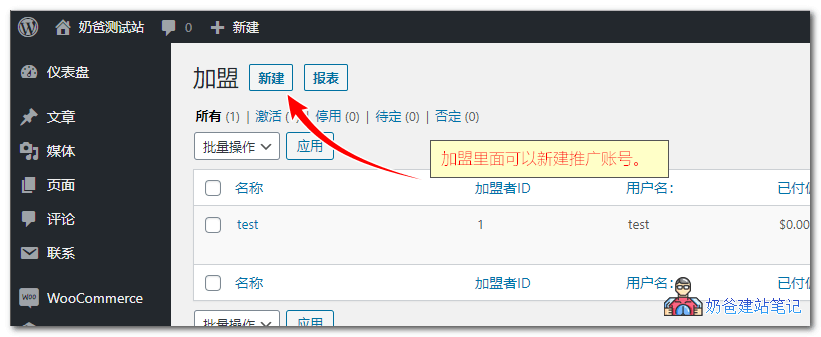
After all settings are configured, go to the Affiliates section and add the accounts that need affiliate permissions. The accounts must already be registered on the website before adding.
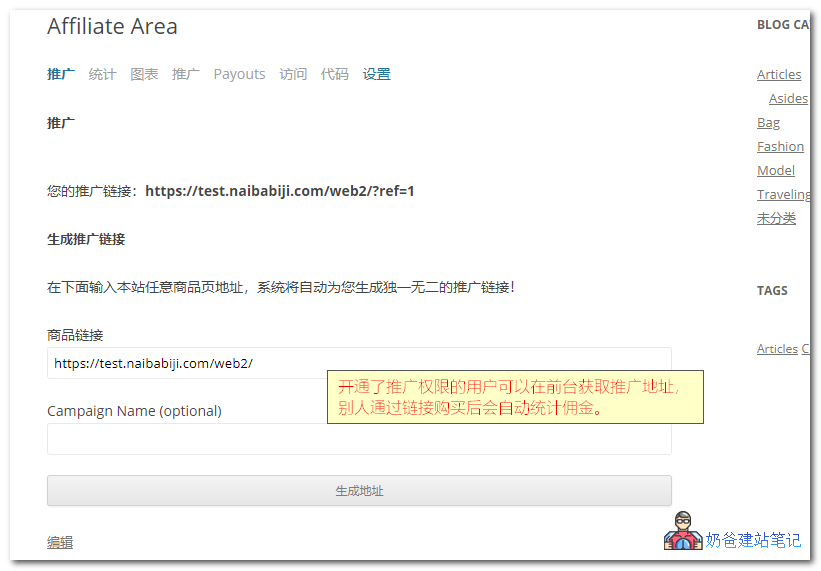
Finally, users can visit the front-end promotion center to get the website's promotion links. When others visit the website through their promotion link and make a purchase, commissions are automatically calculated.
Both promoters and administrators can view detailed promotion statistics.
The above isHow to build a membership marketing affiliate website with AffiliateWP in WordPress. For more AffiliateWP usage tips, you'll need to explore them yourself. NaibaWebsite Building Notesonly covers the most basic usage here. With some AffiliateWP extension plugins, you can implement different promotion models.