
After purchasing a SiteGround server, you may see the CPU Time Usage information bar full with two exclamation marks in the Cpanel management interface statistics section. This indicates that your website resources have exceeded the server usage limit.
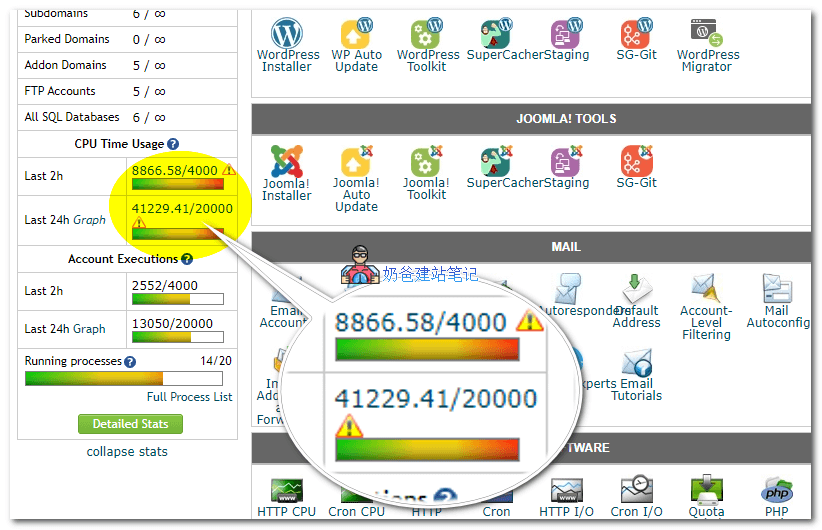
This statistic is a resource limit imposed by the server on the virtual hosting you purchased. Since virtual hosting involves many users sharing one server, without limits, some users might consume more resources while others get less or none.
SiteGround's limit is no more than 20,000 points within 24 hours. In the image above, it's clear that the resource usage limit has been exceeded.
As for what SiteGround will do if you exceed this limit, Naiba hasn't found relevant information on their website. If you encounter this issue, you can ask customer service, or pretend not to know—if they want to take action, they will contact you.
If you don't want to experience such resource restrictions, you can consider using a VPS. Foreign trade users who don't know how to handle VPS can considerScala Hostingthis provider's, which is also managed and comes with a Shared Hosting management panel. The difference from Shared Hosting is that all the Shared Hosting on this server is for your use only, so you can occupy all the CPU, memory, disk, and other resources of this server.