
Astra is a lightweight and highly customizableWordPress Themesthat can help foreign trade users quickly establish corporate websites or e-commerce websites for various industries. This article by Naiba teaches youhow to install a WooCommerce website using Astra。
Step 1: Build and install a WordPress website.
how to build a website yourselfNaibabiji has shared many tutorials on this. If you are a foreign trade user, you can directly followSiteGround TutorialGo purchase the service and then install a WordPress website.
This article will not repeat this part of the content.
Step 2: Install the Astra Theme
The Astra theme comes in two versions: free and Pro. The free version provides some necessary customization options, but Astra Pro offers richer features and also adds many features for WooCommerce.
You can click the button below to go to the Astra website to learn about the features for WooCommerce.
Learn about Astra WooCommerce Features
After purchasing Astra Pro, you will receive the Astra installation package and the Pro plugin. We need to upload them to the website's theme and plugin directories respectively for installation.
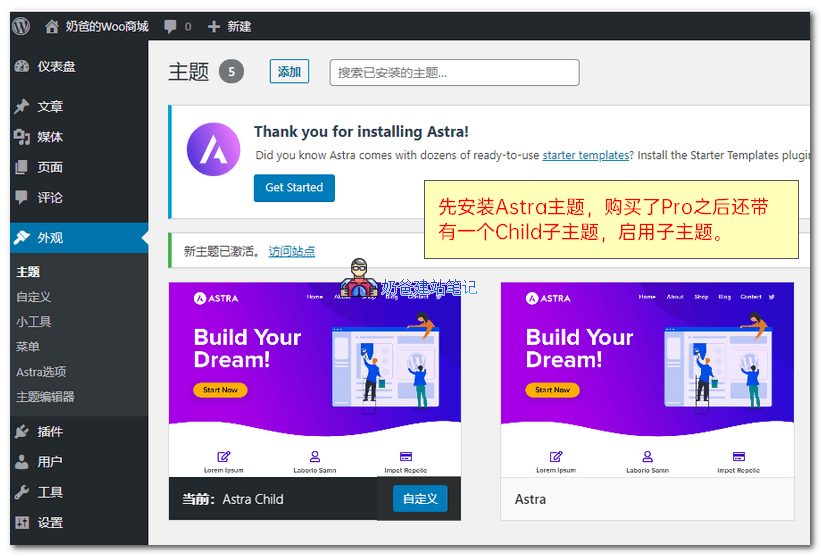
2.1 Install Theme
You can search for Astra in the backend to install the theme, or manually upload the theme package to install it.
After purchasing Pro, it also comes with a child theme. Enable the child theme, and modifications to the child theme will not affect future updates of Astra.
2.2 Install Plugin
After installing the theme, it is not yet the Pro version. We still need to install the accompanying Pro plugin and the premium demo import plugin.
- astra-addon-plugin-2.3.3.zip
- astra-premium-sites-2.0.0.zip
Installation method: Upload and install the plugin via the plugin page in the Admin Dashboard. After activation, enter the purchased license key to activate.
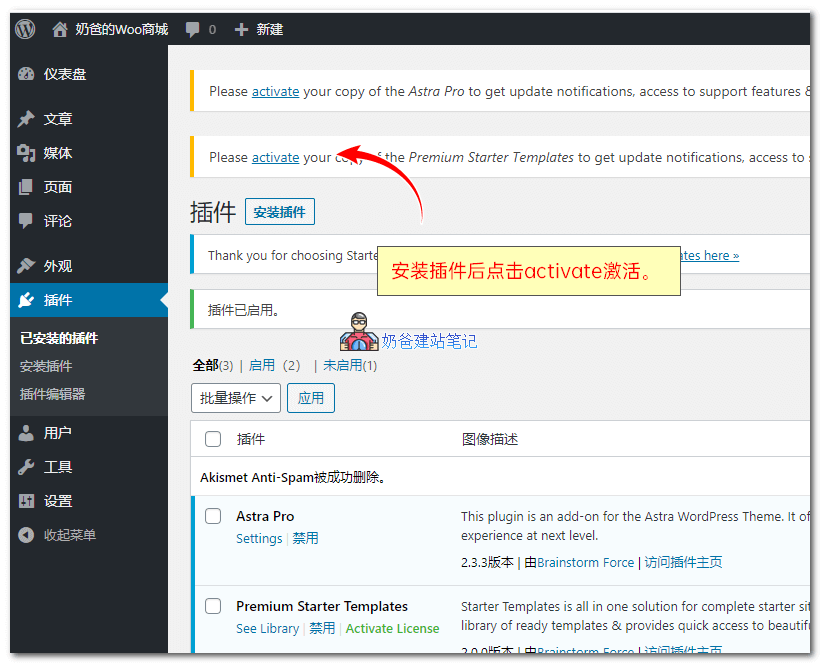
Step 2, import demo data
After both plugins are activated, go to Starter Templates, where you will be prompted to choose a page builder.
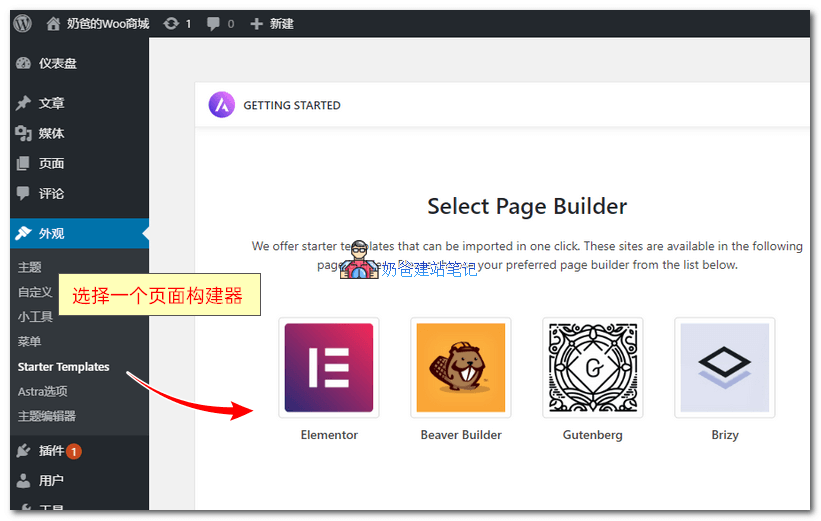
The default Astra supports 4 popular page builders.
The most used is Elementor. In the long run, choosing Gutenberg is also a good choice, after all, WordPress's default editor is Gutenberg.
Naiba chose Elementor for the demo. After selecting, many demos appear. We choose the eCommerce website demo.
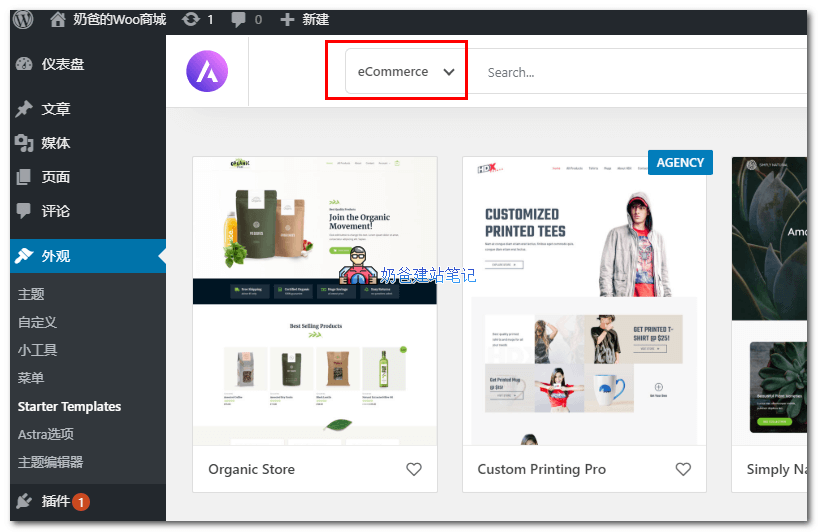
It is worth noting that these eCommerce demo demonstrations only mean that Astra has pre-designed some styles by default. If you know CSS code and how to configure Astra's custom features, you can use any demo to install a WooCommerce website.
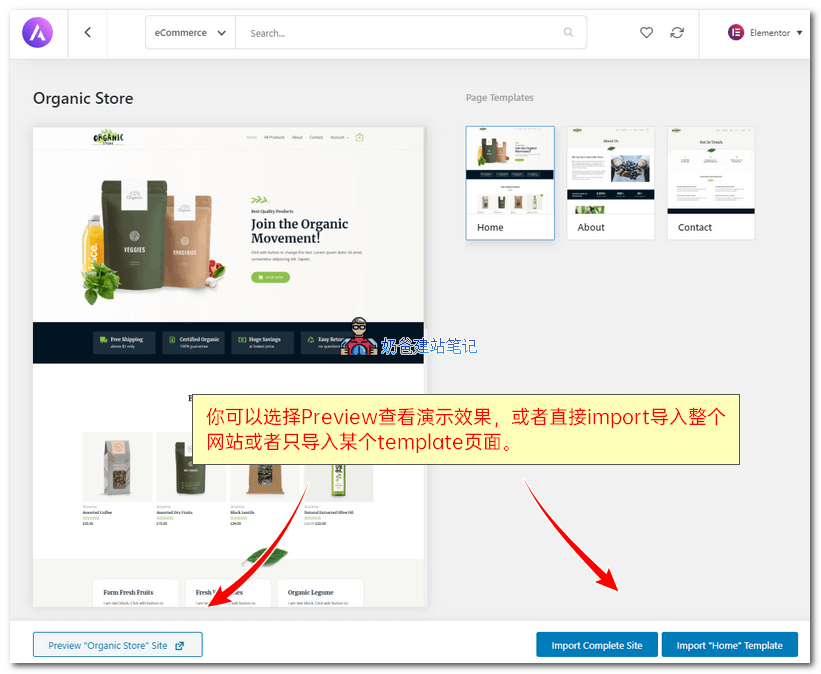
You can click on a demo you like to import. Demos marked with AGENCY in the upper right corner can only be imported by those who have purchased the agency plan.
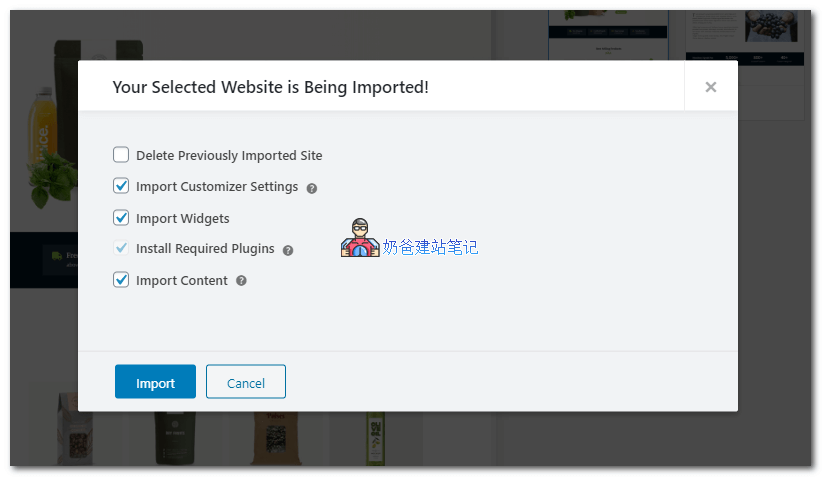
After clicking the import button, just click import on the interface that appears. Astra will automatically import the custom data, widgets, necessary plugins, and content that come with the theme.
If you have imported other demo data before, you can check Delete Previously Imported Site to delete the previously imported data.
Step 3, modify website content and layout
After the import is complete, visiting the website's Frontend will show the site interface with the Astra official demo template installed. Next, we can start modifying it to our desired appearance.
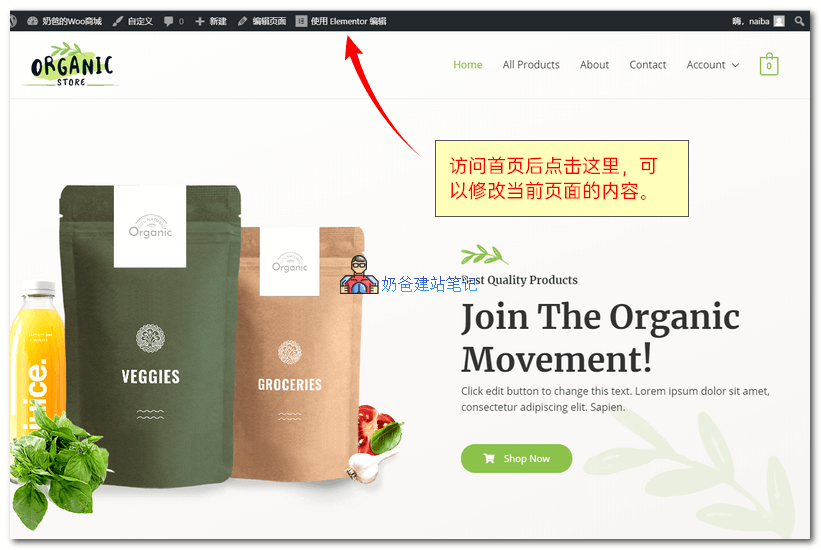
Click on the topEdit with Elementor。

Elementor is a visual page builder plugin, so you can click wherever you want to modify.
After modification, click the update button to see the effect of the website changes.
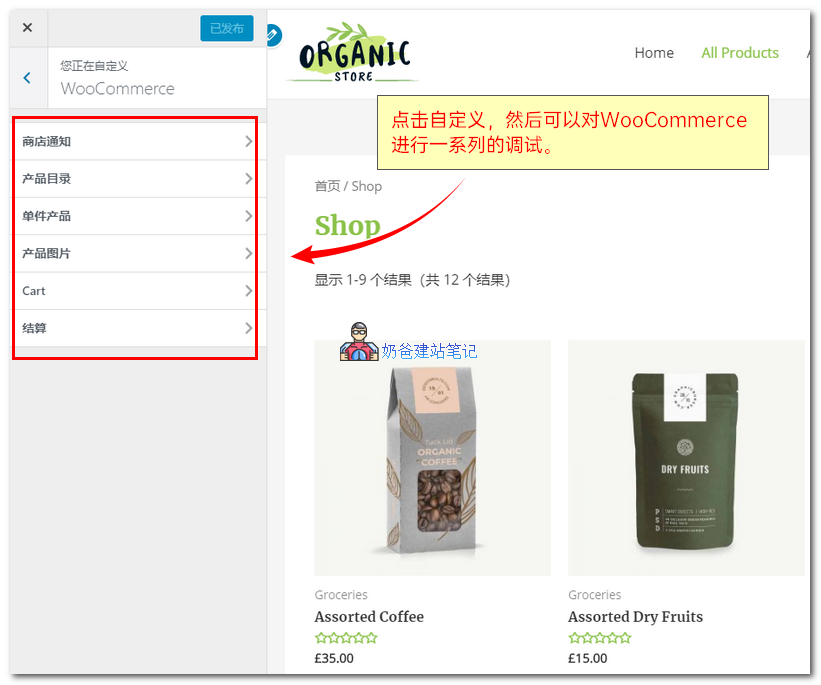
By clicking the custom button at the top, in addition to modifying Astra's page layout styles, we can also specifically configure and adjust WooCommerce pages.
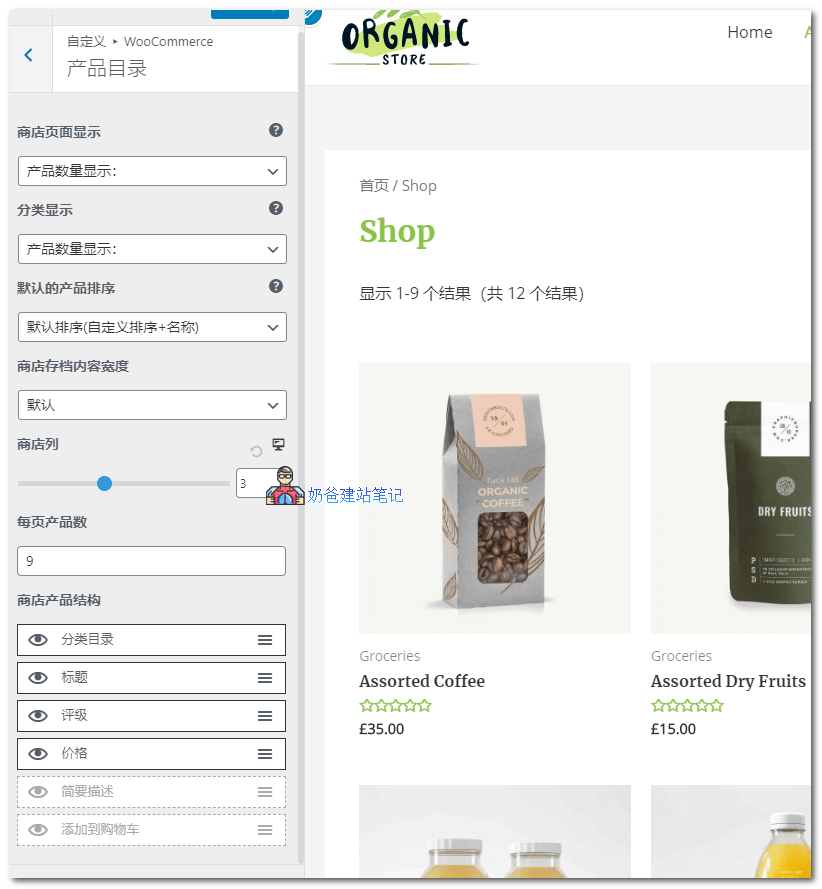
For example, you can set how many products to display in the product catalog and how many products per column.
Which tags are displayed for the product, click the eye icon to enable or disable them.
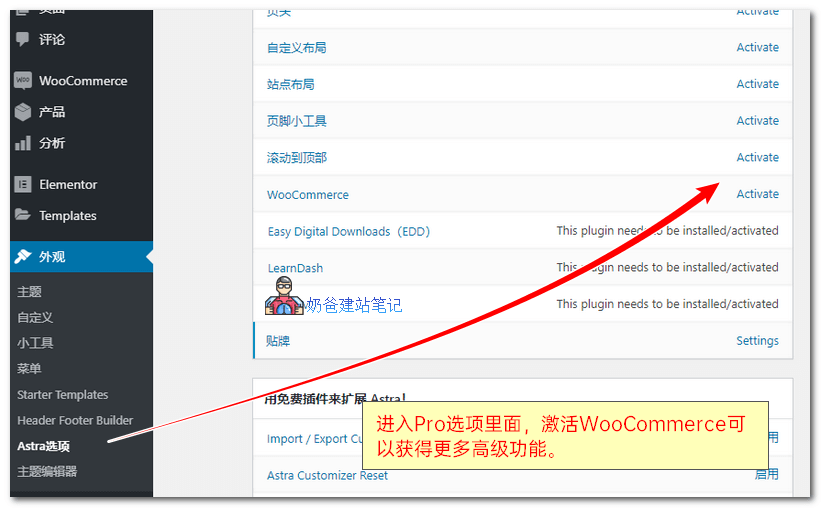
Enter the Astra options, activate the WooCommerce features, and then click the custom interface again to view.
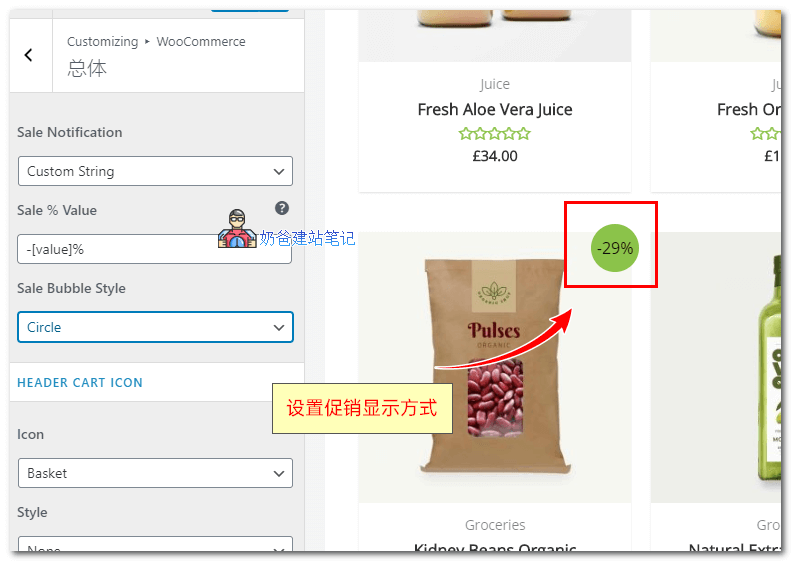
For example, there are additional settings for promotion display. You can set it to show a promotion button or the specific discount amount; you can also modify the display style.
You can also set whether to display the cart total.
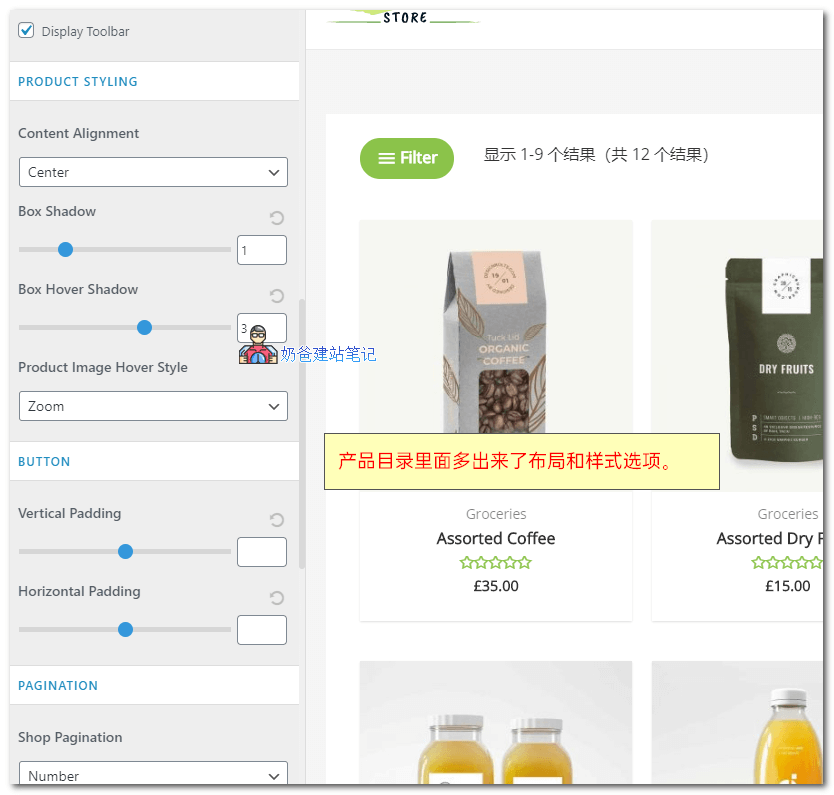
In the product catalog settings, there are also new layout and style options.
Individual product pages also support display settings. These features do not require coding skills; you can configure them directly.
Summary
From the tutorial above, you can see that using Astra allows you to quickly build a WooCommerce online store website.
At the same time, Astra isGoogle SEOfriendly, with built-in structured data that helps search engines better understand your site, ultimately helping you achieve better search rankings.
In addition, Astra also offers many customization options that allow you to implement certain theme features and effects without modifying code.
Astra has a free version, but for foreign trade users who are not technical, it is recommended to purchase the paid Pro version, as it provides more features and one-on-one customer support.
View MoreAstra Tutorial