
When purchasing a server to build a foreign trade website yourself, should you choose Bluehost or SiteGround? Naiba recommends choosing SiteGround. Why is this recommended? Because Bluehost is truly terrible, and the reasons will be explained one by one.
What makes SiteGround better than Bluehost?
1. Higher Server Configuration
Let's first look at a configuration comparison image. If you have a WordPress website, you can go to the backend and select Tools - Site Health.
Then switch to the Info tab, and you will see an interface like the one below.
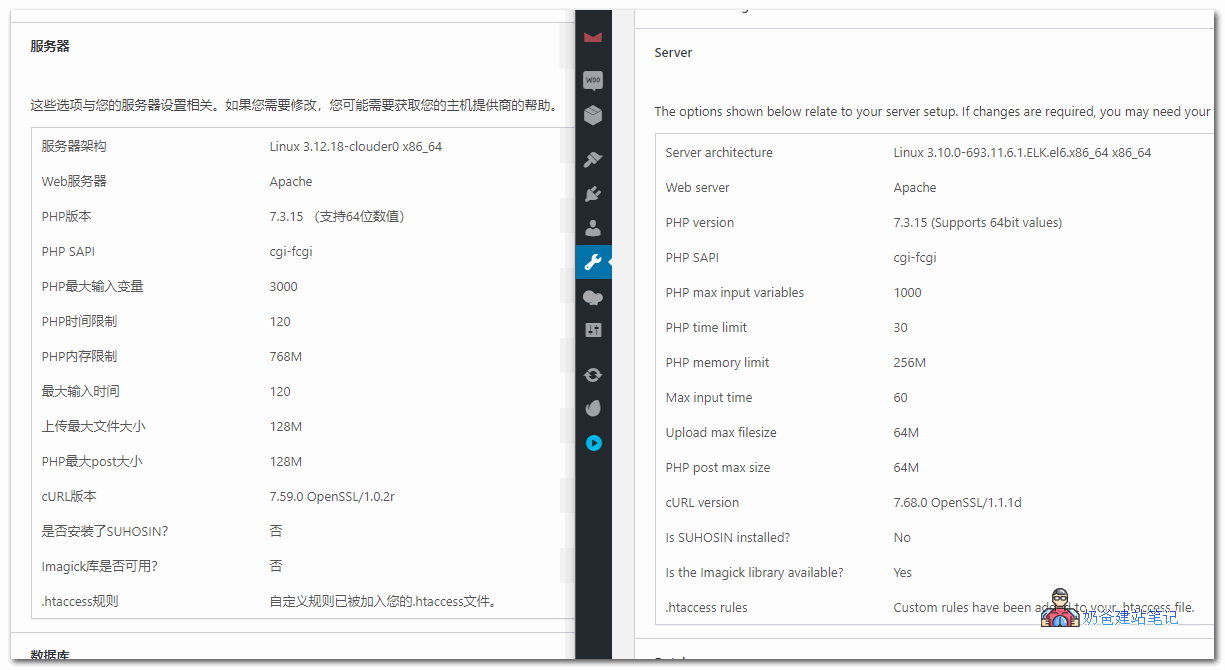
In the image above, the left side is the SiteGround server, and the right side is the Bluehost server.
Comparing the results, you can see that SiteGround's server configuration almost completely outperforms Bluehost.
You may not understand the specific functions, but you can appreciate that more phone memory means less lag.
What direct impact will these configurations have on your website?
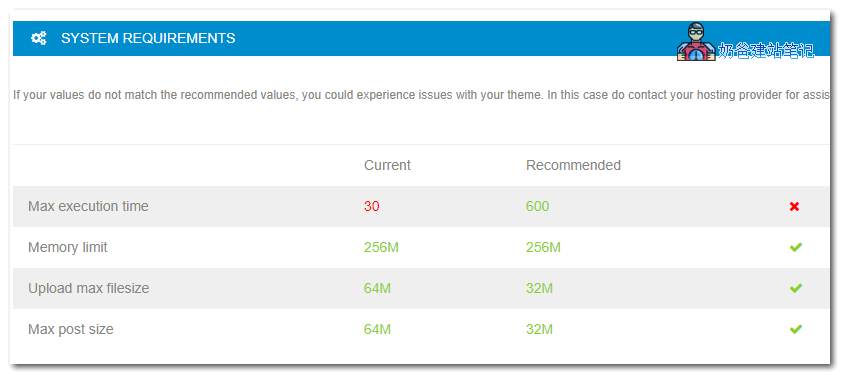
The most direct impact is that after building the website, we need to install a Theme, and usually, we go toThemeforestYou purchase a premium theme and try to import the theme demo data, but the import fails.
Looking at the reason, it turns out the PHP timeout is too small. The system is set to 30, but the minimum requirement is 600. (Yes, SG's is only 120, but it's still much longer than 30.)
And this value cannot be modified by yourself. At least Naiba tested modifying the configuration but it didn't take effect. However, if you useVPS, then this is not a problem.
Server Configuration Comparison:
In the comparison image above, SiteGround is the entry-level StartUp configuration, while Bluehost is the Plus plan.
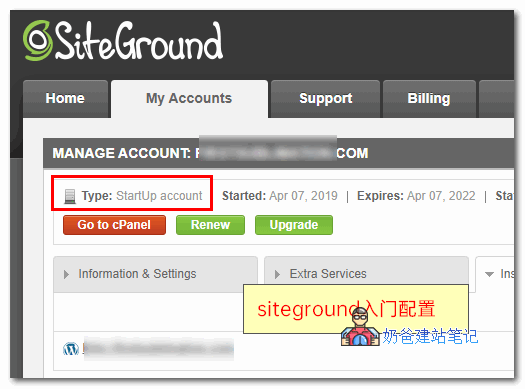
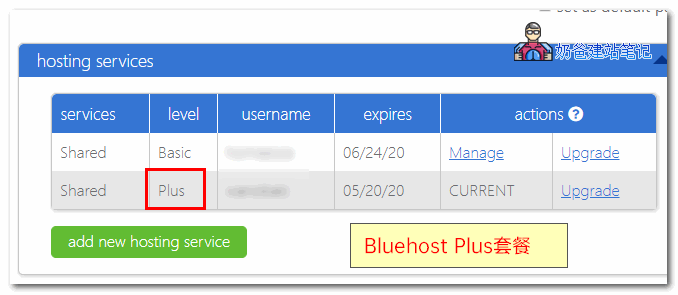
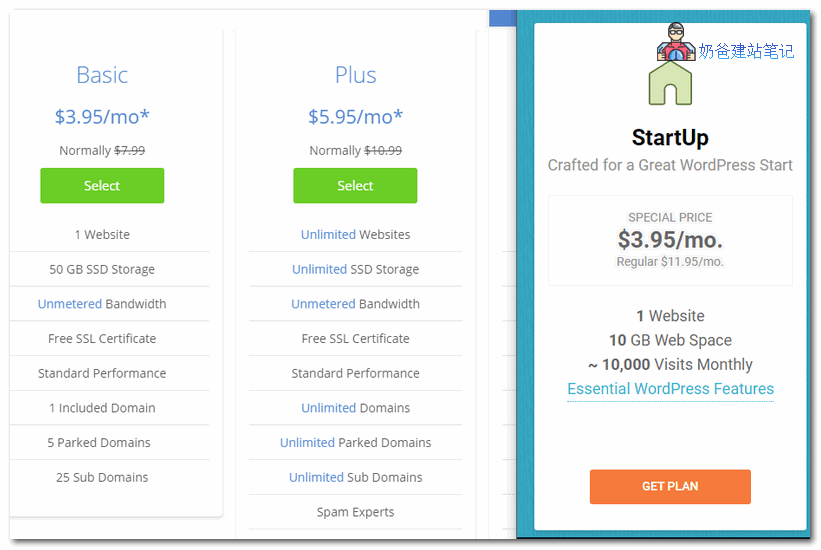
As seen in the image above, Bluehost's Plus service is priced at $5.95, while SiteGround's StartUp configuration is $3.95. Lower price, yet better server configuration.
2. More User-Friendly Admin Dashboard
The following points mainly demonstrate that SiteGround's panel is more user-friendly.
1. Interface: Bluehost's management panel is very difficult to use.
SiteGround has two Admin Dashboards: a new version and an old version. New users purchase the new version interface, which is very clean. Refer toSiteGround Tutorialyou can tell from the article.
And I'm too lazy to take a screenshot of Bluehost's backend; it's really garbage. Just look at the image below:

Login failures occur frequently. The issue is that the username and password are completely correct, but clicking a function pops up a prompt asking you to log in again. (This happens not just on my computer; clients' computers accessing it also experience this, whether connecting directly or via proxy.)
2. More user-friendly service
The simplest point: since it claims to be a recommended service provider for WordPress, it doesn't even modify the basic server configuration. Bluehost's default PHP version is still 5.6, while WordPress recommends 7.3.
The comparison image at the top is the result after I manually changed the PHP version for Bluehost.
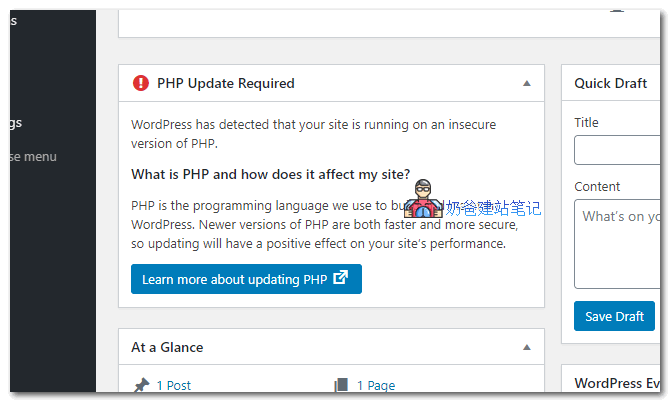
SiteGround defaults to the new version and also updates when PHP has updates, notifying you by email.
3. Bluehost engages in deceptive upselling
To explain how they induce consumption, I went to the backend to take a screenshot, as follows:
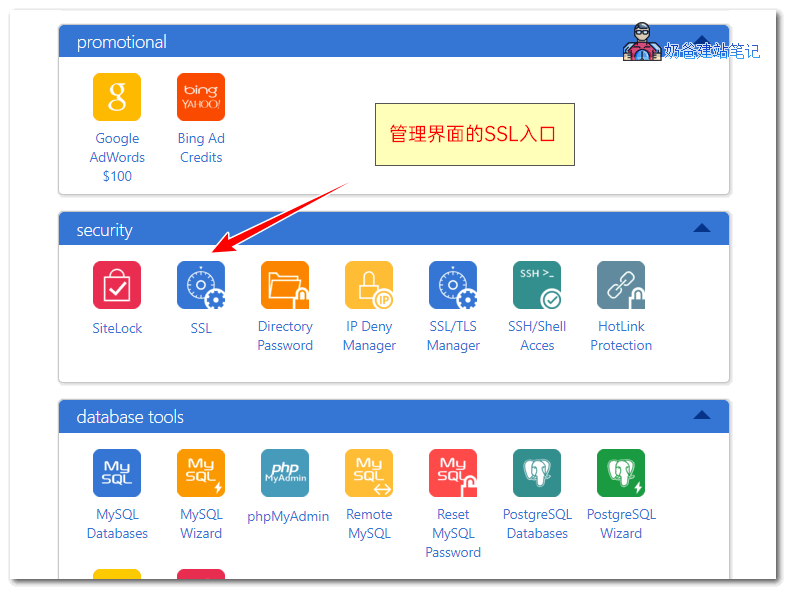
The most basic SSL function. Friends doing foreign trade websites must have heard that configuring an SSL certificate helpsGoogle SEO ranking, so let's set it up. Click to enter the SSL panel.
The interface that appears has 'AutoSSL is ON' at the top, indicating that free SSL has been enabled.
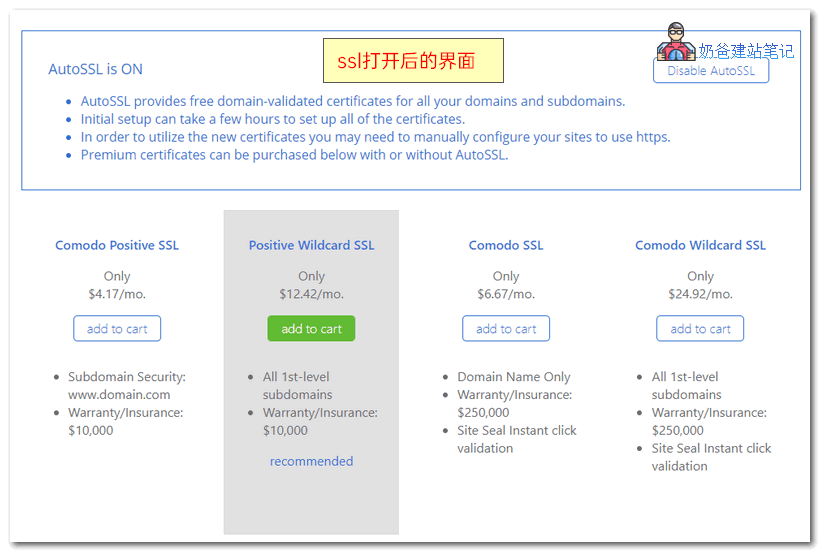
But why doesn't my website's SSL work?
Could it be that the free SSL doesn't work and I need to buy a paid one? (This is not Naiba talking nonsense; a friend almost fell into this trap.)

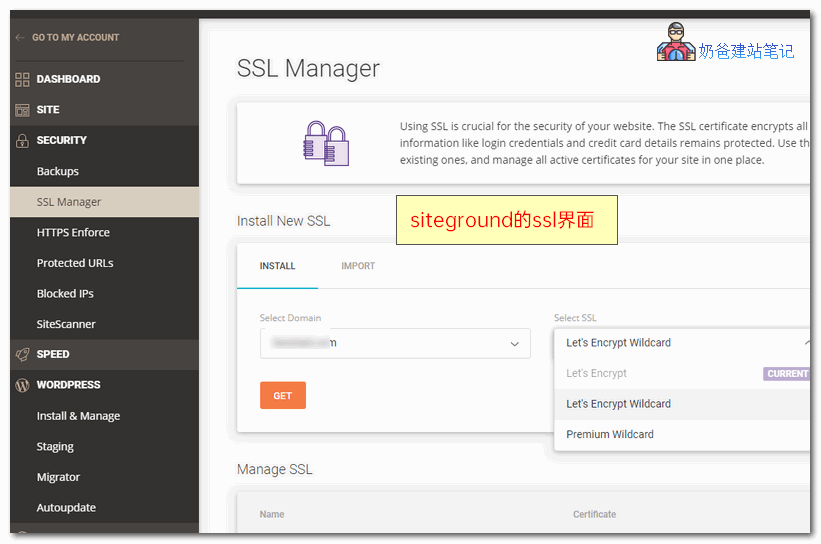
Now look at SiteGround's SSL installation interface. Judge for yourself which one is better.
Finally, if you've decided to purchase SiteGround, click here to viewSiteGround Tutorial。