
Rank Math is a premium WordPress SEO plugin. In this article, Naiba teaches you how to use Rank Math to add FAQ Schema rich media search results to your website, helping your site gain more exposure in search engines.
What is FAQ Schema?
Let's look at Google's official explanation for FAQ Schema:
A Frequently Asked Questions (FAQ) page contains a list of questions and answers pertaining to a particular topic. If you properly mark up your FAQ page, it may be eligible to appear as a rich result in Google Search and for theActions on Google Assistant, helping your site reach the right users.
What does it look like specifically in search results? As shown in the image below:
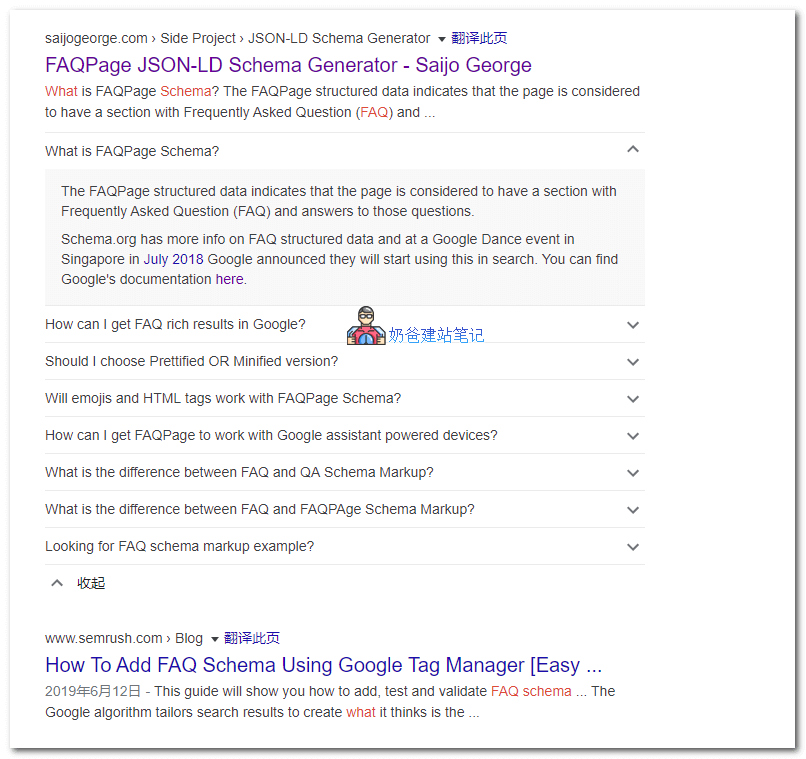
As you can see, in web search results, if your page contains FAQ Schema structured data, Google may display it in the search results. Doesn't this make it stand out among numerous search results? It increases exposure, boosts click-through rates, and thereby improvesGoogle SEOeffectiveness.
How to add FAQ Schema?
Method 1: Add using Rank Math's FAQ module
To add FAQ Schema structured data, if we have installedthe Rank Math SEO plugin, we can directly insert an FAQ block when publishing a Post (in the Gutenberg editor). Additionally,Yoast SEOalso has this feature.
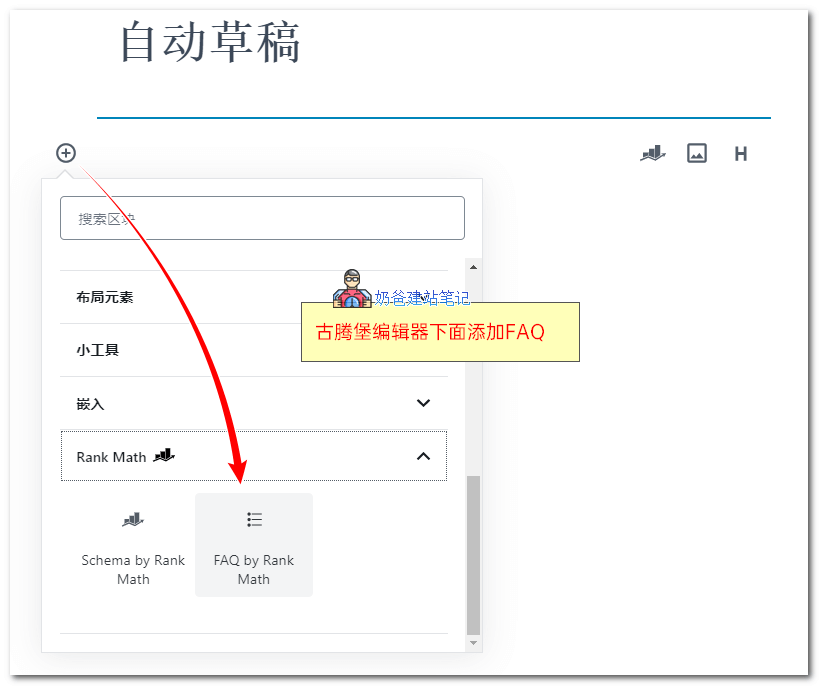
1. When publishing an article, click ➕, then select FAQ by Rank Math under Rank Math.
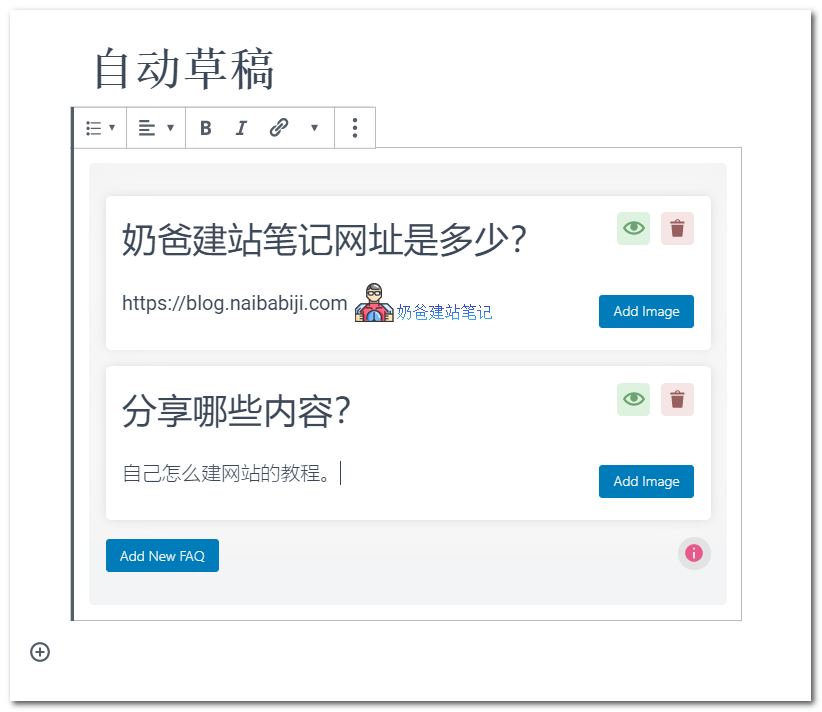
2. In the newly appeared Q&A block, fill in the question title and answer. You can also add images. If multiple questions are needed, click Add New FAQ below.
3. After publishing the article, useGoogle Structured Data Testing Toolto verify that FAQPage is now supported.
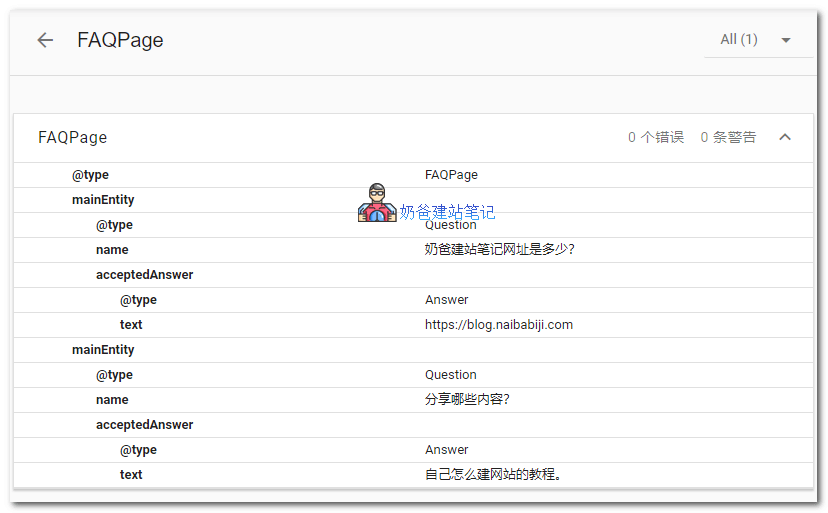
FAQ Schema structured data is very suitable for pages with common questions and answers, so that users can see the frequently asked questions and resolve their doubts when searching. For example, when introducing a product, having FAQ data about the product will undoubtedly improve the user experience.
Method 2: Using Ultimate Addons For Elementor
If you have purchasedUltimate Addons For Elementor, then you can also add it when using the Elementor editor, as shown in the image below:
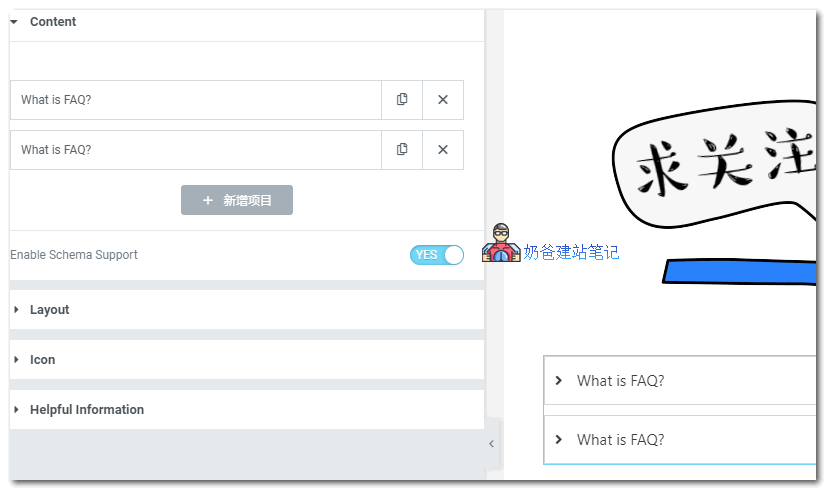
Then enable Enable Schema Support to support structured data.
Note: Google's latest rules haveProhibit multiple pages from displaying the same FAQ structured data for questions and answers。
References:
- https://rankmath.com/kb/faq-schema-block/
- https://developers.google.com/search/docs/data-types/faqpage