
Themeforest is a website that specializes in selling WordPress themes. Many excellent WP theme authors sell their themes there. Currently, there are nearly 50,000 premium WordPress themes covering various industries, styles, and purposes. So, if you want to build a website but cannot design a theme template, directly purchasing a paid theme is a good choice.
Below, I will introduce how to purchase a premium WordPress theme from Themeforest.
1. Open the WordPress Themes page on Themeforest, the link is as follows:
The interface after opening is as shown in the figure below:
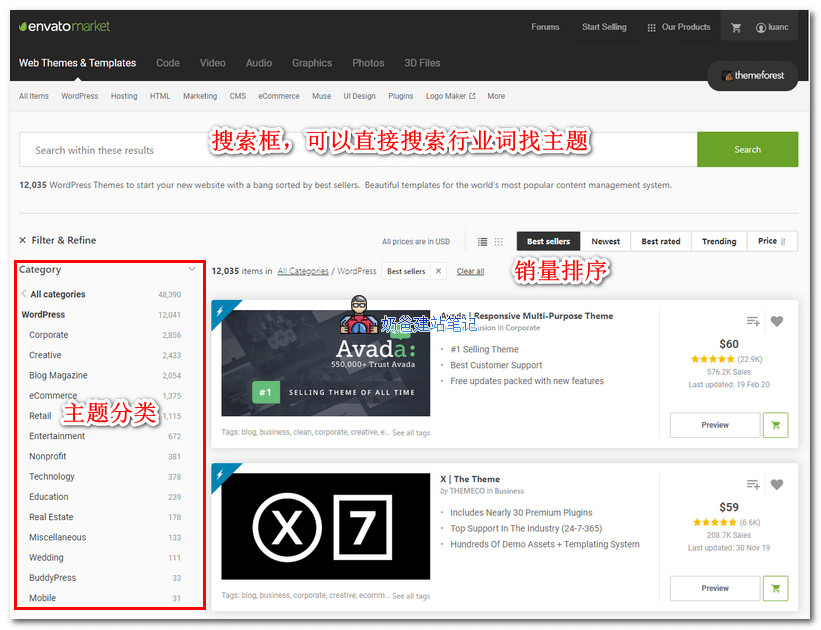
You can directly search for keywords related to your industry using the search box at the top, or browse corresponding themes from the theme categories on the left.
2. Go to the theme you are interested in. Click 'Live Preview' below the theme image to preview the theme. If you like it, click the 'Add to Cart' button.
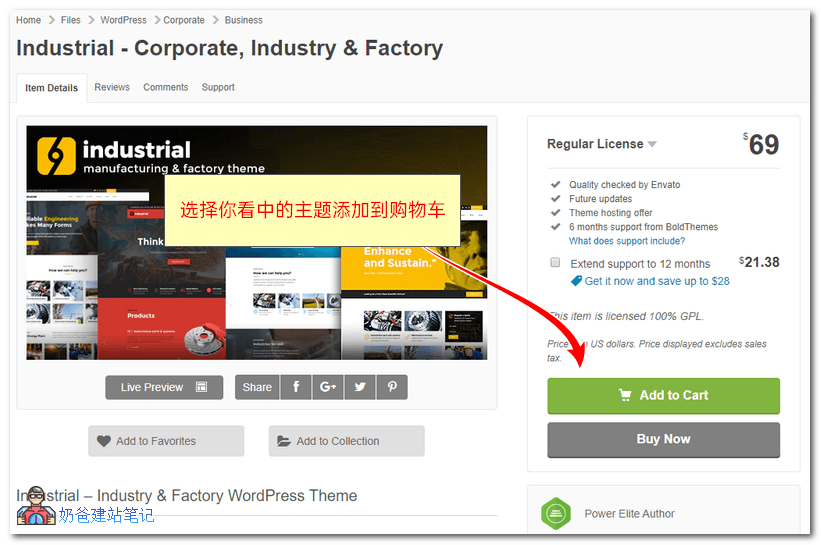
Tip: If the theme demo doesn't open or loads slowly, you can use a proxy to view it.
3. After adding to the cart, you will be asked if you want to extend the theme support period. Then click 'Checkout'.
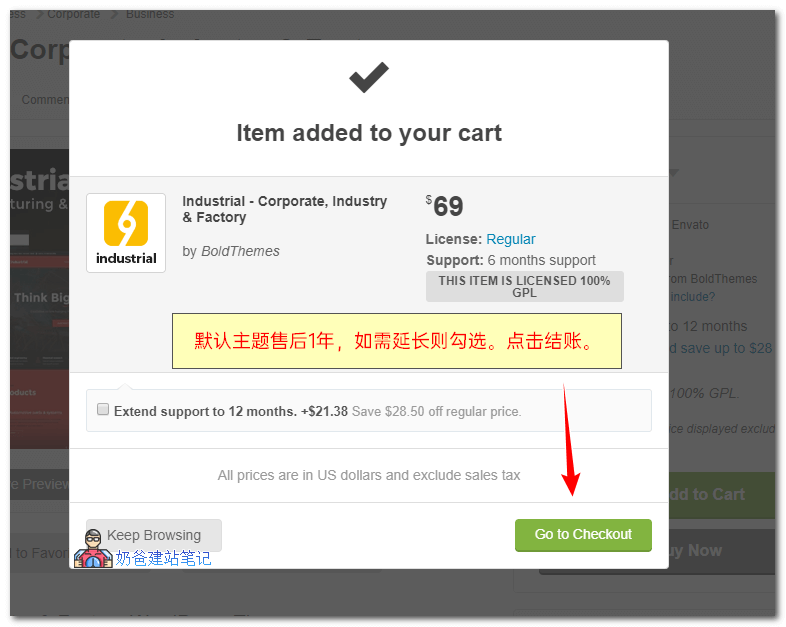
The default theme support is for one year. Within one year, you can download theme updates. If there are issues with the theme, you can seek technical support (they will only answer your questions, not perform operations for you).
4. Go to the account page. New users can simply register one.
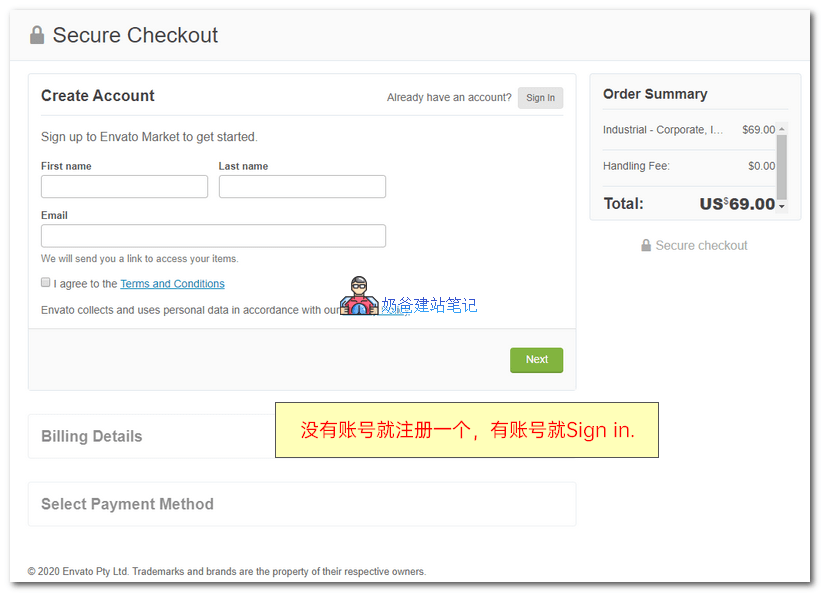
5. Choose a payment method and proceed with payment.
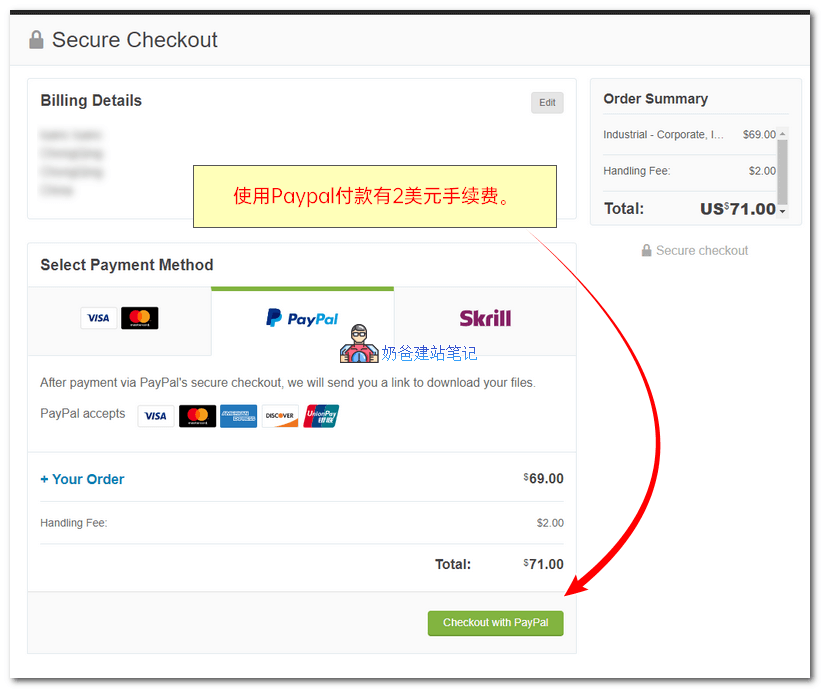
You can pay by credit card or PayPal. Except for using the official Skrill payment, a $2 processing fee is charged.
If you don't have a credit card or PayPal, you can ask Naiba to help you purchase it, and you can pay me in RMB at the current exchange rate.
6. After payment is completed, download the theme.
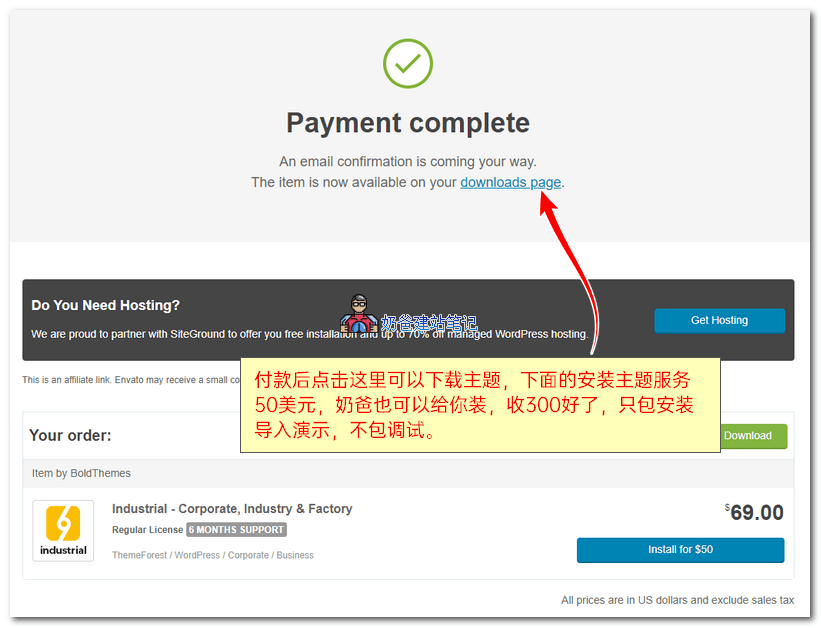
7. Download all theme files.
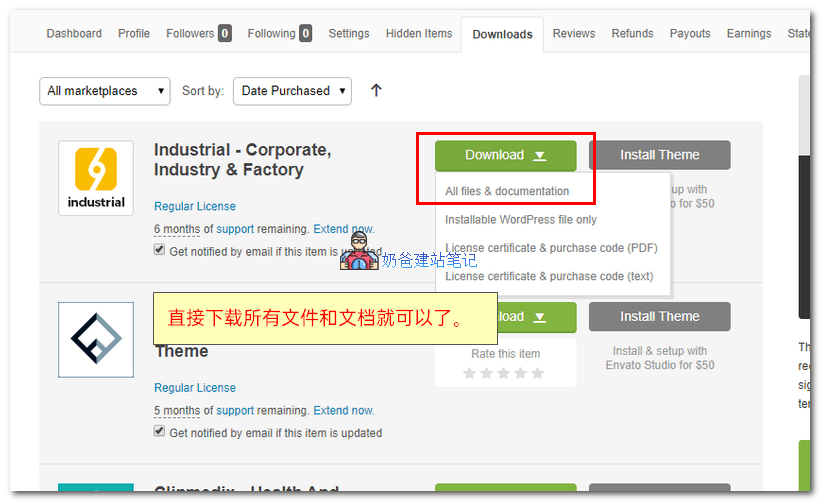
After downloading, unzip it. Usually, it contains multiple compressed packages and folders, as well as the theme documentation. Follow the documentation to install the theme.
For license code download, after clicking the download button, the License certificate & purchase code (text) appears.
After installing the theme, import the theme demo data, then modify the corresponding text and images, and you can turn it into your own corporate website. It's very simple.