
Are there any softwareBuilding Your Own Websitedo you often use? Or are there any essential software for building your own website? The answer is yes. Naiba here recommends some that I frequently use during the website building process, as well asEssential Software to Install。
Essential Software Recommendations for Building Your Own Website
SSH Software: Xshell6

Xshell is an SSH tool that helps us connect to servers. If youBuilding a Website Using VPS, then SSH software is a must-have.
Naiba uses Xshell 6, free for personal use, with a Chinese interface and powerful features. Recommended for installation.
Related articles:Tutorial on Connecting to VPS Using Xshell 6_How to Log into VPS from a Computer
Other Similar Software:
Besides Xshell, there are other SSH management tools. The most compact is PuTTY. Another well-regarded one is MobaXterm, and SecureCRT is also used by many.
SFTP Software: Xsftp 6

Xsftp is from the same company as Xshell, and they work together very conveniently. Xsftp can use both sftp and ftp to manage files on the server. And you can seamlessly switch between the two software, directly calling the other software for operations.
Related articles:#WebsiteBuilding# Free VPS Management Software Xshell6/Xftp6 Chinese Version
Other Similar Software:
Besides Xftp, other software supporting SFTP and FTP includes: WinSCP, FileZilla, FireFTP.
Screenshot Software: FastStone Capture
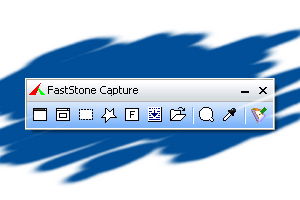
The images in Naiba's website building notes articles are all captured and edited using FastStone Capture.
FastStone Capture can take screenshots and record videos. After capturing, images can be edited, supporting adding text, icons, watermarks, shadows, and resizing. It is very useful.
The download link for FastStone Capture can be found easily online, so it is not provided here.
Common Software for Building Your Own Website
Besides the above three, which Naiba personally considers essential when building a website, the following software are also commonly used by Naiba and can help improve work efficiency when writing articles after the website is built.
PhotoShop
Adobe Photoshop goes without saying, it's definitely useful for editing images.
Snipaste
It is also a screenshot software. The reason for using it is that Snipaste has a pinning feature, which can display your previous screenshots directly on the screen, allowing you to take secondary screenshots and include the content of the previous screenshots. Very convenient.
Notepad++
Advanced text editor. Since we basically use Linux for building our own websites and WordPress is written in PHP, using Windows' built-in text editor directly can easily lead to formatting errors and is inconvenient for viewing. Notepad++ allows for easy file editing and comes with powerful find and replace functions.
VPN software
Although this is not directly related to website building, it should be essential software for those in foreign trade. We won't discuss it in detail here.
XnConvert
This software is for batch processing images, with many features such as batch resizing, batch watermarking, batch compression, batch renaming, etc. It is also available on Mac and can be a great help for webmasters with many images.
The above software are the ones Naiba frequently uses in building and operating websites. If you have any other useful tools, feel free to share with Naiba.
Naiba, can you talk about a tutorial for website migration?
Website Search Website Migration
The image editing is great, but looking at it, it's all in English, so forget it.
It's all in Chinese, hmm.
Naiba has submitted so many articles; you can see Naiba everywhere.
The blog finally allows comments. I wanted to contact you to exchange links, haha.
Temporarily not exchanging friend links.