For some foreign trade websites or corporate websites, when users find your informational articles through search engines and enter your site, you definitely hope they will contact you and generate orders.
Usually, if you use a paid foreign trade or corporate theme, the contact information is at the top, but sometimes you may encounter themes that don't have contact information or it doesn't float.
Then you can use the plugin recommended in this article to display contact information floating at the top of all pages.
Search Top Bar Introduction
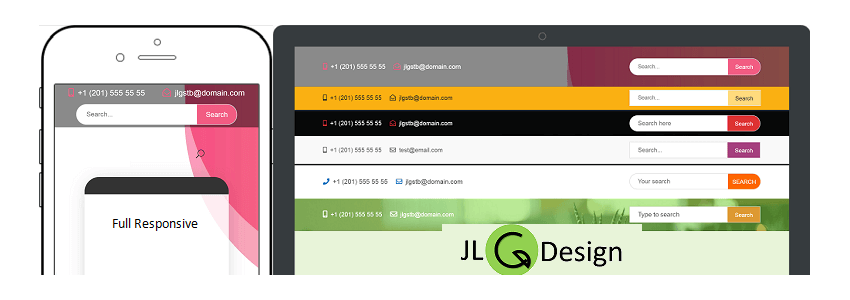
As you can see from the plugin name, it is a top search bar, but it also supports displaying contact information, phone numbers, and email.
The search bar style comes in two shapes: oval and square. The bar's color, height, text size, etc., can all be adjusted.
Search Top Bar supports responsive layout, so whether you access it from a computer or mobile phone, the effect is very good.
Search Top Bar Usage Method
After installing and activating the plugin, you can find the settings entry in the left menu bar.
Set the status to Active to enable the top bar, or Inactive to disable it.
Top Bar Background is the background color.
You can set whether to display the search box: Show or Hidden.
Search Bar Style is for selecting the display style.
The phone and email settings have icons, so you don't need an introduction to know how to fill in the content.
See the featured image of this article for the final effect.
Plugin Download Link
You can directly search for 'Search Top Bar' in the WordPress backend to install it, or use the link below to download and upload it to your website for use.
If you want to display a message at the top bar along with a button, you can use the 'top bar' plugin.