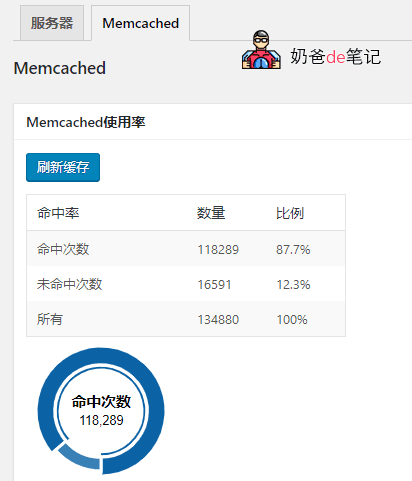
在After moving the serverI haven't started Memcached cache yet. Today I started it, but the previous cache hasn't been cleared, so I have to manually clear WordPress's Memcached cache files.
Most online searches suggest using telnet. If telnet is not installed on the Linux server, you need to install it manually. The command to install telnet on CentOS is as follows:
yum install telnet telnet-server
Then enter the following command to clear the Memcached cache information.
telnet localhost 11211
flush_all
ctrl + ] //回车,输入这个后才能退出
quit //退出
Of course, there is another more convenient method,Directly clear Memcached cache in the WordPress backend, which is through a plugin.
A few years ago, webmasters who enabled Memcached cache mostly used the object-cache.php file from GitHub.
In recent years, those who enabled Memcached cache mostly use the object-cache.php file that comes with the WPJAM plugin by Shuizhuyu.
That is, if you have installed Shuizhuyu's WPJAM plugin, you can manually clear the cache through the plugin's system information interface.