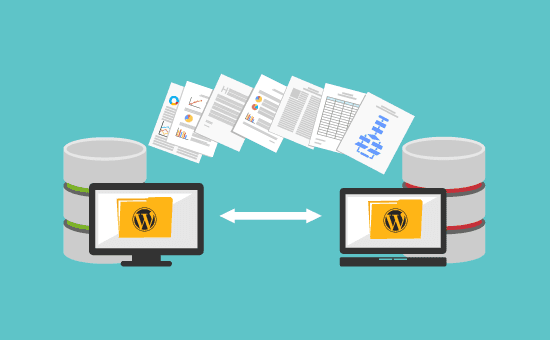
Recently, Tencent Cloud is running a promotion where a 2-core, 4GB RAM, 5Mbps configuration costs only 1200 for 3 years (Get on board link), I bought one yesterday, and since I was about to change the theme for Naibabiji Website Building Notes, I started working on moving the site.
I'll share the specific issues encountered during the move later; first, let me explain the correct method for migrating a WordPress site.
The Correct Method for Migrating a WordPress Website to a New Server
For more methods, refer directly toofficial documentation., here Naiba shares the simplest one.
- Compress and package all website folders on the old server, then upload them to the new server's website directory and extract them.
- Export the database from the old website, then upload it to the new server's database.
- If the database information differs between the old and new servers, simply modify the corresponding information in the wp-config.php file in the website's root directory.
These three steps complete the WordPress website migration. Remember to update the domain name resolution to point to the new server's IP.
Precautions for Migrating a WordPress Website
- Disable all plugins on the old server before migration.
- Delete cache files and special caching plugins on the old server before migration.
- Do not immediately stop using the old server, as Baidu is quite slow and may still crawl data from the old server.
Pitfalls Encountered by Naiba During Website Migration
Actually, I've migrated WordPress many times and shouldn't have had any issues, but this time I did run into trouble.
The problem was with Memcached caching.
Because at the same time as the migration, I was working onWordPress Themesa change, and the demo data for the theme currently used by Naibabiji is quite large, with poor network connectivity on domestic servers, so Naiba specifically set up aLinodeserver to migrate first, then import the theme data, make modifications, and finally move toTencent Cloudthe new server.
Since it was my first time dealing with a theme that has its own built-in theme editor, I worked late into the night. Everything was configured correctly on Linode, but when I moved to the Tencent Cloud server, the appearance was different from what I saw on Linode.
Moreover, the WordPress theme modifications didn't take effect, and setting the default page as the homepage also didn't work. I had deleted the caching plugins, but there were still bugs.
When I got up today, it suddenly occurred to me: could it be because of the object-cache.php file?
Sure enough, after I deleted the object-cache.php file, everything returned to normal. I wasted several hours just because of this.
What is object-cache.php used for?
object-cache.php is a file required for Memcached caching. When Naiba was setting up the environment on the new Tencent Cloud server to save time,after LNMP was installedhe also installed the Memcached extension for convenience, and then the website migration automatically took effect (without going through WP Super Cache settings). Unexpectedly, trying to save time ended up costing me more time. What a pitfall.