
Regarding adding analytics code to a WordPress website, Naibabiji has previously shared multiple methods:
- How to Add Google Analytics Code to a Foreign Trade Website Built with the Free Version of Astra
- Adding Google Analytics Code to the Astra Theme Using Custom Layout Functionality
- Plugins and Methods for Adding Webmaster Statistics Code/ICP Filing Number to the Website Footer
- How to add Google Analytics tracking code to view daily traffic when building your own website
This article recommends a simpler method. If your website server is located overseas or in Hong Kong and can directly access Google's websites, then we can directly install the Site Kit by Google plugin.
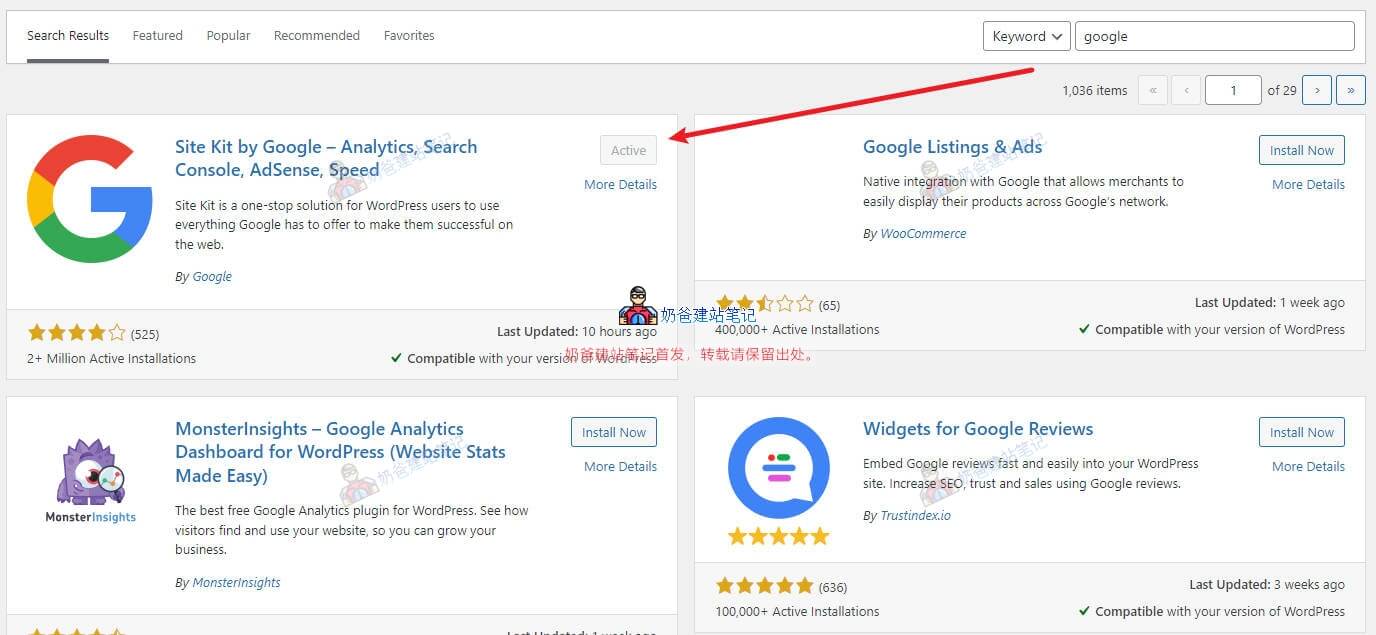
In the Admin Dashboard, go to Plugins, Install Plugin, search for Google, and the first result is the one we need to install.
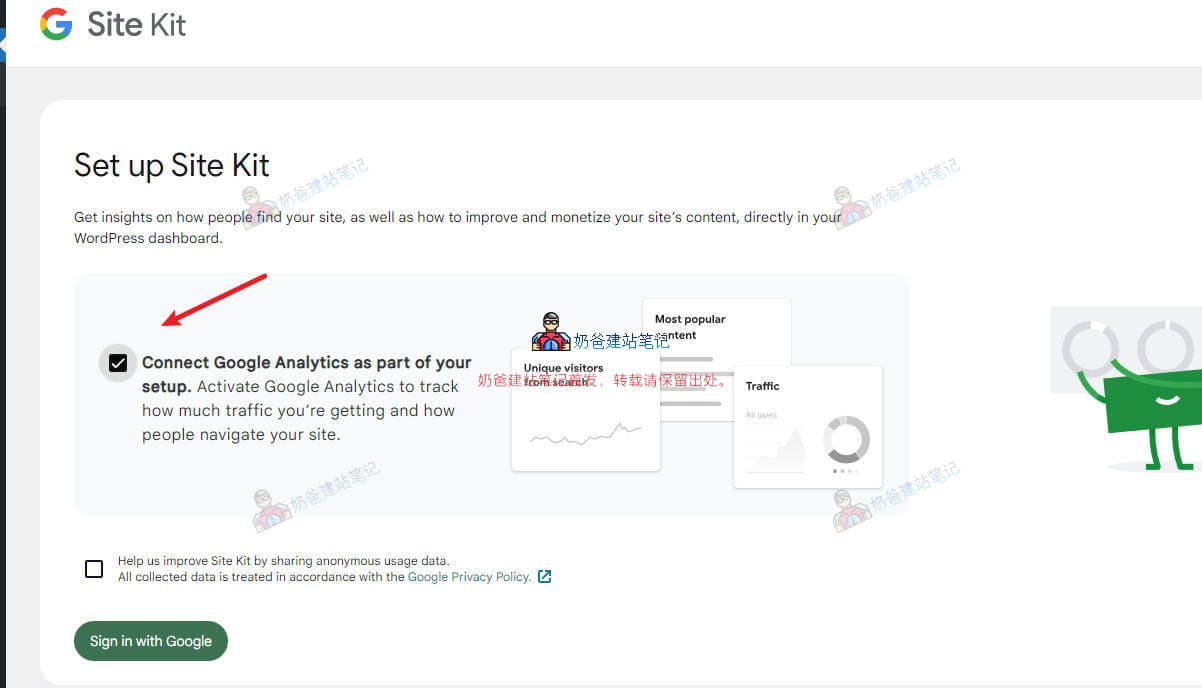
Then in the setup wizard interface, check the option to also connect Google Analytics.
Then click the Sign in with Google button and log in with your Google account.
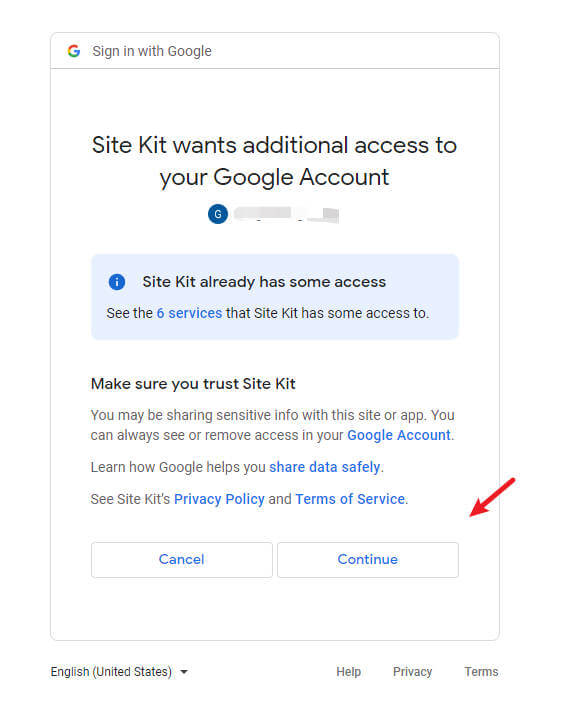
There will be some permission prompts along the way; just allow all of them.
Then you will enter the wizard page for adding the website to Google. Follow the prompts and click the Next button.
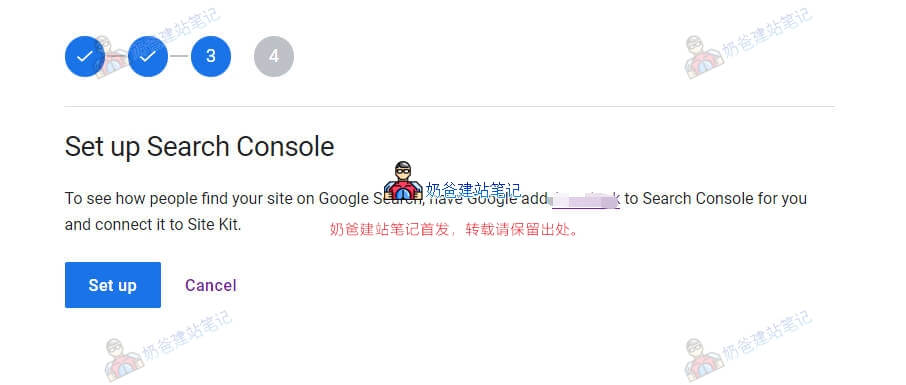
Then, for adding the Google Analytics code, if you haven't added it for other websites before, a new account will be created by default. If you have added it before, you can also choose to add a new website under your existing account.
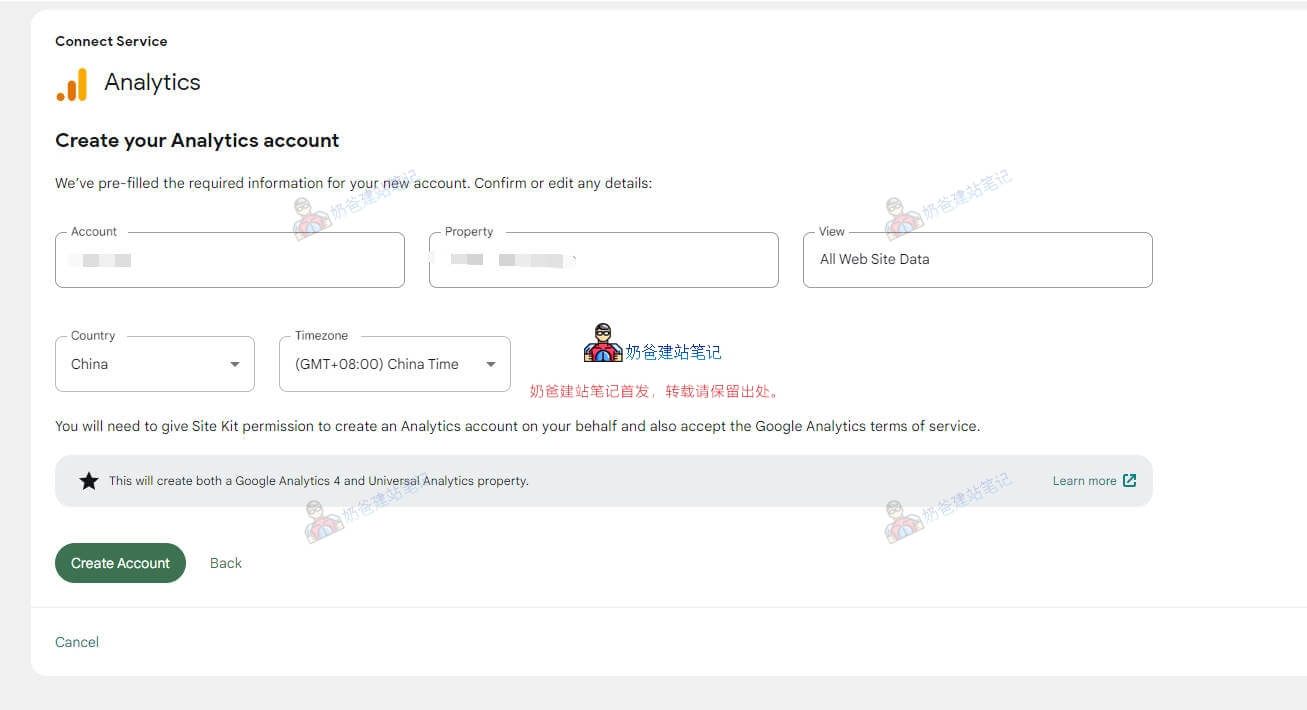
Then the Google account authorization interface will pop up.
Just grant the permissions.
After adding the tracking code, you usually won't see data until the next day.