
Astra is a highly customizable WordPress theme. You can use Astra's Custom Layout feature to add different code and content to your website without modifying theme files or installing additional plugins. The theme's built-in features can achieve this.
OrdinaryWordPress theme method for adding Google AnalyticsOr other methods of adding tracking codes involve editing theme templates or installing additional plugins.
If you are usingAstra Theme, then you can use the Custom Layout feature to add it.
The specific steps are as follows:
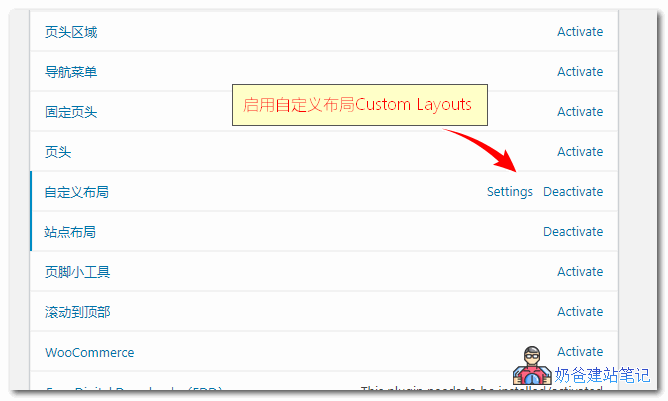
1. In the Astra Pro settings, enable the Custom Layouts feature, as shown in the image below:
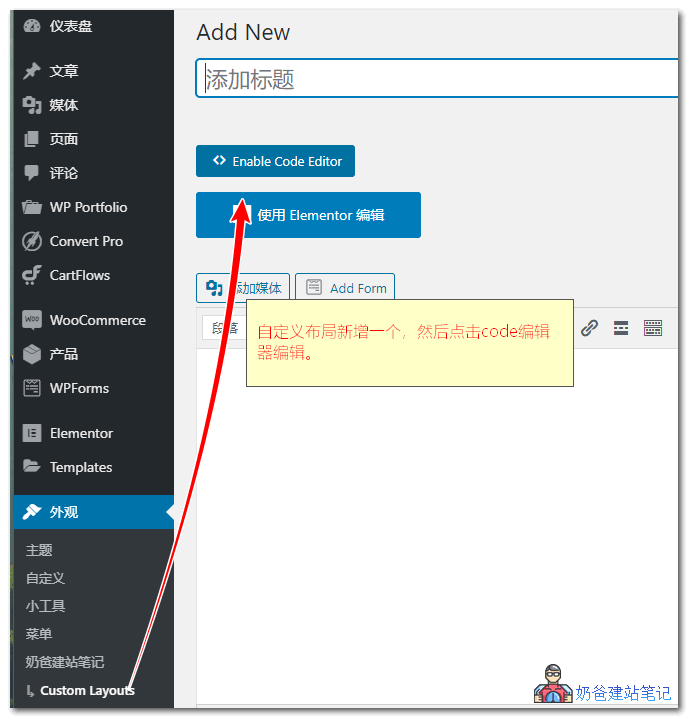
2. In the left-hand theme options, find Custom, enter it, create a new project, and click the code editor to edit.
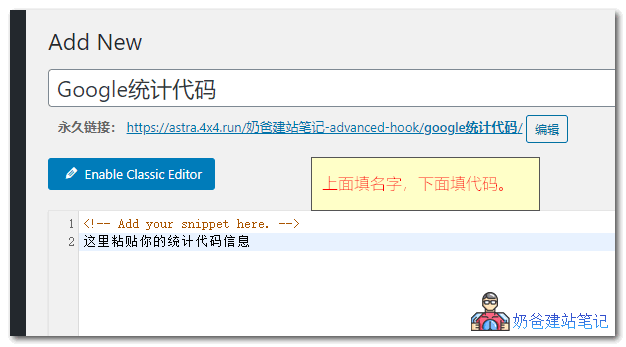
3. Give it a name for identification, e.g., Google Analytics Code. Then, paste the Google Analytics code you created into the content area below.
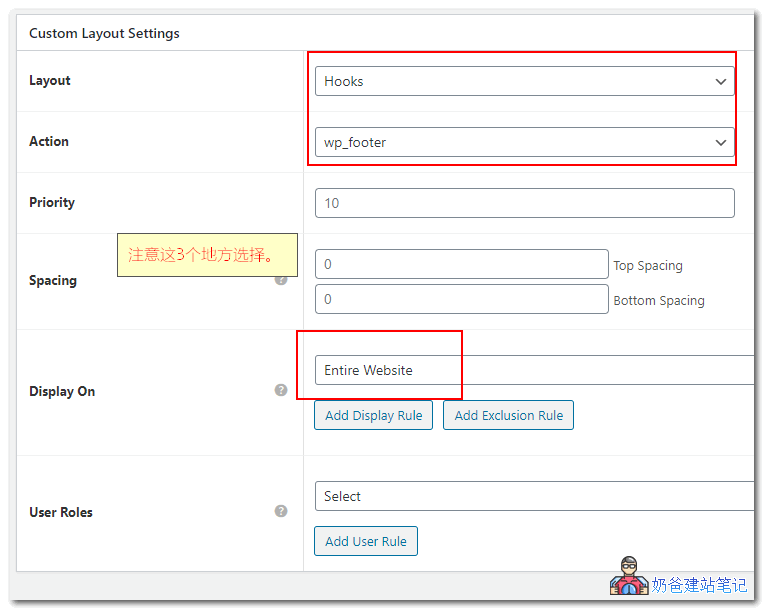
4. In the Custom Layout settings below, select Hooks for Layout, choose wp_footer for Action, and select Entire Website for Display On.
After publishing, your website's source code will contain the Google Analytics code you just added. Isn't it simple?
With this method, you don't have to worry about messing up your theme code, nor about losing content after theme updates, because everything is stored in the database.
If you wantBuilding Your Own Websiteand also hope to achieve many custom features and a beautiful appearance, then Naiba recommends you tryAstrathis theme.
A method more suitable for beginners:
Quickly Submit Your WordPress Website to Google and Add Google Analytics Code