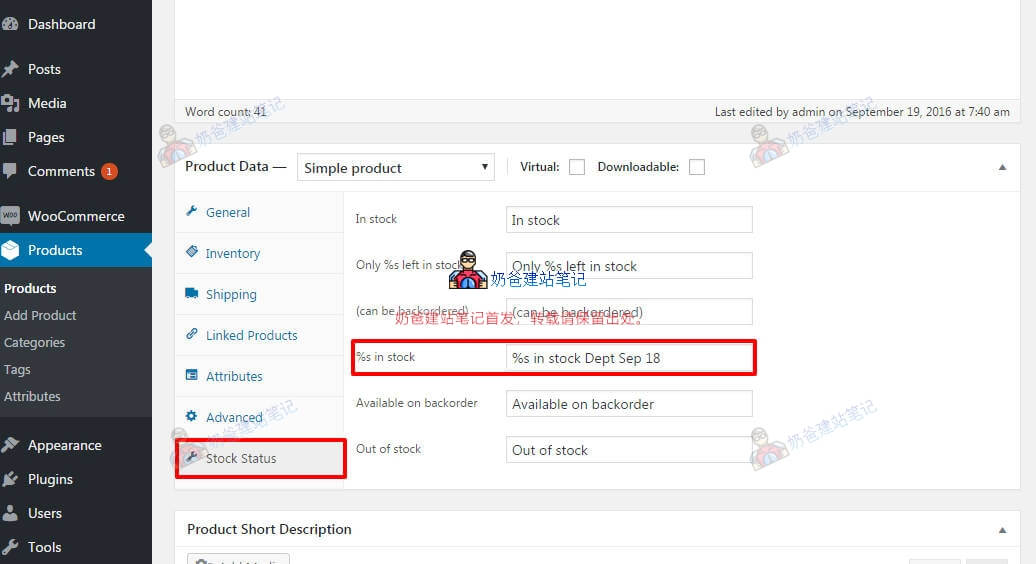
If you are using WooCommerce to operate an online store website and some products are out of stock, but you find the default 'Out of stock' alert not friendly enough and want to modify the display text yourself, you can achieve this throughWoo Custom Stock Status plugin to implement it.
Method to Modify Out-of-Stock Alert
1. In the WordPress Admin Dashboard, install a new plugin. Search for 'Woo Custom Stock Status' to install, or directly click the link below to download and install the package.
https://wordpress.org/plugins/woo-custom-stock-status/
2. In the WooCommerce settings, you can globally set the stock status text for products.
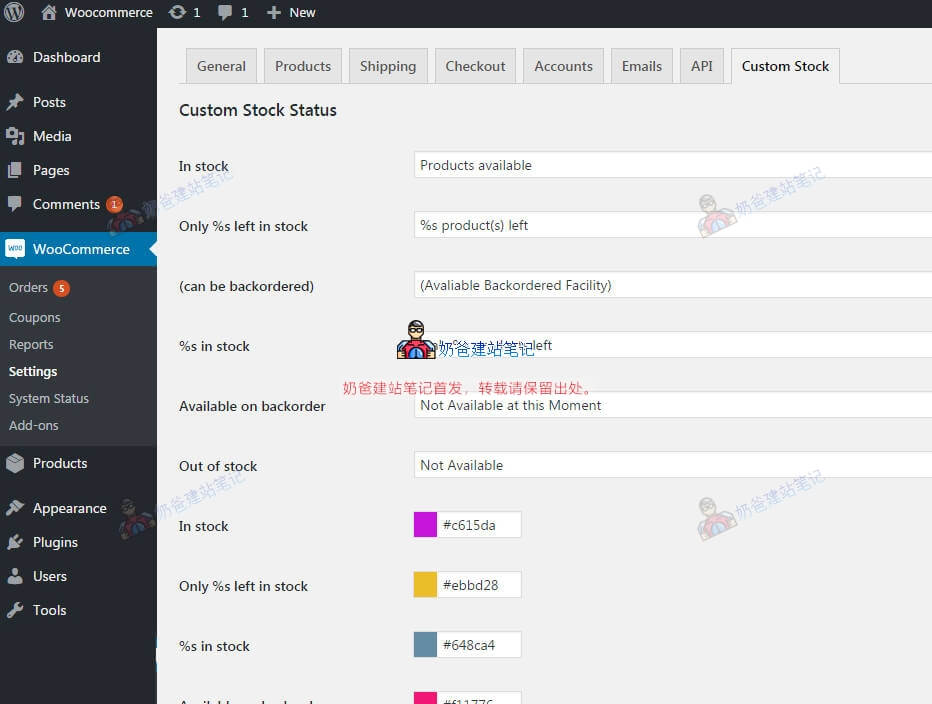
You can modify these texts
- In stock
- Only %s left in stock
- (can be backordered)
- %s in stock
- Available on backorder
- Out of stock
3. Additionally, you can also customize the stock notification text in the single product editing interface.