
Friends new to WordPress will definitely discover a problem: when visiting the website homepage, your post content is displayed in full by default. This is not ideal for the browsing experience. If automatic excerpts or text truncation are used on the homepage, followed by aRead More/Continue Readingbutton, the browsing experience will be much better, as shown in the figure below:

???? Before using automatic excerpt, ???? After using automatic excerpt

So how to implement WordPress automatic excerpt and text truncation display? Naiba introduces three methods here. Method one and method three are suitable for novice users, while method two is suitable for users with a PHP foundation.
Method 1: Using the More Tag
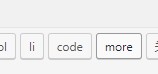
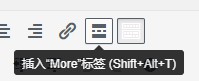
This is the most native method, but you need to manually insert the more tag when writing articles, which is not practical for websites that already have many articles. New websites can use this method, and it is a good habit.
Usage of the more tag: When creating a new article in the WordPress backend, select Text in the editor (Figure 1), then insert more.
You can also click the more tag directly in the visual editor to insert it (Figure 2).
Note: The above two figures show the effect within the Classic Editor, you need todisable the new WordPress editorto use it.
Method 2: Code Modification
Code modification may be a bit difficult for beginners. If you are using the Twenty Fifteen theme that Naiba previously used, just modify the code in these two files.
Open the files /wp-content/themes/twentyfifteen/index.php and archive.php with an editor, and search for the following code:
get_template_part( 'content', get_post_format() );
Replace with the following code:
get_template_part( 'content-search', get_post_format() );
In fact, change content to content-search in this code in both files.
If you are not using my theme, you need to find the the_content field in your theme files and modify that PHP code to
<?php
     if(!is_single())
	 {
	the_excerpt();
		 }
	else {
	the_content(__('(more…)'));
	}
?>
This method is not suitable for friends without a web development foundation because the location and content of 'the_content' vary across different themes. If modified incorrectly, the website may not open. So if you are going to modify it, remember to back up the modified files first and restore them if problems occur.
Method 3: Installing an Automatic Excerpt Plugin
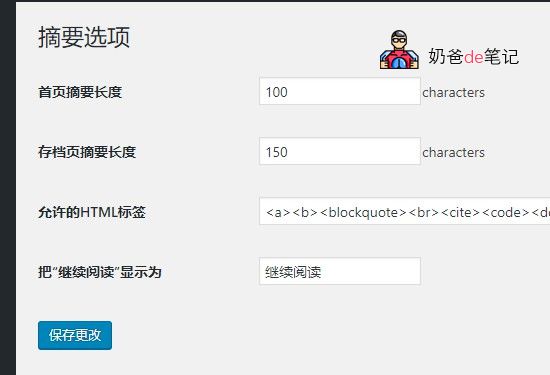
The WordPress automatic excerpt plugin recommended here isWP-UTF8-Excerpt, download address:https://wordpress.org/plugins/wp-utf8-excerpt/
Key Features:
1. Supports multi-byte languages (such as Chinese) without generating garbled characters.
2. The excerpt can retain formatting tags in the article, such as fonts, colors, links, images, etc. (tags to be retained can be set in the backend).
3. Different word counts can be set for the homepage and archive pages (default: 300 words per article on the homepage, 150 words per article on archive pages).
The priority of excerpt display is as follows:
1. If the user has manually set an excerpt, display the manually set excerpt, regardless of word count and tags.
2. If the user has manually set <!--more-->, output the part before <!--more-->, regardless of word count and tags.
3. In other cases, display the excerpt according to the user's set word count and allowed tags.
Reminder: Installing too manyWordPress pluginsmay cause the website to open slowly.NaibabijiCurrently, there are 13 active plugins.
How to set excerpt content for posts?
In terms of user experience, the effect of automatic truncation is not as good as displaying an excerpt. So, how do you set an excerpt for a Post? The method is as shown in the figure below:
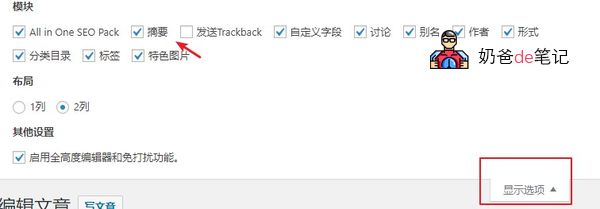
In the Post editing interface, click the 'Screen Options' in the upper right corner, then check 'Excerpt'. Next, you will see the excerpt box below the Post editor. Enter the excerpt there.WordPress Beginner Tutorial 2: How to Publish a Post
Modification method for the Twenty Twelve theme
Naibabiji Website Building Notes currently uses the Twenty Twelve theme. Record the modification method.
Modify line 40 of the content.php file, and replace the content with the following code.
<?php if ( is_home() || is_category() || is_archive() || is_search() ) : // Only display Excerpts for Search ?>