
Naibabiji installed the AMP plugin recommended by Google, and today received a notification from Google that there is an error in the AMP URL, one of which is „Required structured data elements are incorrect”
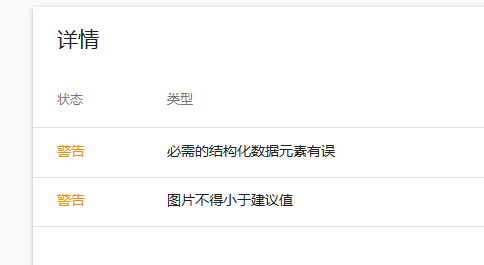
How to Fix „Required Structured Data Elements Are Incorrect“
The solution is simple. Use Google's Structured Data Testing Tool to paste the source code of the erroneous webpage, then check it to find out the problem.
Google Structured Data Testing Tool URL:https://search.google.com/structured-data/testing-tool
Required Structured Data Elements Error One: logo
The error that occurred on Naibabiji is that the logo address is missing, as shown in the figure below.

Now that the problem is found, it's easy to solve.
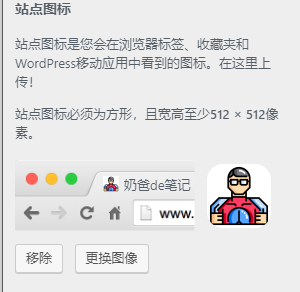
Go to WordPress admin, select Appearance > Customize. Under Site Identity, upload a site icon, then test again. The problem will be gone.
Required Structured Data Elements Error Two: image
If you still get an image error, it's because you haven't set a featured image. There are three solutions:
1. Manually add a featured image to the post
2. Use a random featured image plugin to batch add featured images to postsWordPress Random Featured Image Plugin: Random Post Thumbnails
3. Use code to set a default featured image for the AMP page. The code is as follows (Naiba has not tested this):
    //修正 AMP image 錯誤
    function bbm_amp_modify_json_metadata( $metadata, $post ) {
    if (!array_key_exists('image', $metadata)) {
    $metadata['image'] = array(
    '@type' => 'ImageObject',
    'url' => get_template_directory_uri() . '/image/default.png',
    'height' => 512,
    'width' => 1024,
    );
    }
    return $metadata;
    }
    add_filter( 'amp_post_template_metadata', 'bbm_amp_modify_json_metadata', 10, 2 );
The above solutions refer toYigujin's article。
What is AMP?
AMP stands for Accelerated Mobile Pages. It is a solution launched by Google to speed up website access on mobile devices.
Simply put, AMP's workflow is to re-encode your website, discarding various useless code and leaving only the content. Additionally, Baidu now also indexes AMP pages. If you're interested, you can search for AMP directly in the WordPress admin and install it.
For example, the AMP page of this page is:https://blog.naibabiji.com/skill/amp-jie-gou-hua-yuan-su.html/amp
How to Enable AMP?
If you are using WordPress, enabling AMP only requires installing an AMP plugin in the admin panel.