
Many users who purchase VPS to build their own websites choose to use Baota Panel to install the website environment. Today, when Naiba was helping a netizen install a website, after adding the website in Baota Panel, accessing the phpMyAdmin backend reported an error, prompting „405 not allowed“. Sharing the solution.
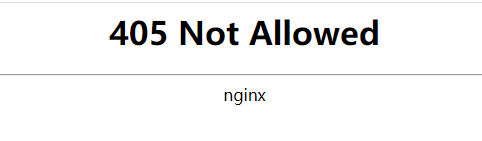
What is 405 not allowed?
FrommozillaThe explanation given is: Status code 405 Method Not Allowed indicates that the server prohibits the use of the current HTTP method. Note that GET and HEAD methods must not be prohibited, nor should they return status code 405.
Simply put, your website server has an error and cannot access the phpmyadmin backend normally. You don't need to understand GET and HEAD. Below, Naibabiji Website Building Notes shares the method to solve 405 not allowed in Baota Panel.
Baota Panel solution for 405 not allowed
The Baota Panel access to phpMyAdmin reporting a 405 not allowed error is usually caused by a mismatch between the PHP and phpMyAdmin versions. Pay attention to whether the versions you installed are like this:
In Software Management – phpmyadmin – Settings – PHP Version
Then select the corresponding PHP version.
phpmyadmin and PHP compatibility description:
If only PHP 5.2, install phpmyadmin 4.1
If only PHP 5.5 and below, install phpmyadmin 4.4. If only PHP 5.6, install phpmyadmin 4.6
If only PHP 7.x, install phpmyadmin 4.7/4.8 version
We just need to go to the Baota Panel software store, uninstall the currently installed phpmyadmin version, and reinstall a different version. If that doesn't work, reinstall another version of PHP, and the problem will be solved.
For more articles related to Baota Panel, please visit belowTopic Linkto view.