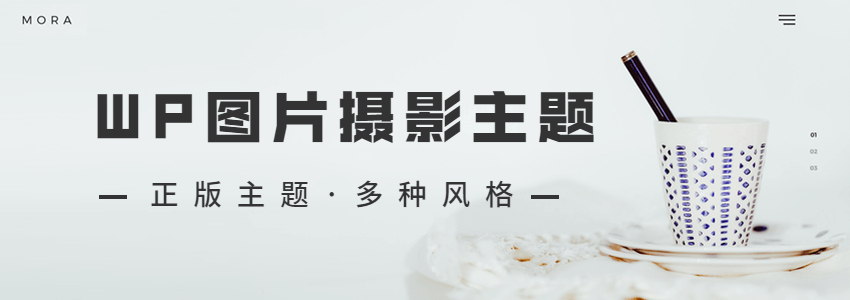
Mora is a theme that can be used as aPhotography、Album、Creative Portfolio、Studio和Portfolioand other multi-purposeWordPress ThemesThe theme includes 19 demo styles and supports one-click import. It allows customization of various page layouts, is SEO-friendly, and compatible with the WooCommerce plugin. This article shares the free download of the genuine Mora v1.3.
Mora theme demo
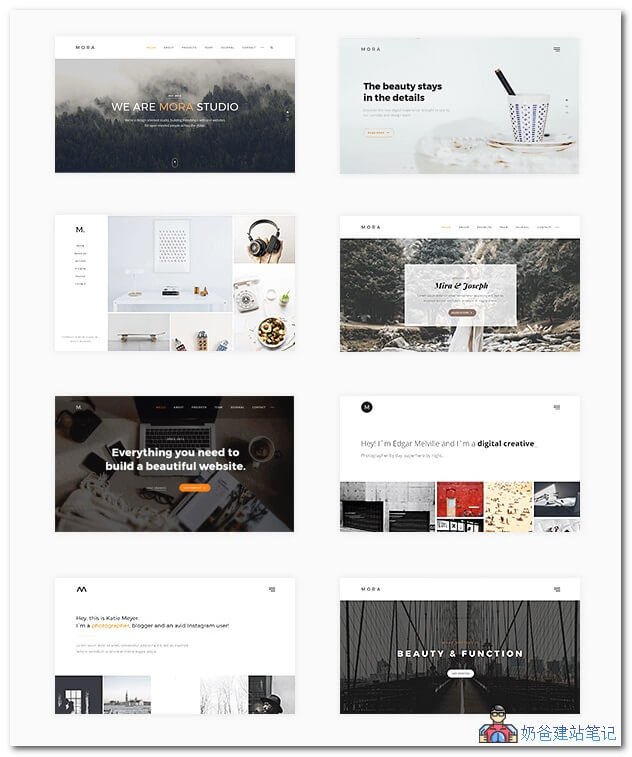
MORA is a modern, powerful, and sophisticated WordPress theme, perfect for creative professionals and an excellent choice for anyone seeking a modern web presence.
Mora theme introduction
Designed for freelancers, agencies, and startups, it is a multi-purposeWordPress Enterprise Theme。
Mora is an elegant portfolio solution for creative professionals building websites with WordPress. Includes 6 months of support!
Mora is a WordPress theme ideal for creative professionals seeking a minimalist and stylish design to help showcase their best content.
It is suitable for many business applications and also includes a multi-page solution that is as refined and complex as a single-page portfolio, capable of meeting any need.
Every detail has been carefully designed and crafted to create a seamless user experience on all devices. It is retina-ready, fully responsive, and comes with the powerful drag-and-drop Visual Composer, which is included in the one-time purchase price.
Mora is ready to help you build the most professional website you can imagine.
Mora theme features
Mora includes all the features needed to build a professional, modern website for a business.
- Single Page Feature– You can also choose the website style as single-page or multi-page. Use the intuitiveWordPress Menu Buildertool to create a single-page navigation header. Build simple „landing pages“ using the powerful Visual Composer Page Builder plugin, just by dragging and dropping.
- WooCommerceTMCompatible - MORA is not only a great theme for showcasing your business but also a theme for generating revenue. Mora is meticulously developed for use with the WooCommerce WordPress plugin, so you no longer need to worry about complex e-commerce solutions.
- Powerful Theme Options Panel– Mora's versatility is powered by our custom theme options panel in the WordPress backend, allowing you to instantly customize the appearance of your website in a familiar environment. This enables you to fully customize the theme's look without touching a single line of code.
- Equipped withtranslation functionality andCompatibleWPML– MORA supports multilingualism and is compatible with the multilingual plugin WPML, providing maximum flexibility for your end users to translate your website into their spokenand multiple languages, thereby removing barriers.
- Premium Fonts with Hundreds of Free Google Fonts– Maximize your personal style with custom fonts by selecting the ideal font from over 700 different Google Fonts in the „Options Panel“.
- Premium Plugins Included for Free – Save $71– Mora is packed with premium plugins from Extra, including Slider Revolution, Visual Composer, and Templatera. Additionally, we have built-in 25 beautiful built-in widget components.
- Multiple Blog Layouts and Post Formats– Mora extends the default WordPress blog experience with blog layouts based on a minimal masonry appearance and a range of post formats (Standard, Gallery, Quote, or Video).
- Parallax Backgrounds– Create a perfect look with full-width backgrounds that include parallax-like effects for any content section you create.
- Versatile Navigation Menus– Choose a header navigation that suits your purpose, with options for multiple navigation styles including Classic, Minimal, Fullscreen, and Supplementary Toolbar, all designed to be fully responsive and display smoothly across multiple devices. Set headers throughout the site, or choose individual pages to help you build more or even unique landing pages for acquisition.
- Extended WordPress Features– Mora extends WordPress by providing support for page sidebar positions, custom header slogans, styles based on backgrounds powered by unique parallax effects...
- Enhanced Social Features– Mora is designed to help you make the most of social media networks and connections with a built-in „Share Widget“.
- Scroll-Triggered Animated Content– Exquisitely crafted, CSS3-compliant animations bring your best content to life and create the sticky user experience you dream of.
- Best Practices for SEO– MORA is designed withwebsite SEOfeatures to maximize the value of your content for search engines. It is also fully compatible with the most popular SEO plugins on the market today, including Yoast SEO and All in One SEO Pack.
- Beautiful Contact Forms– Mora is compatible with the Contact Form 7 plugin and other form plugins. Use numerous custom fields to build contact forms, project planners, or subscription forms that perfectly match the theme's design.
- Includes Child Theme– With a child theme, you don't have to worry about theme modifications becoming invalid due to theme version updates.
MORA theme download
The Mora WordPress theme originally costs $59.NaibabijiWhat is shared here is the genuine theme downloaded during a $0 promotional event.
The corresponding file name in the group share is: Mora-Wp-v1.3.zip
Join group 774633089 to download
MORA Theme Installation Tutorial
After downloading the Mora theme file, extract it and upload the two compressed packages, mora.zip and mora-child.zip, from the Mora Theme folder to the WordPress backend theme section for installation. (WordPress Theme Installation Tutorial_Methods_Download Address_Failure Solutions )
Enable the Mora child theme.
On first use, there is a setup wizard. You can click 'Let's Go' to start or 'Not right now' to decline.
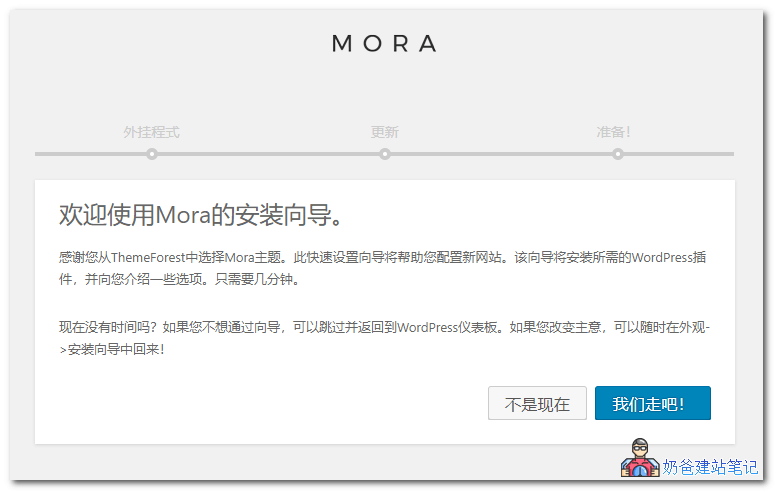
The second step will prompt you to install plugins. You can install all of them first, and after the theme is designed, delete the unused plugins.
If you are using a domestic server, the installation may fail. You can manually install the plugins yourself. See the method at:WordPress Plugin Installation Tutorial_Complete Guide to Popular Essential Plugins
The third step asks you to log in to your Envato account to receive theme updates. Click 'Skip this step' to skip.
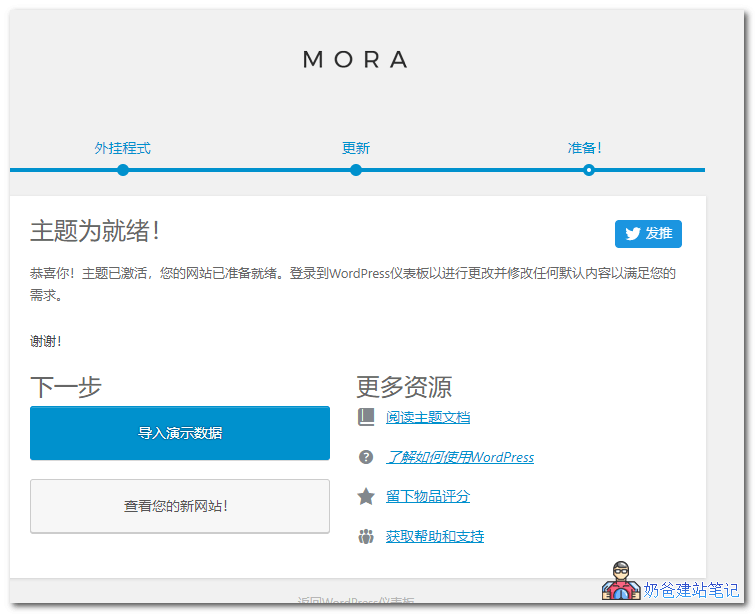
The final step is to import demo data. It is recommended to import a demo you like and then modify the content based on the demo data, which is more efficient than designing from scratch.
Importing demo data (posts, pages, images, theme settings, etc.) is the easiest way to set up a theme. It allows you to quickly edit everything without having to create content from scratch.
When importing data, the following may occur: (Domestic serverPlease switch to manual import! Switch to manual import!)
- Existing posts, pages, categories, images, custom post types, or any other data will not be deleted or modified.
- Posts, pages, images, widgets, menus, and other theme settings will be imported.
- Please click the import button only once and wait, as this may take a few minutes.