
Couponis v3.1 is a WordPress theme that can be used to build shopping website coupons and website affiliate promotion codesWordPress Themes. The Couponis theme is priced at $39. Here at Naibabiji, we share the download link for the complete theme files of Couponis version 3.1.
Couponis Theme Introduction
Couponis is a recommendation-type WordPress theme that can be used to share coupons from shopping websites or earn affiliate rebates by joining online shopping affiliate programs. There are many websites of this type abroad.
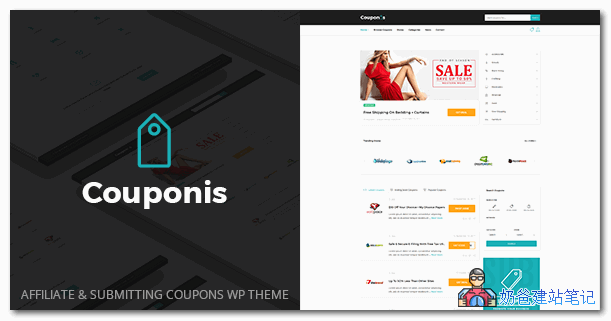
The Couponis theme can also be used for websites like Taobao affiliates or JD.com rebates, because its coupon types support coupon codes, online sales links, and store coupons. The most common use is that when users click the coupon button, it automatically opens the product purchase page (your affiliate page).
In addition to administrators posting coupons in the backend, the Couponis theme alsosupports frontend user submission of coupons, and after administrator approval, it will be displayed.
Couponis theme supports setting the coupon validity period, which is permanent by default, and you can set the validity period of the promotion yourself.
Supports smart search, only active coupons are displayed in the search list, and the list type and sorting method are remembered for each user.
Supports coupon rating, like or dislike, and the rating can be displayed on the frontend to help other visitors judge whether the coupon is worth it.
Supports page builders to design the page display effect.
For more features, please refer toCouponis Theme Sales Page。
Couponis Theme Demo
If you want to view the Couponis theme demo, please click the button below to check it out.
Couponis Theme Download
The official price of the Couponis theme is $39. If you want to support the official version, please click the link below to purchase it.
If you want to get the download link directly,Please follow Naiba's official account and reply "Couponis" to get it.。

Couponis Theme Usage Instructions
After downloading Couponis and extracting it, you will see files as shown in the image below.
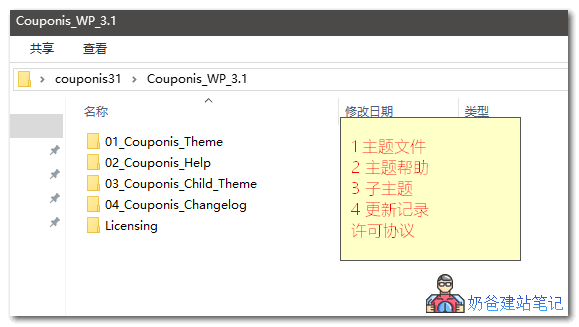
You only need to upload the two theme files numbered 1 and 3 to the WordPress website's backend theme section, then activate the Child theme (the child theme).
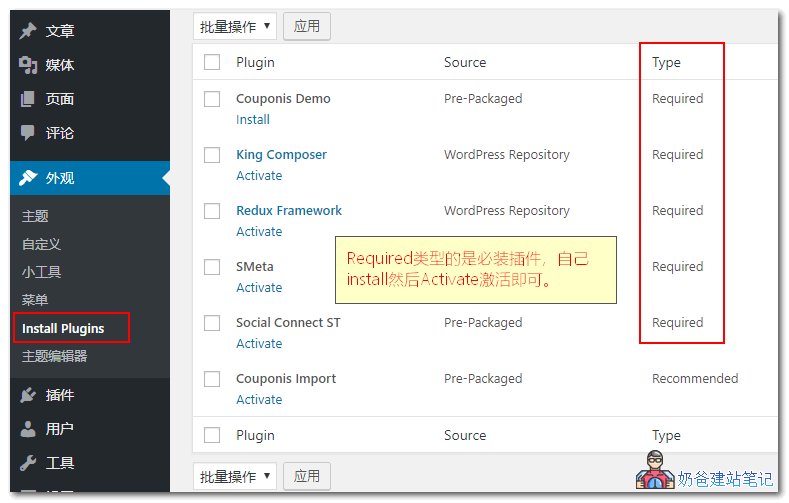
After activating the theme, go to Appearance > Install Plugins to install the required plugins. Among them, Required plugins are mandatory.
Couponis Demo is a theme demo plugin. After installation, you can import some demo data to help you quickly get started with the setup and use of the Couponis theme.
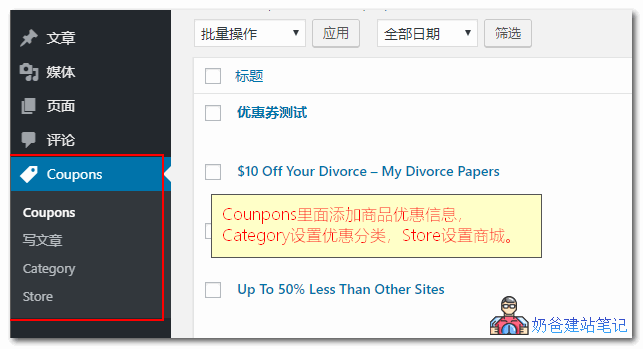
After all plugins are installed, you will see a Coupons menu in the left-hand WordPress menu. Coupon information and products are published here. This is separate from and does not interfere with WordPress's built-in post functionality.
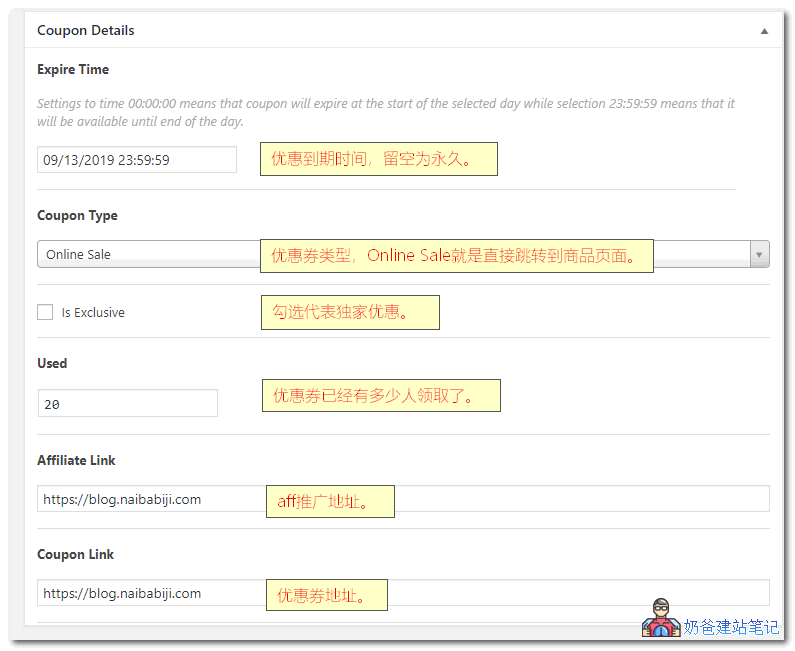
When publishing coupon information, there is a Coupon Details area at the bottom of the page. Fill in the corresponding information.
Some buttons and prompts on the website frontend are in English. If you want tolocalize it into Chinese, then you only need to use the .pot file in the theme's languages folder for Chinese localization.Translate the .pot file into Chinese.。