Woo Import Export Plugin is a simple and efficient WooCommerce store data import/export plugin. With just one click, you can import or export all types of WooCommerce products, orders, users, product categories, and coupons.
The plugin has built-in advanced filters, allowing you to select various combinations for export and import.
Features:
- Easy installation and detailed documentation.
- Simple import and export interface.
- Simple, fast, and advanced import and export system.
- Ajax product, order, and user import system.
- Export data to CSV files.
- Import data from CSV files.
- Multilingual support.
- Fully responsive and 100% customizable.
- Dedicated support.
Product Import and Export
- Multiple powerful filters available.
- Supports all product types.
- Utilizes almost all product fields.
- Supports custom fields.
- Supports custom attributes.
- Provides export data preview.
- Export CSV data management.
- Product field management.
- Product export schedule management (automatic export).
- Import products via URL.
- Import products with new categories.
- When existing products are present, import product create/update/skip options are available.
- Provides preview of imported products.
Order Import and Export
- Woocommerce update (from Woocommerce 2.1.X to Woocommerce 2.XX).
- Multiple powerful filters available.
- Supports all old and new order statuses.
- Utilizes almost all order fields.
- Supports custom fields.
- Supports custom attributes.
- Provides export data preview.
- Export CSV data management.
- Order field management.
- Order export schedule management (automatic export).
- Import orders via URL.
- If orders already exist, import order create/update/skip options are available.
- Preview of imported orders is available.
User Import/Export
- Multiple powerful filters available.
- Uses almost all user fields.
- Supports all Usermeta.
- Supports all features.
- Supports custom features.
- Provides export data preview.
- Export CSV data management.
- User field management.
- Management of user export schedules (automatic export).
- Import users via URL.
- If a user already exists, the import user update/skip option can be used.
- Preview of imported users is available.
Product Category Import/Export
- Multiple powerful filters available.
- Uses almost all category fields.
- Category images are exported and automatically set.
- Category parent is automatically detected.
- WooCommerce category metadata is exported.
- Provides export data preview.
- Export CSV data management.
- Category field management.
- Management of category export schedules (automatic export).
- Import categories via URL.
- If a product category already exists, the „Import Category Update/Skip“ option can be used.
- Preview of imported categories is provided.
Coupon Import/Export
- Multiple powerful filters available.
- Uses almost all coupon fields.
- Coupon meta is exported.
- Provides export data preview.
- Export CSV data management.
- Coupon field management.
- Management of coupon export schedules (automatic export).
- Import coupons via URL.
- If a coupon already exists, the „Import Coupon Update/Skip“ option can be used.
- Preview of imported coupons is available.
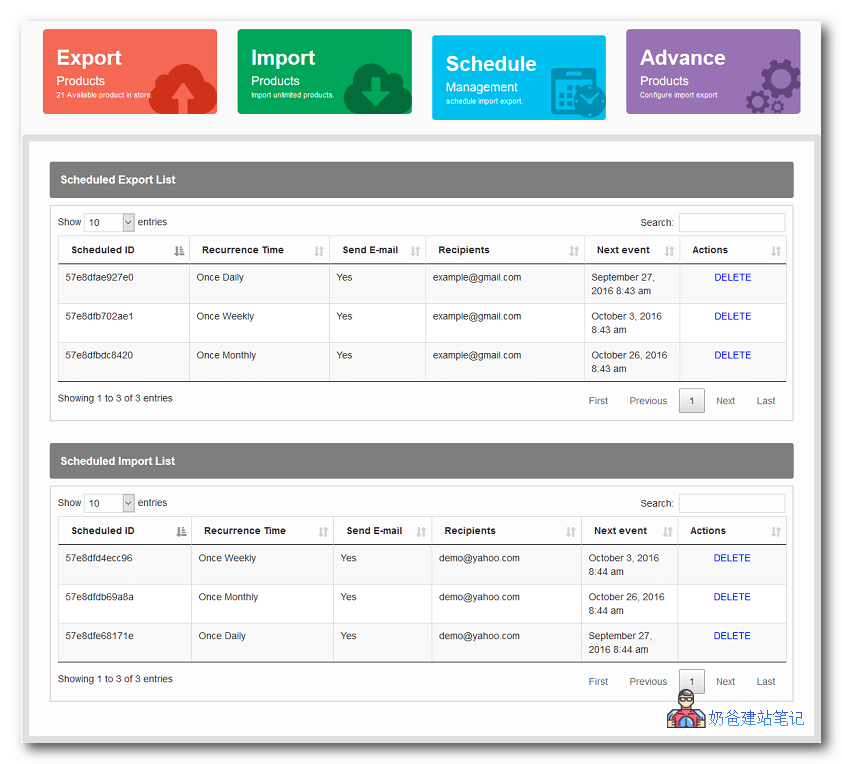
- Management of schedules (automatic import/export).
- You can create a schedule with one click. Click the „Save Schedule“ button.
You can also create multiple schedules using filter data. You can view a list of all schedules in the „Manage Schedules“ menu. To delete one, simply click the „Delete“ link for that schedule.
Live Demo
Cracked version download link (not updated for a long time, not guaranteed to work)
Extraction password: FAVS3FF
Activation Key 11111111-1111-1111-1111-111111111111
Related articles:
Export WooCommerce Orders Without a Plugin
How to Use the Woo Import Export Cracked Version
First, download, install, and activate it. Then you will see the corresponding options in the left-hand menu of the Admin Dashboard.
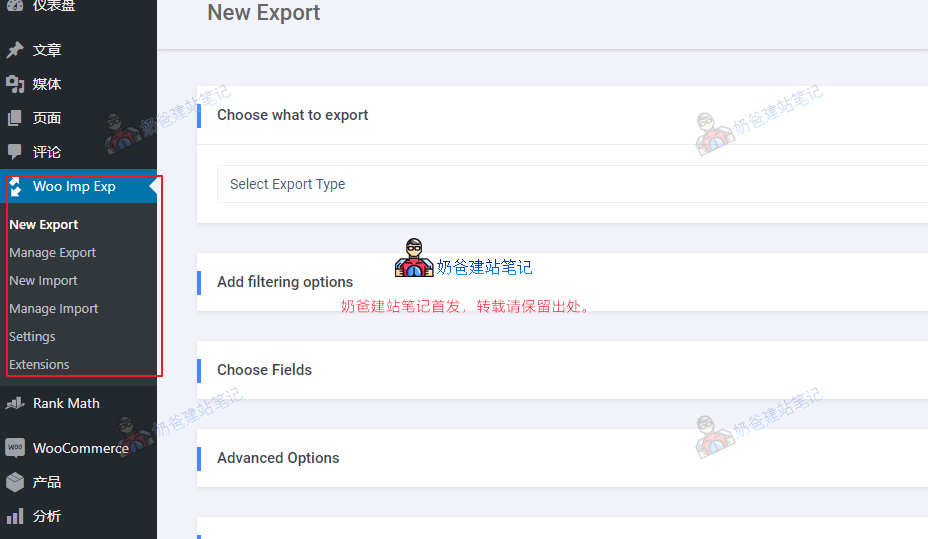
Select Export to export, or select Import to import.