
After building an e-commerce website with WordPress, there are times when we need to export product orders. Many people look for plugins to import, but in fact, we can export WooCommerce product orders without plugins. This article shares the specific steps with you.
Method 1: Export via WooCommerce Analytics Panel
In the WooCommerce backend menu, there is an Analytics section. Click on the Orders tab under Analytics.
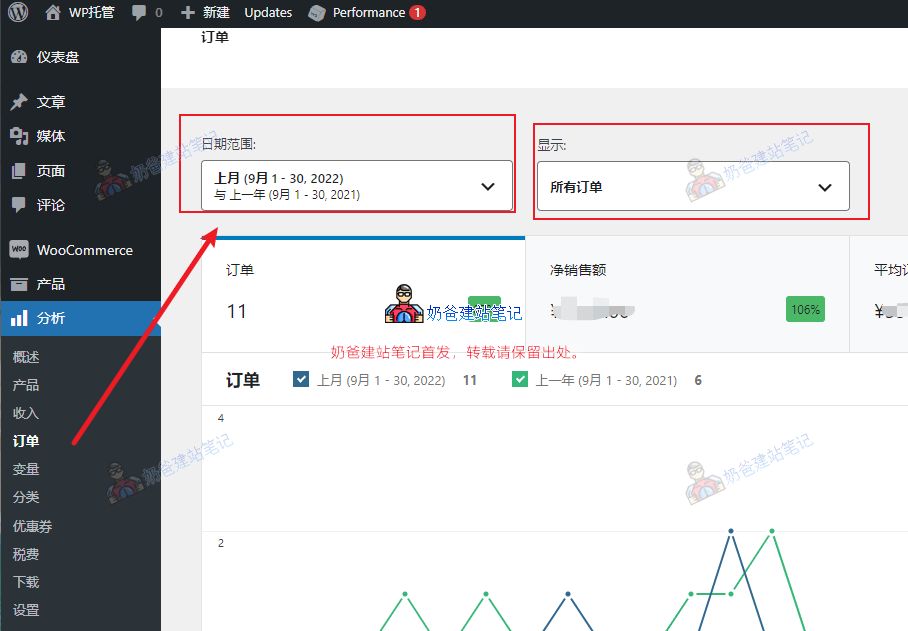
On the orders interface, we can select a date range and order conditions, such as orders that used certain coupons or orders for a specific product. After filtering, we can export.
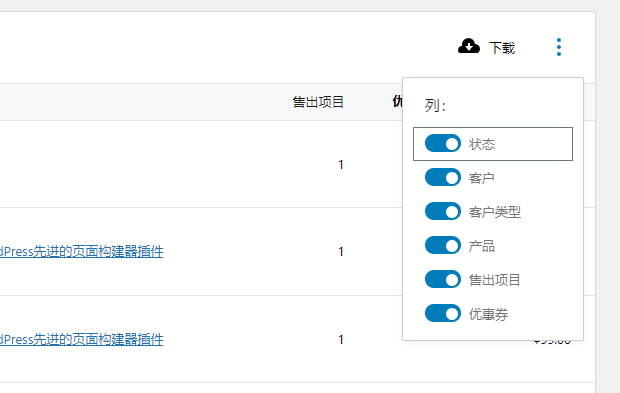
Then you can see a download button on the right side of the order list. Click the three dots next to it to enable or disable the columns to be exported.
Click the download button to download the order list to your computer in CSV format.
Method 2: Using WooCommerce Export
Under the Tools menu in the WordPress backend, there is an Export button. After clicking, you can select the item to export, such as orders.
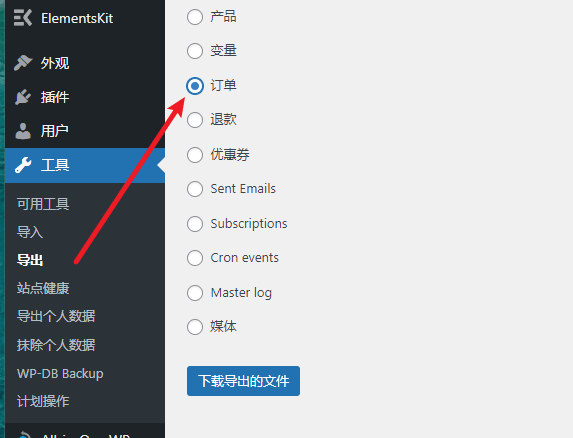
The content exported using this method is in XML format, suitable for importing order data from one site to another.
The above are two methods to export WooCommerce orders without plugins.