
If your WordPress website has user registration enabled, by default, members see the WordPress default dashboard interface when logging into the backend. How can you modify the content and style of the WP backend? You can use the Dashboard Switcher plugin.
Unlike the previously sharedFive Free WordPress Admin Panel Beautification PluginsDashboard Switcher completely replaces and modifies the backend page content, not just style changes.
like the image below:
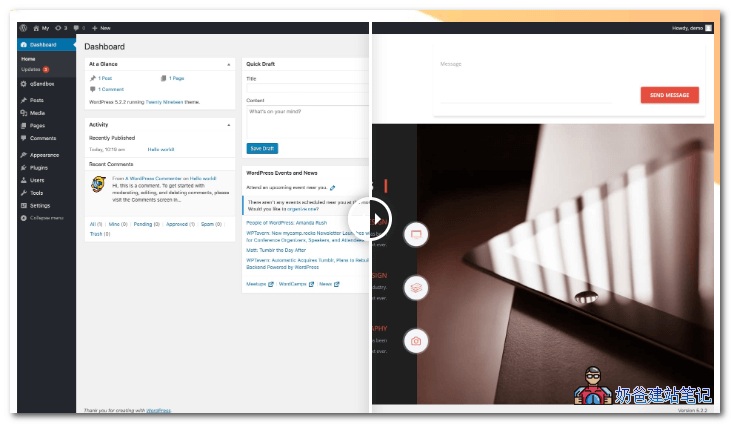
How exactly do you do it?
1. Install the Dashboard Switcher plugin;
Dashboard Switcher is a paid plugin, priced at $47. You can also download the cracked version from this article.
Cracked Version Download(Visible after payment)
[vk-content]
Extraction Password:FEIG20F33
[/vk-content]
Dashboard Switcher can be used to change the dashboard's welcome screen or add custom admin pages.
Remove the basic WordPress welcome screen and change it to anything you want! Additionally, you can create custom admin pages and add custom content to them. Perfect solution for supporting client websites, upselling, and more.
2. Create a new page to serve as the default backend display interface.
You can use WordPress's built-in editor or a page builder, such asElementorCreate a beautiful display page to serve as the default backend page.
3. Open Dashboard Switcher under the Settings menu, and set the custom backend display interface URL, as shown below:
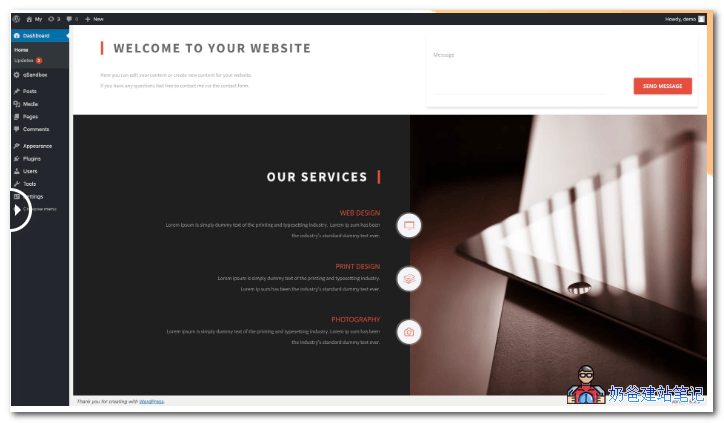
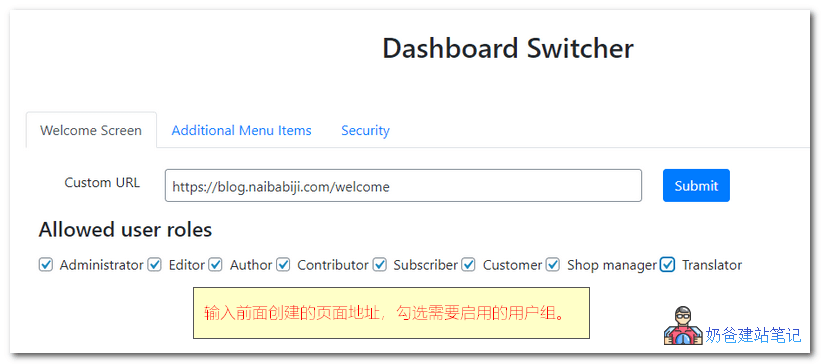 Check the user roles you want to enable in the 'Allowed user roles' section. After setting this up, when users access the website backend, they will see the content of the page you edited.
4. If you also want to add backend menus, switch to the 'Additional Menu items' interface.
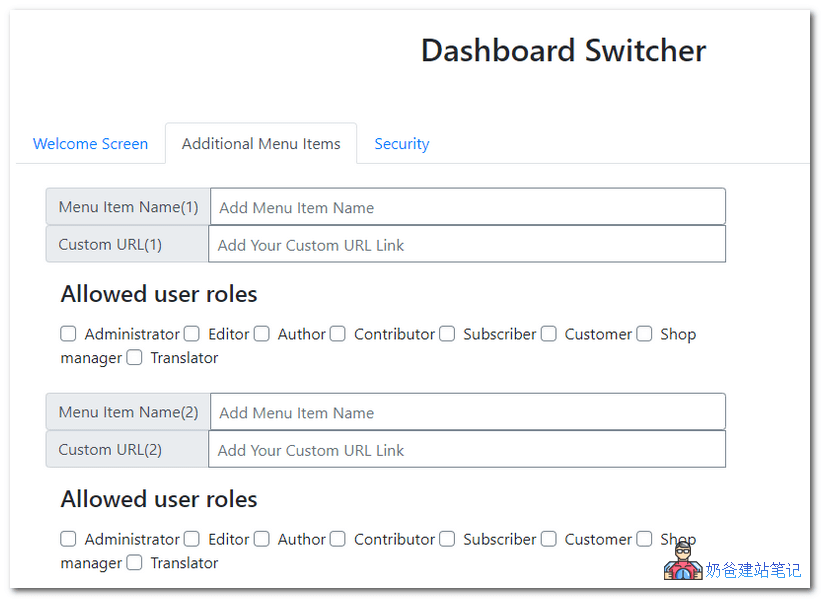
Alright, at this point, you have completely modified the display interface of your WordPress website backend.