
在How to Set Different Widgets for Different Pages When Building Your Own WebsiteI recommended Lightweight Sidebar Manager in it. Today, I recommend another plugin that can implement custom sidebars: Content Aware Sidebars.
Content Aware Sidebars is powerful. Besides replacing sidebars conditionally, it also supports scheduled sidebar replacement, setting sidebar styles, fixed sidebars, and more.
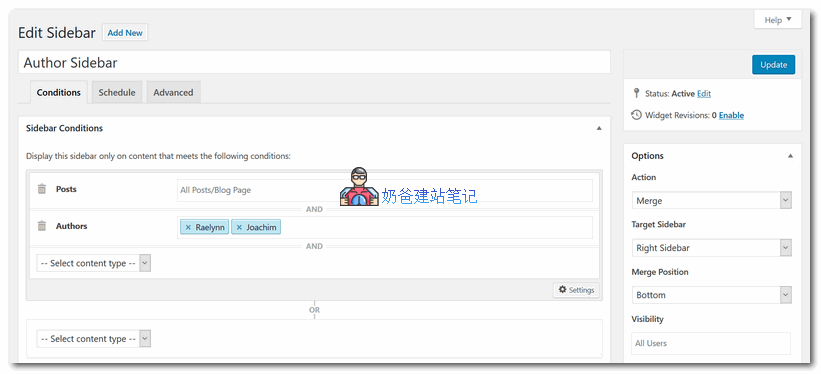
Content Aware Sidebars Description
The fastest, most powerful WordPress sidebar plugin. Create custom widget areas for any post, page, or custom post type in seconds. No coding required!
By displaying different widget areas under different conditions, you can optimize conversion rates, improve on-site SEO, upsell products, and more.
If your website or web application is large or growing, Content Aware Sidebars will be your ideal solution.
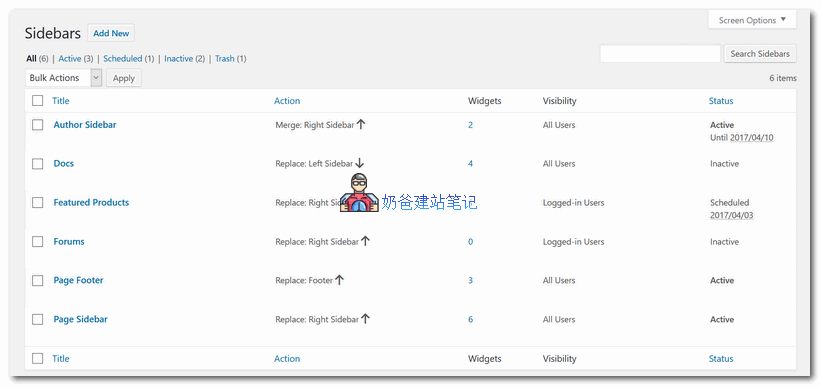
Add unlimited sidebars and widget areas
Replace the theme sidebar under different conditions, or insert sidebars using shortcodes. With the all-in-one sidebar manager, you can easily activate and deactivate widget areas, and even schedule them at specific times.
Sidebar – Quick Select © allows you to directly add or select widget areas when editing posts or pages.
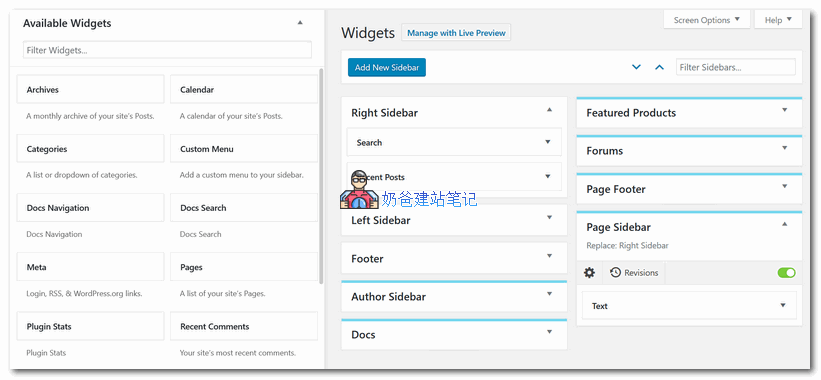
Show or hide widgets on any page (yes, any)
Create post sidebars, page sidebars, category sidebars, or any custom sidebars you need without confusing widget logic code. You can even combine conditions in any way you like, so you can display widgets and custom sidebars in all posts of a selected category and written by a specific author.
Display widget area in any of the following situations:
- Posts, pages, and custom post types
- Content with tags, categories, or custom taxonomies
- Content written by featured authors
- Page templates
- Blog pages and post type archives
- Author archives
- Taxonomy archives
- Date archives
- Homepage, search results, 404 page not found
- bbPress profiles, forums, and topics
- BuddyPress profile sections
- Language (WPML, Polylang, qTranslate X, Transposh)
- Pods pages
- Any combination of the above
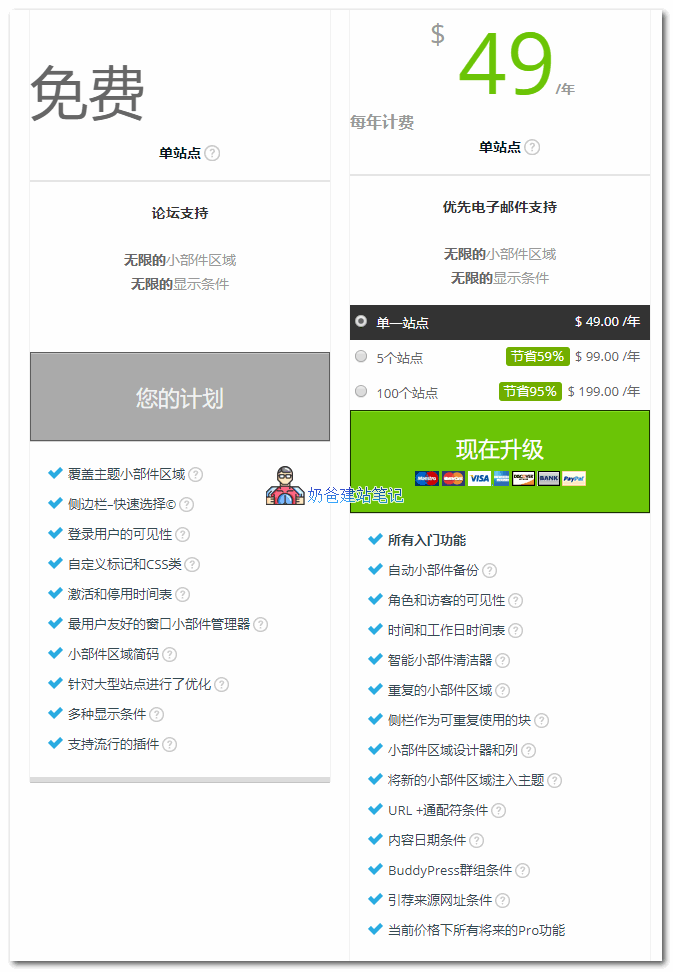
This plugin has a Pro version. The free version's features are sufficient for most websites. The comparison between the free and Pro version features is shown in the image below:
 If you want to experience the features of the Pro version, you can join the Naiba Web Development communication group to get it.
Group 774633089 Shared > WordPress Plugins > CJ20.contentawaresidebpremium3111n