In addition to building websites, WordPress can also be used to create forums. The Buddy theme introduced in this article is a well-known WordPress forum theme. Naiba here introduces this Buddy theme and provides a tutorial on how to use it.
Buddy Theme Introduction
Buddy is a simple forum theme built using WordPress and BuddyPress.
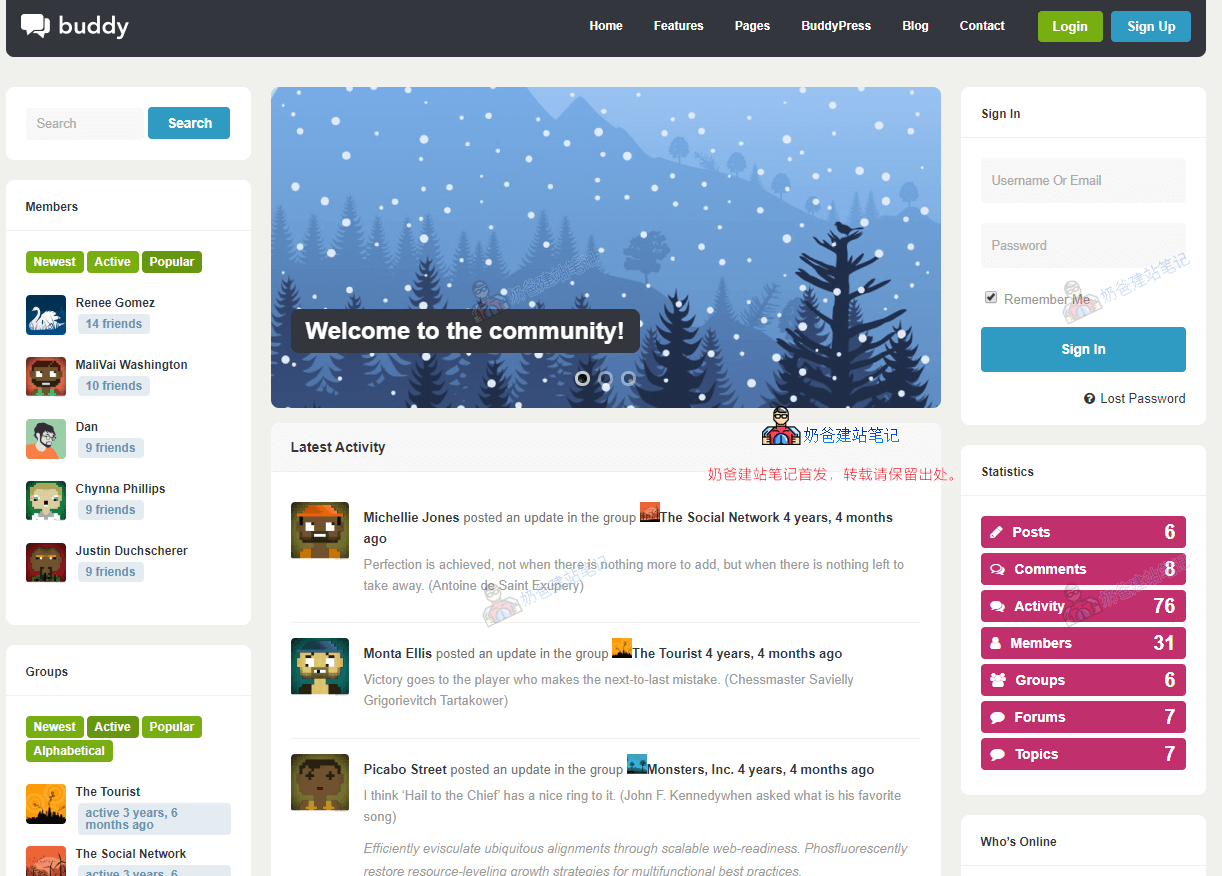
Buddy is a lightweight, modern, and responsive WordPress and BuddyPress theme suitable for any type of website, whether it's business, corporate, community, magazine, portfolio, etc. It's also excellent if you want to use the theme without BuddyPress or bbPress.
Complete Feature List
- BuddyPress integration
- bbPress Integration
- Responsive
- One-Click Installation
- Shortcode Support
- Frontend Login/Registration Interface
- Retina Screen Optimization
- Search Engine Optimization (SEO)
- Translation File Support
- Icon Font (FontAwesome)
- Clean Code
- Personal and Global Options
- Create Unlimited Sidebars
- Child Theme
- Contact Form 7 Support
- JavaScript fallback
- Compatible with All Major Browsers
- Valid HTML5 and CSS3
Buddy is relatively expensive, priced at $199. If you find it unaffordable, you can choose their other themeAardvark
Buddy Theme Usage Tutorial
Next, Naiba will explain how to use the Buddy Theme on WordPress to build your own forum community website.
Install Theme
First, you definitely need to have a WordPress website.
If you don't have a website yet, first followWordPress Installation TutorialGo build one.
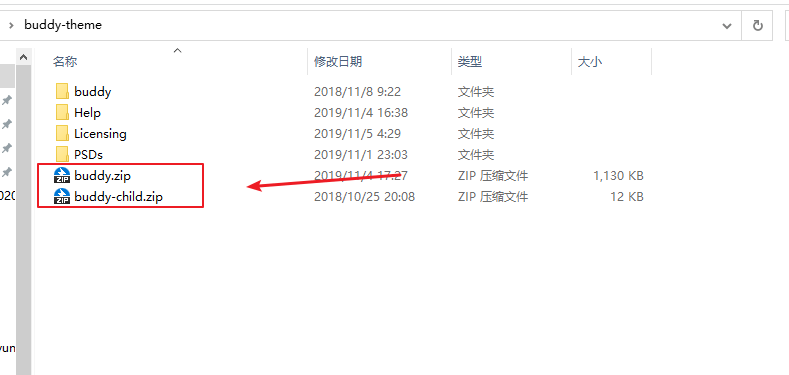
Then, install the Buddy theme. The installation method is simple. In the downloaded Buddy theme folder, upload the buddy.zip and buddy-child.zip files via the backend under Themes > Add New > Upload Theme.
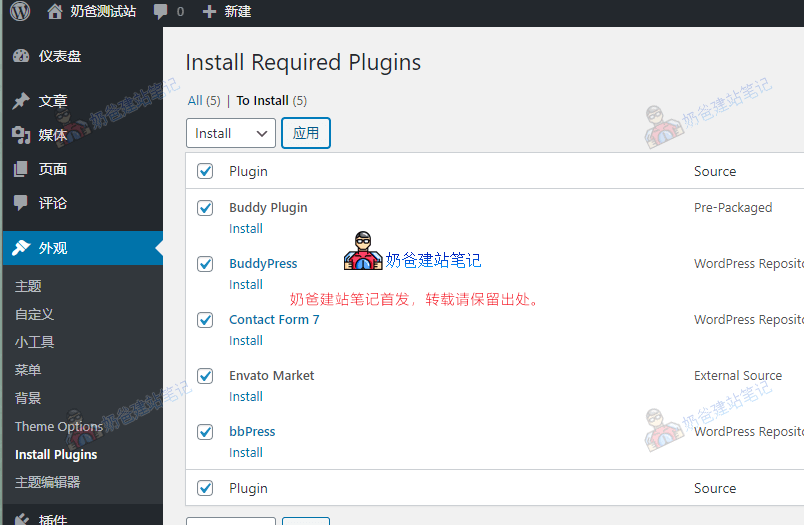
After installation, activate the Buddy Child Theme. You will be prompted to install plugins, as shown in the image below:
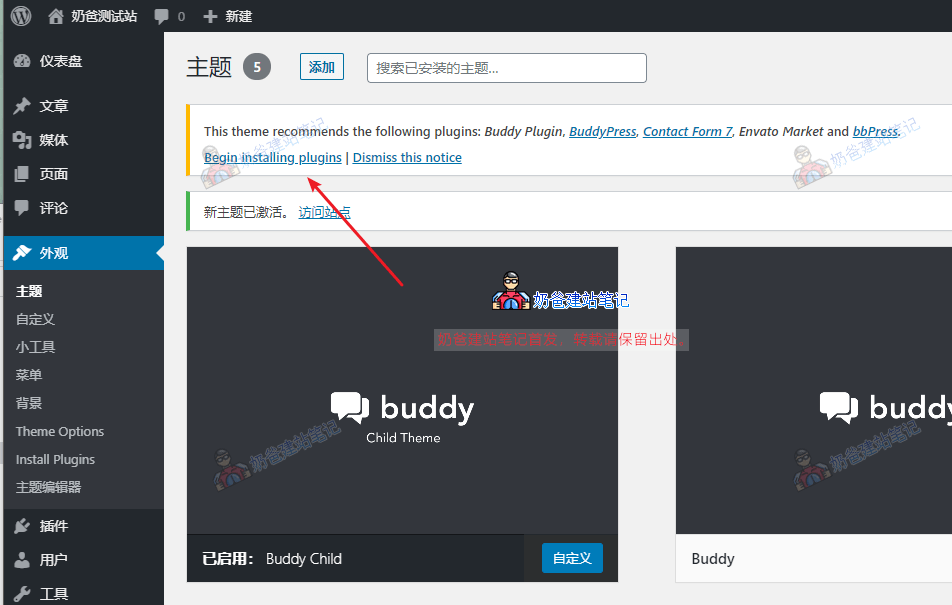
Select all plugins, then choose 'Install' to proceed.
 Once the plugin is installed, visit the front end of the website to see the basic website effect.
Of course, if you think it doesn't look as good as the demo, you can choose to import demo data.
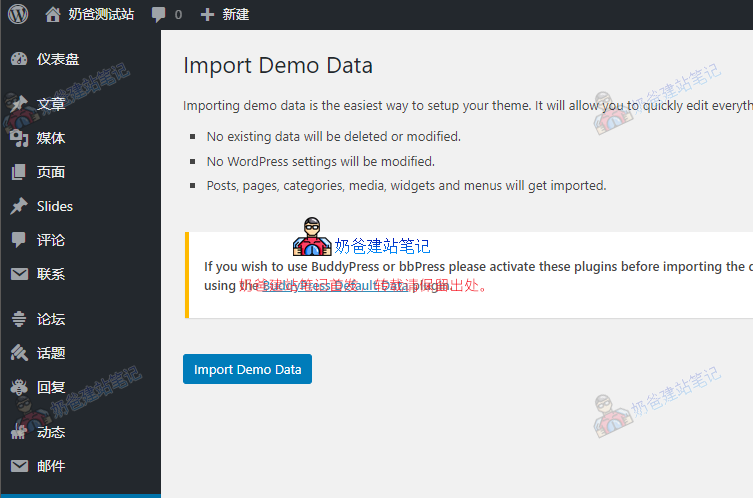
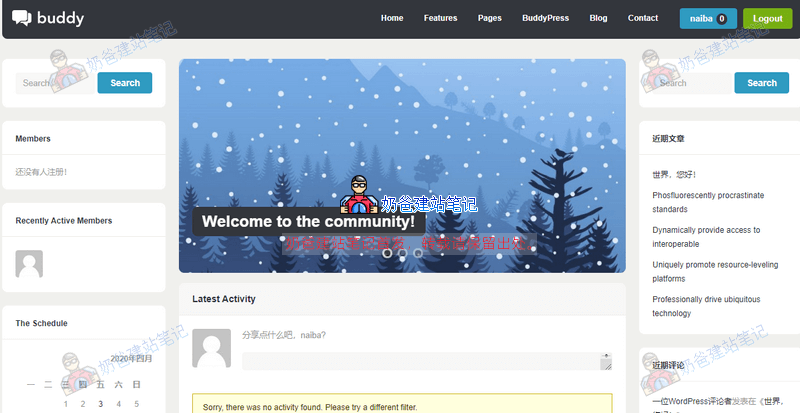
Then, visit the website Frontend again, and you will see an effect similar to the demo, as shown in the image below:
Set Up Forum
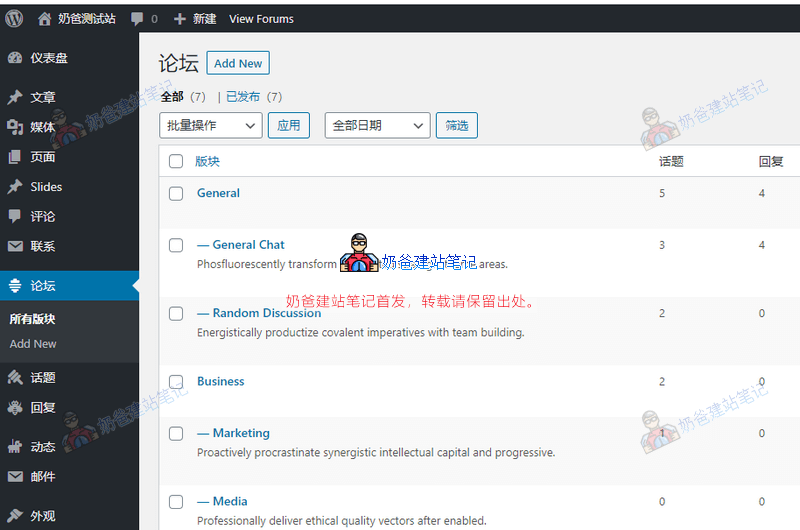 In the WordPress backend, you can see the Forum options, where you can modify forum sections.
Below, there are also Topics, Replies, Activities, and Emails that can be set and viewed.
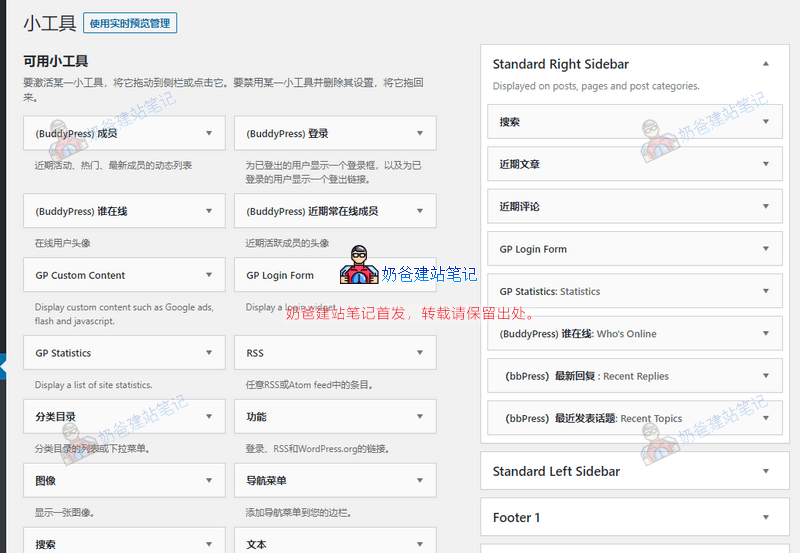
In the Widgets section, you can set the content displayed on the left and right sides of the website.
Buddy Theme Purchase and Download Address
Buddy is a premium theme, priced at $199. At a 1:7 exchange rate, many users may find it unacceptable.
However, this theme is indeed very good for building forums. You can also consider their cheaper forum theme.Aardvark