
How to create a unique website header and footer content using Astra? The method is simple, follow Naiba to operate together.
Conventional methods for designing headers and footers
Astra comes with a default header and footer editor, which can be designed through the Theme Customizer.
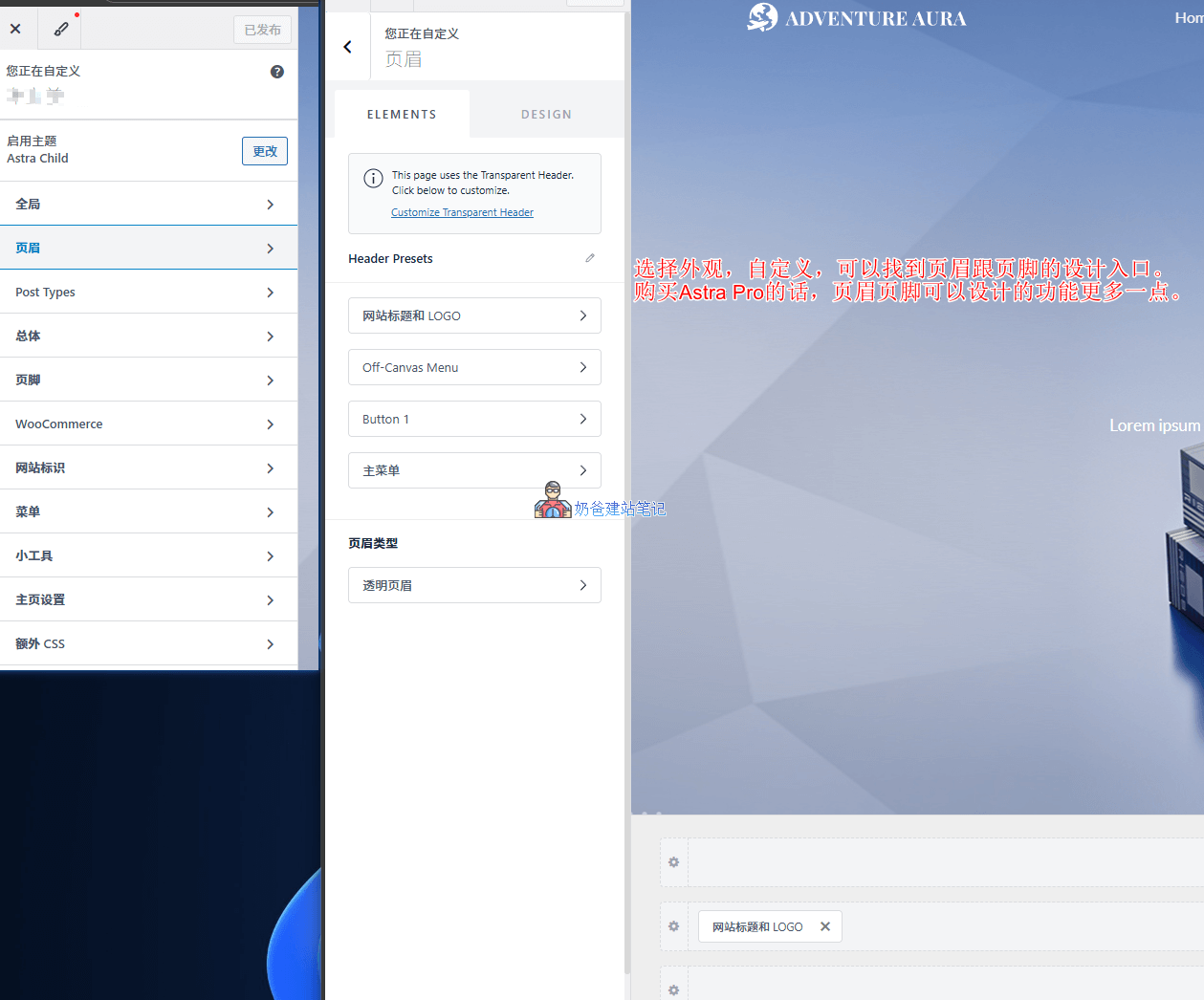
Click on the website's Customize, then you can see the settings entries for header and footer. The default header has three design areas: top, middle, and bottom. Add the required functional modules to the corresponding positions and then configure the content.
Using Elementor to design headers and footers
There are three ways to use Elementor to design headers and footers for the Astra Theme:
1. Utilize the Site Builder feature included with Astra Pro
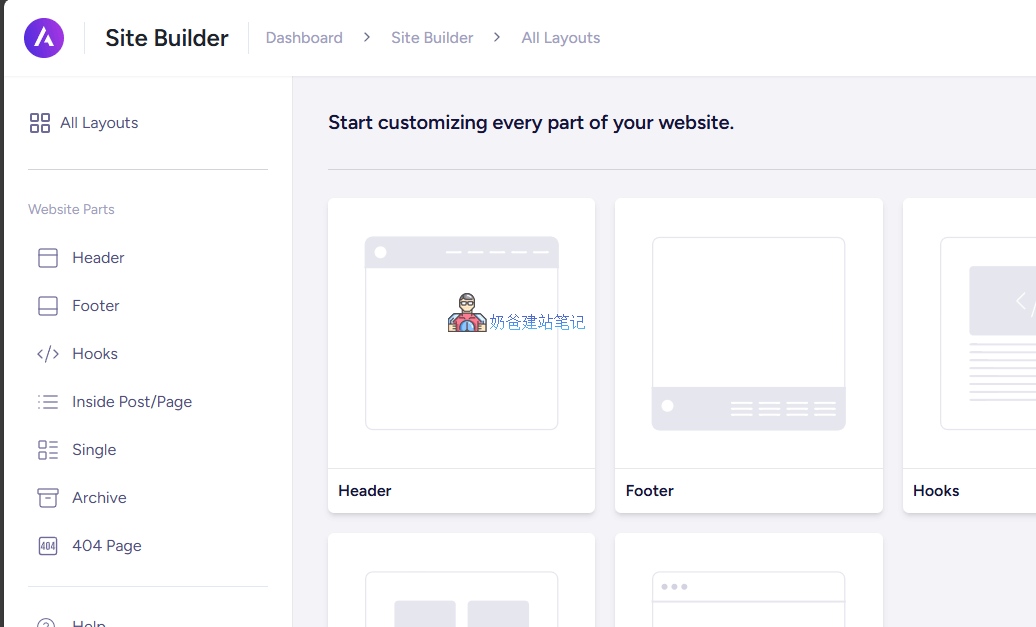
If you have purchased Astra Pro, there is a Site Builder in the Astra menu in the website's Admin Dashboard. Click into it and you can choose the template you need to design, such as header and Footer.
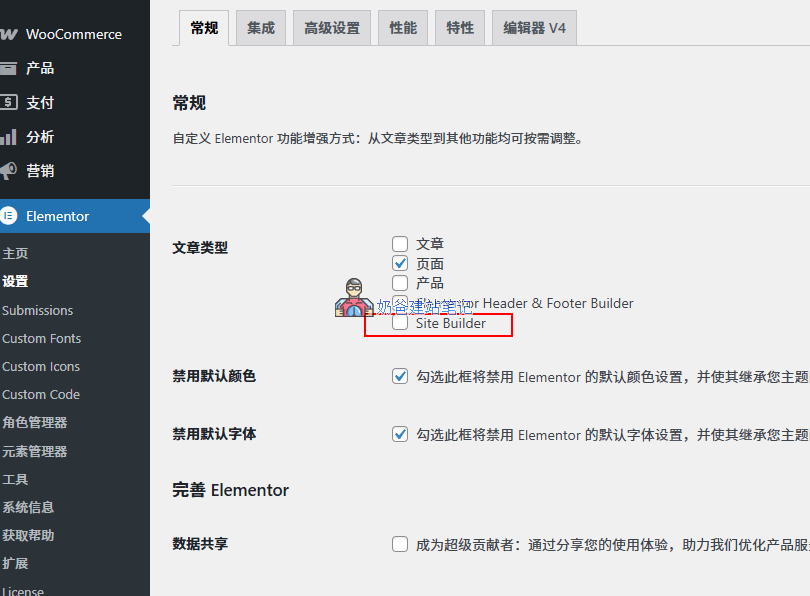
Then you can choose to edit with Elementor. If you don't see the Elementor editor entry, you need to go to Elementor's settings and check the permissions, as shown in the figure below:
If you need to purchase Astra Pro, you cancontact Naibapurchase at a price lower than the official one.
2. Use Elementor Pro to design headers and footers
If you haven't purchased Astra Pro but have purchased Elementor Pro, you can create headers and footers using Elementor Pro's Theme builder.
If you need to purchase Elementor Pro, you can go toNaiba's small shoppurchase at a price lower than the official one.
3. Use free plugins to design headers and footers
If you don't want to spend extra money, you can also install the freeUltimate Addons for Elementor(also developed by the Astra team)
Some other Elementor extension plugins also support the creation of headers and footers, for example:ElementsKit Elementor Addons and Templates